
Website Governance Best Practices for Distributed Teams
Learn website governance best practices, from a governance framework and template to accessibility, security and AI-native practices.


TL;DR
- Website governance best practices turn a loose website into a managed system with clear roles, standards and review cycles.
- A simple roles-and-review template keeps distributed teams aligned without slowing every update down.
- Scheduled accessibility scans, tighter security, and AI-native workflows are now core governance practices.
Introduction
Website governance best practices help teams scale their site and web pages cleanly. The second a website grows past one owner, you need rules for who can publish what and who's accountable when something slips. You also need a way to catch quality problems before your visitors do.
This guide walks through what your website governance guidelines should cover and the practices that make a governance framework stick. Along the way, you'll see why it pays off and get a simple template you can adapt for your own team.
What is website governance?
Website governance is the framework of roles, policies, and processes an organization uses to manage a website's content, technical infrastructure and ongoing decision-making. It covers who can create or publish content, and how brand standards and accessibility standards get enforced. It also covers how security gets handled and who has final say when priorities conflict.
Think of it as the operating system underneath your content management system. The CMS gives you the tools to build and edit pages. Governance sets the rules for who uses those tools and how closely their work gets reviewed.
Without a governance model, websites tend to drift. Different departments publish in different voices. Old pages stick around long after they stop being accurate, and nobody is quite sure who owns the fix when something breaks.
A governance framework exists to stop that drift before it starts, and to give distributed content teams clear guardrails instead of a 40-page policy nobody reads.
Why website governance is important
Good web governance pays off in ways you can measure. Here's what a solid governance framework gets you.
- Brand consistency. When every contributor works from the same standards, your web content reads and looks like it comes from one organization, not a dozen competing ones.
- Legal compliance. Accessibility standards, including WCAG and obligations under the Americans with Disabilities Act, are easier to meet when checks are built into your process rather than bolted on after a complaint.
- Fewer broken links and less stale content. A defined review process catches outdated pages and dead links before visitors do, instead of leaving your website's success to chance.
- Faster decision-making. Clear roles and responsibilities mean contributors don't have to escalate every small call, which frees your management team to focus on strategy instead of refereeing disputes.
- Less reliance on one person. When governance lives in a documented process instead of someone's memory, your site survives staff turnover without losing institutional knowledge.
- Better user engagement. Visitors trust a site that works, loads correctly, and says the same thing on every page. That trust shows up directly in how long people stay and how much they do once they get there.
You don't need a massive governance process to get these benefits. You need the right practices, applied consistently, with central oversight for the standards that are most important and room for departments to move fast within them.
Website governance best practices
These are the practices that consistently separate organizations with a healthy, well-governed website from those managing content chaos. Most work for a single site and for a network of dozens, whether you run a centralized team, a fully decentralized one, or something in between.
Build a framework, not just a policy document
A policy document lists the rules. A governance framework explains how decisions actually get made and who has authority over what. It also covers what happens when guidelines and judgment collide.
Write down the decision-making process itself, not just a list of dos and don'ts, so contributors know exactly where to go when a situation isn't covered by the style guide.
Choose a governance model that fits your team
Most organizations land on one of three governance models: centralized, decentralized, or hybrid.
- A centralized model protects consistency but creates bottlenecks when a department needs to publish fast.
- A fully decentralized model moves quickly but lets quality control slip across hundreds of pages.
- A hybrid model is where a central team owns standards and infrastructure while distributed content teams own day-to-day updates within their section, and it’s what works for most organizations with more than a handful of contributors.
Picture a university site or a multi-brand retailer: dozens of administrative units each publish their own pages, but one small team still owns the design system and site-wide accessibility standards. That split lets a large web property move fast without losing central oversight of the parts that carry the most risk.
Define roles and responsibilities with a simple template
Governance breaks down fastest when there is ambiguity. Use a basic website governance template, built around four roles, to cover your organization:
Adapt the titles to match your organization, but keep the principle in place: every person should know their lane, and your content management system should help enforce it.
Set standards contributors will actually follow
Long governance documents don't get read. Short, scannable brand standards do.
Answer the questions contributors actually ask: what goes on a landing page, how images get formatted, what accessible alt text looks like, and who to ask when they're stuck. Apply those standards to existing content too, on a defined schedule, not only to new content going live.
Scan your website frequently for accessibility issues
A one-time accessibility audit is accurate on the day it runs, but not after. Every new page, image, component, or form your team publishes afterward can introduce a fresh issue, and with multiple administrative units touching the site, those issues pile up.
The 2026 WebAIM Million study found detectable WCAG failures on 95.9% of the top one million home pages, a figure that was worse than the year before.
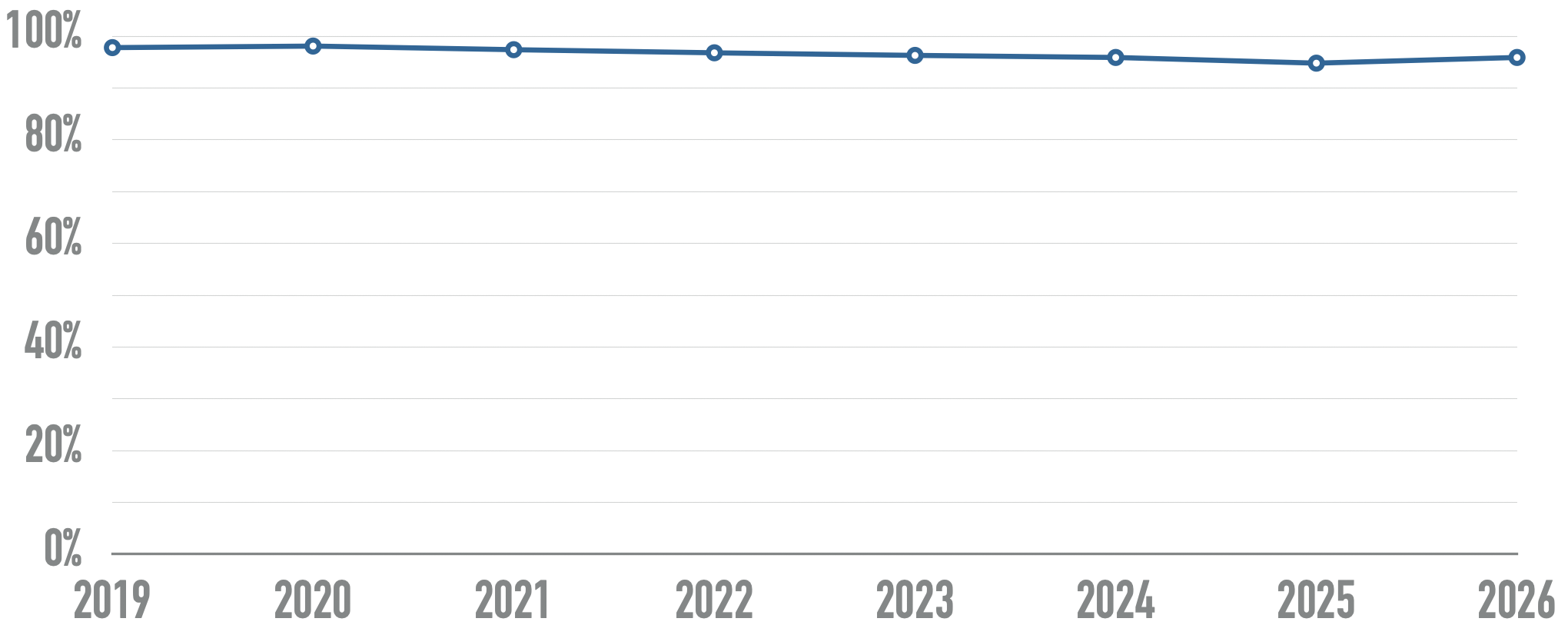
Treat accessibility monitoring as a recurring governance process, not a yearly project. Marker.io's accessibility scanner, part of its broader Website Monitoring product, checks your whole site against WCAG on a schedule, flags the exact element that fails with a screenshot and a fix, and assigns each issue to the person who owns that part of the site.
It turns an accessibility standard from a line in your policy into something your team can actually act on every week.
Treat website security as a governance pillar
Website security governance deserves the same structure as content governance: defined ownership and regular review, not a once-a-year checklist. Access controls should be scoped to what each contributor actually needs, data should be encrypted in transit and at rest, and you should have a clear incident response process everyone on the team knows.
Build security reviews into your governance process the same way you build in content reviews.
Govern domain and access, not just content
Website domain governance is easy to overlook. Who can even get into your CMS or your web tools, and how do you verify they should be there? As teams grow, manually inviting and removing users can become a weak point, especially when a contributor leaves and nobody remembers to revoke access.
Build for AI-native website governance
AI-native website governance is the newest practice on this list, and it has two parts:
- Governing how your content gets represented when AI search tools and generative engines summarize or cite it, which means consistent terminology, clear, structured content, and accurate claims across your web properties.
- Governing how AI agents are allowed to work inside your own processes.
Marker.io's MCP integration, one of several AI features built into the platform, lets an AI agent, like Claude or Cursor, read a flagged issue, including screenshots and console logs, and propose a fix or a pull request.
You still decide what ships. The agent just removes the manual digging that used to eat up a developer's afternoon, and a governance process that used to depend entirely on human bandwidth can now clear a backlog of flagged issues in a fraction of the time.
What's new in website governance right now
The biggest shift in website governance is the move away from periodic audits toward continuous, automated monitoring. A compliance snapshot from last quarter tells you nothing about the page your intern published yesterday.
The second shift is AI moving into both ends of the governance process: as something you have to govern, since AI-mediated search now shapes how your content gets found and represented, and as a tool inside governance itself, helping teams triage and resolve issues faster than manual review alone ever could.
Neither shift replaces the fundamentals. You still need clear roles, standards everyone can find, and a named decision-maker. What's changed is how much of the checking and fixing can now happen automatically, which frees your team to spend its time on the judgment calls that actually need a person.
Conclusion
Website governance best practices need to be more than processes added for their own sake. They should help you make sure the right person sees the right issue at the right time, whether that issue is a broken link, an accessibility failure, or an AI agent proposing a fix that needs a second look.
Start with clear roles, back them with a template people will actually use, and build in continuous checks instead of annual ones.
Try Marker.io free for 15 days to see how scheduled accessibility scans and AI-assisted fixes fit into your own governance framework, no credit card required.
Website governance best practices FAQs
What should I know about website governance before I start?
Start small. You don't need a complete governance framework on day one. Pick the two or three practices causing the most pain right now, usually unclear ownership or stale content, and build out from there.
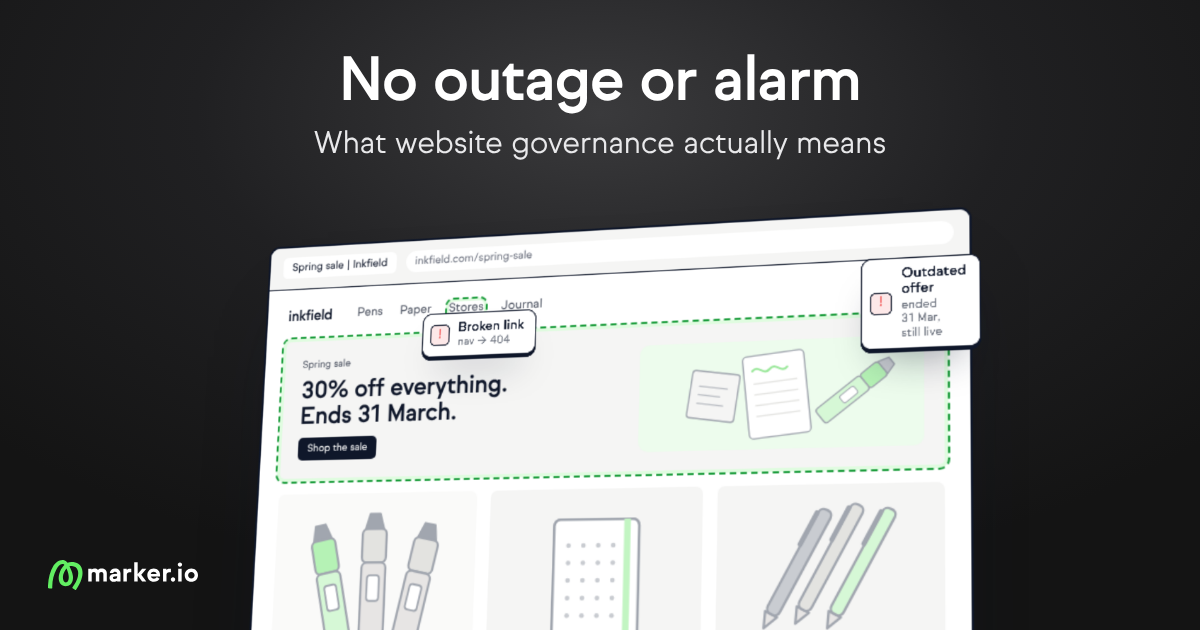
If stale content is your biggest headache, this breakdown of what website governance actually means digs into why it goes unnoticed for so long.
Who should own website governance at an organization?
Most organizations house overall governance in marketing or communications, with technical oversight from IT and accessibility input from legal or compliance. The owning team should have authority to set standards, but every department with content stakeholders needs a seat at the table.
How often should a website governance framework be reviewed?
At least once a year, with smaller updates whenever your platform, team structure or regulations change. Build the review date into the framework itself so it doesn't quietly go stale the way your content can.
Is a website governance template enough on its own?
No. A template gives you a starting structure for roles and reviews, but it only works once a real person is accountable for each row and your tools enforce it. Pair the template with recurring checks, like scheduled accessibility scans, so governance holds up between reviews, not just on the day you write the policy.
What should I do now?
Here are three ways you can continue your journey towards delivering bug-free websites:
Check out Marker.io and its features in action.
Read Next-Gen QA: How Companies Can Save Up To $125,000 A Year by adopting better bug reporting and resolution practices (no e-mail required).
Follow us on LinkedIn, YouTube, and X (Twitter) for bite-sized insights on all things QA testing, software development, bug resolution, and more.
Will Sigsworth
Will manages organic content at Marker.io. He also works as a marketing advisor and contributor to a number of other SaaS businesses.
Related blog posts

Get started now
Free 15-day trial • No credit card required • Cancel anytime