
Online bug tracker for fast, visual bug reporting
Report and resolve website bugs before they cause problems with our visual bug tracking tool.

The trusted bug tracker for development teams






See a bug?
Click, annotate, send.
Set up the website feedback widget by copying our snippet code and pasting it into your website's HTML. Lightweight code means our visual bug tracker has no impact on site performance.
How our online bug tracker works
Report bugs in three easy steps. Capture the issue on your website, add visual context and refine with AI, and send it to your existing issue tracker with the technical details attached. From there, your team can prioritize, discuss, resolve, and close it.
Capture the bug
Open the Marker.io widget to capture the affected page in one click, then highlight the issue and add any necessary details.
Add context and refine the report
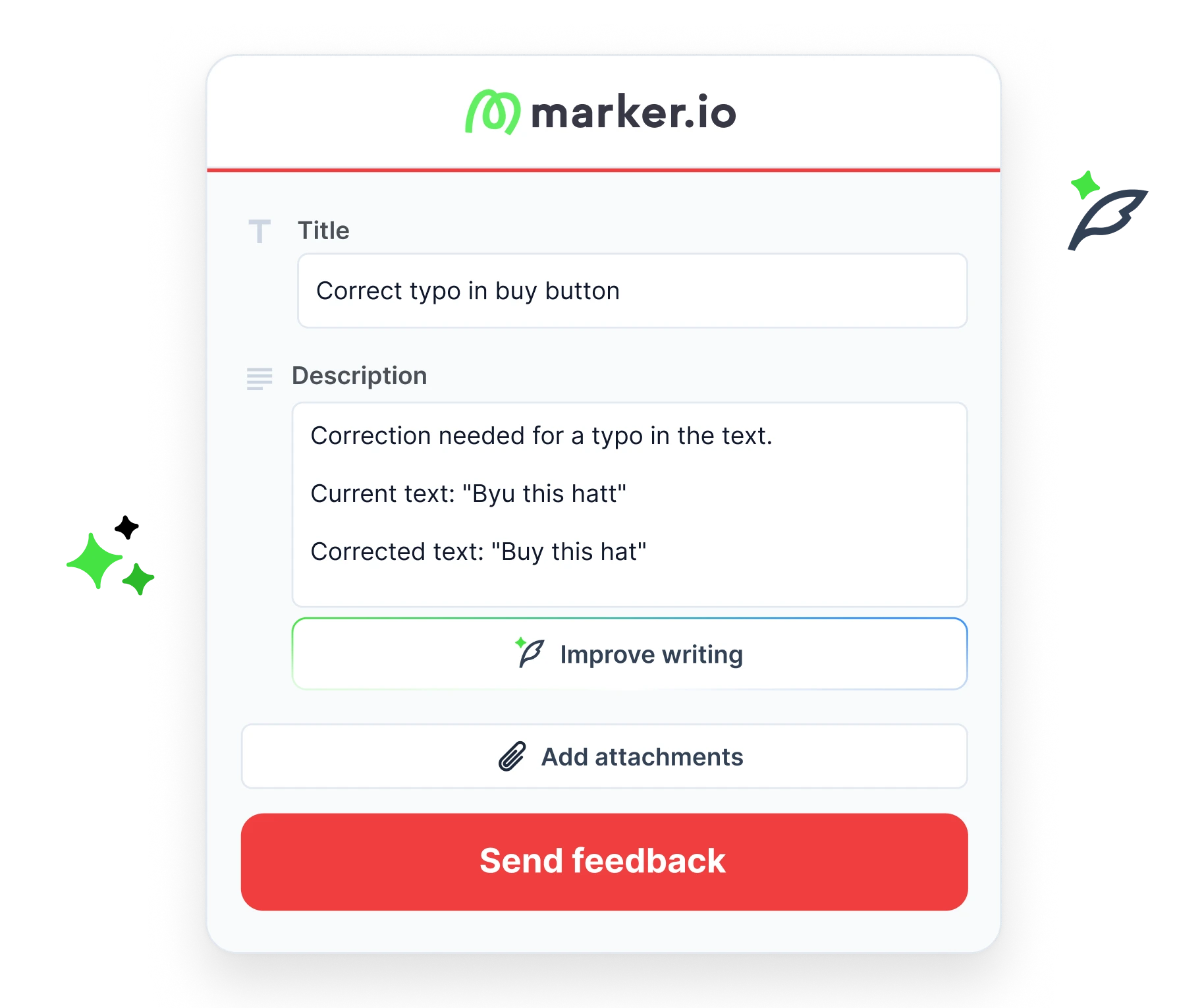
Annotate the screenshot and harness AI to describe the issue. Marker.io automatically records technical details so developers can investigate.
Send it to your issue tracker
Submit the report to your connected issue tracker, where your team can prioritize it alongside existing work items in the backlog.

“Clients used to send us emails, documents, spreadsheets and even powerpoints for feedback. Now we just use Marker.io.”
Better bug reports for everyone
Everything reporters and developers need to resolve bugs faster.
Capture and explain issues quickly
- Capture a screenshot of the page in one click.
- Add screenshots, annotations and a clear description.
- Use AI to refine the report before sending it.
- Submit issues without leaving the website.
Investigate with complete context
- Get automatic console logs, network requests, and environment details.
- Review session replays to see what happened.
- Prioritize reports alongside existing tasks.
- Spend less time chasing missing information.
Collaborate easily with stakeholders
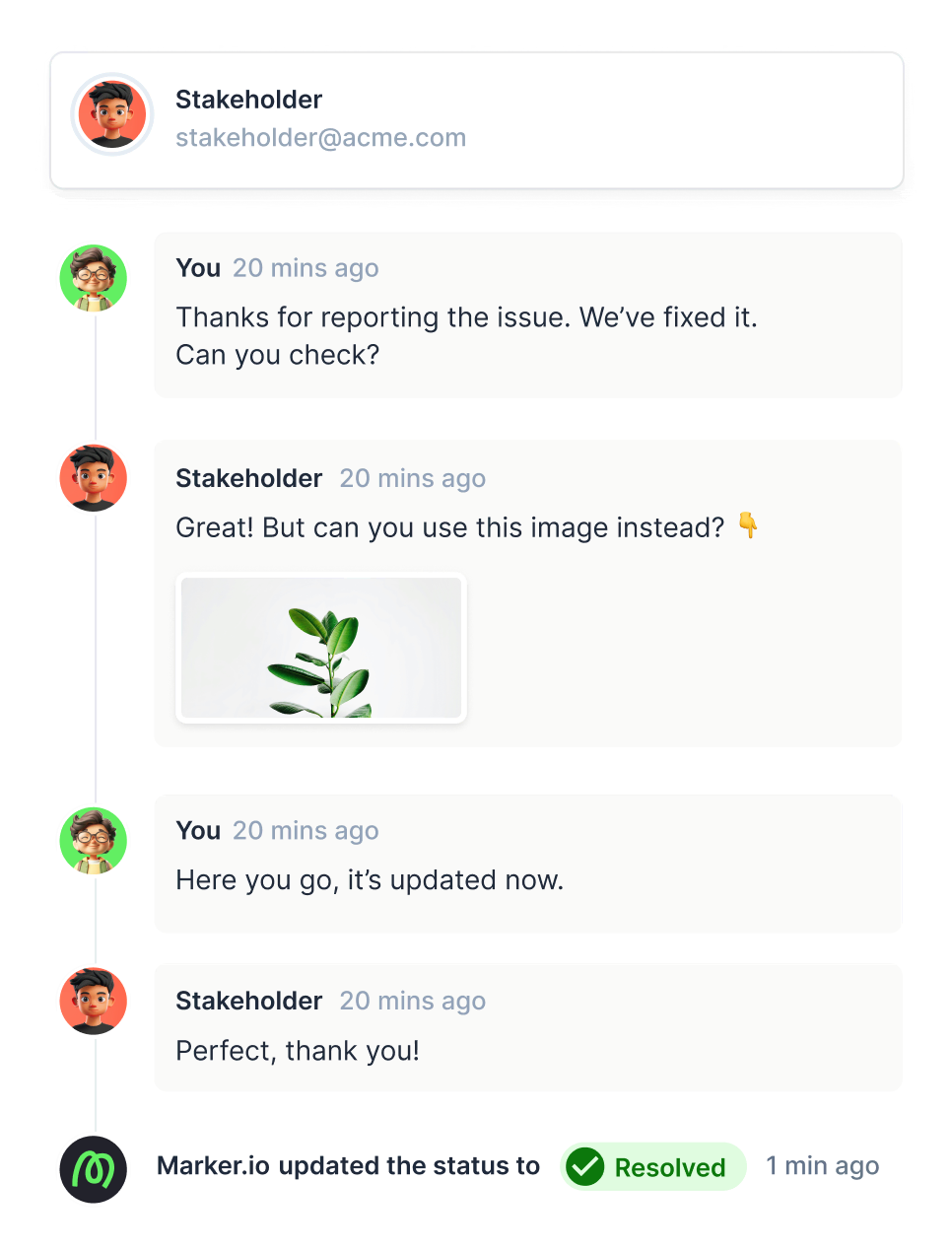
Streamline communication with comments, attachments and issue status within each tracked issue. Give clients and external reporters an overview of known bugs reported by your bug tracking software.

Manage user permissions
Provide team members and clients with the exact bug tracking software they need with project access control options. Enhance team collaboration with our simple bug tracker so everyone is up-to-date on tracking and fixing issues.
Customize your experience
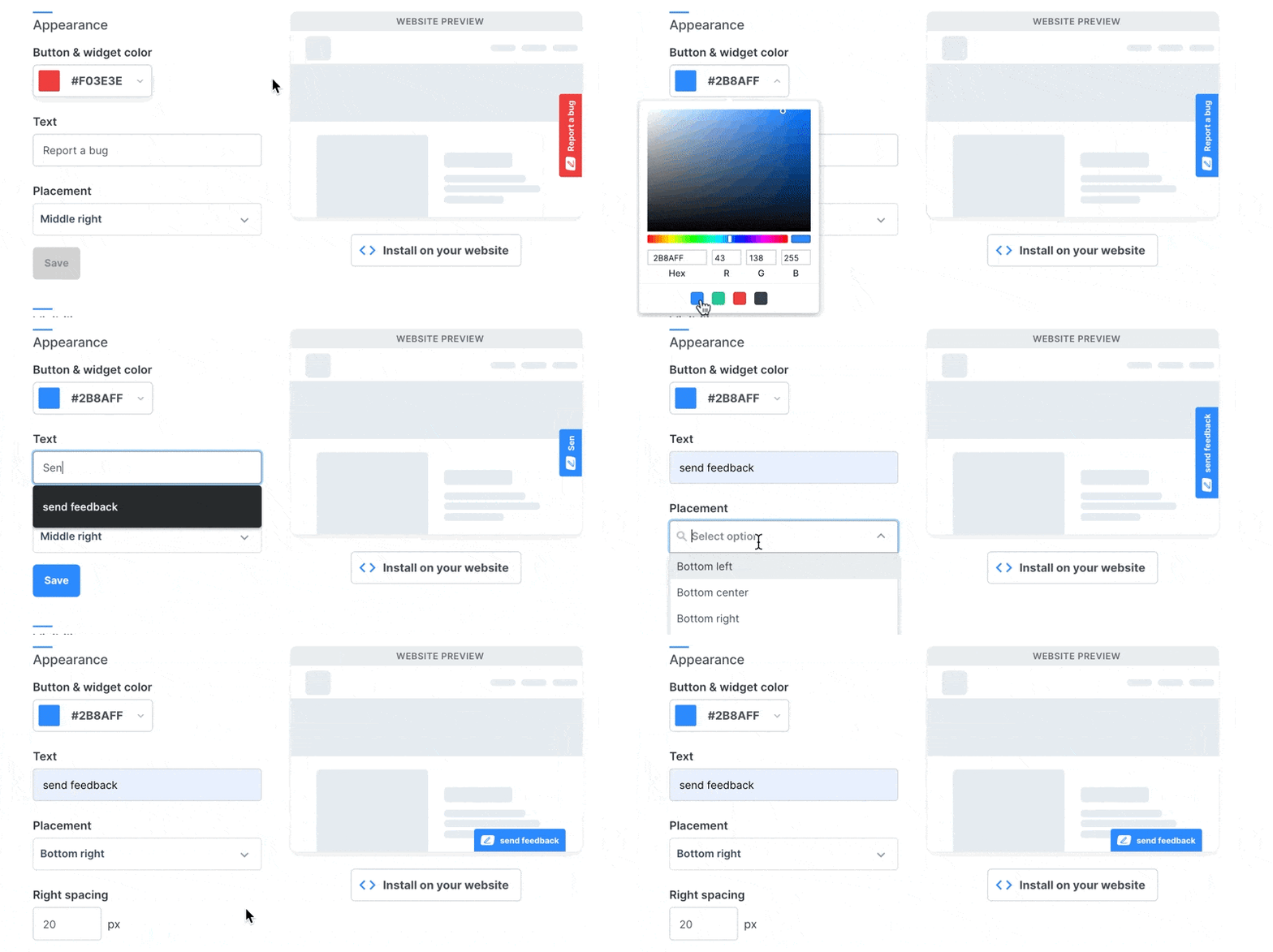
Tailor your Marker.io issue tracking tool, with custom fields in forms and more, to match your branding and meet your needs. Add a custom button to your web pages so everyone can find the bug tracking system easily.

A website bug tracker that works with your existing tools
Capture bug details, screenshots, session replays, and technical context. Send complete bug reports to your developers' favourite project management tool – Jira, Linear, GitHub, or ClickUp. Turn reports into work items, manage them in the existing backlog, and keep the development process moving.
Get clearer feedback, powered by AI
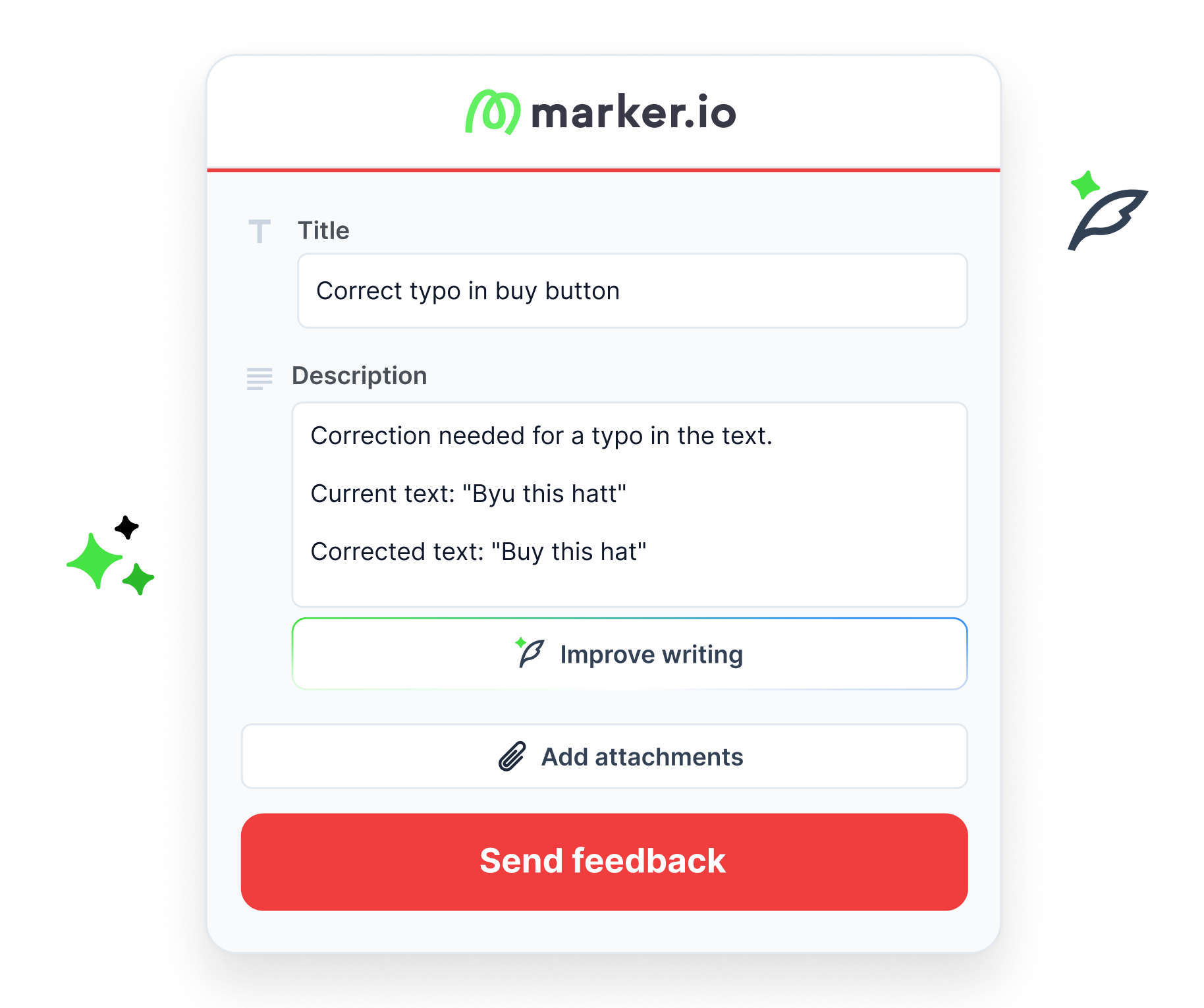
Get early access to AI tools that cut the time you spend on every website issue. Turn raw feedback into structured input, generate clear issue titles instantly, and keep global teams aligned with automatic translations thanks to our new features.
Track what matters
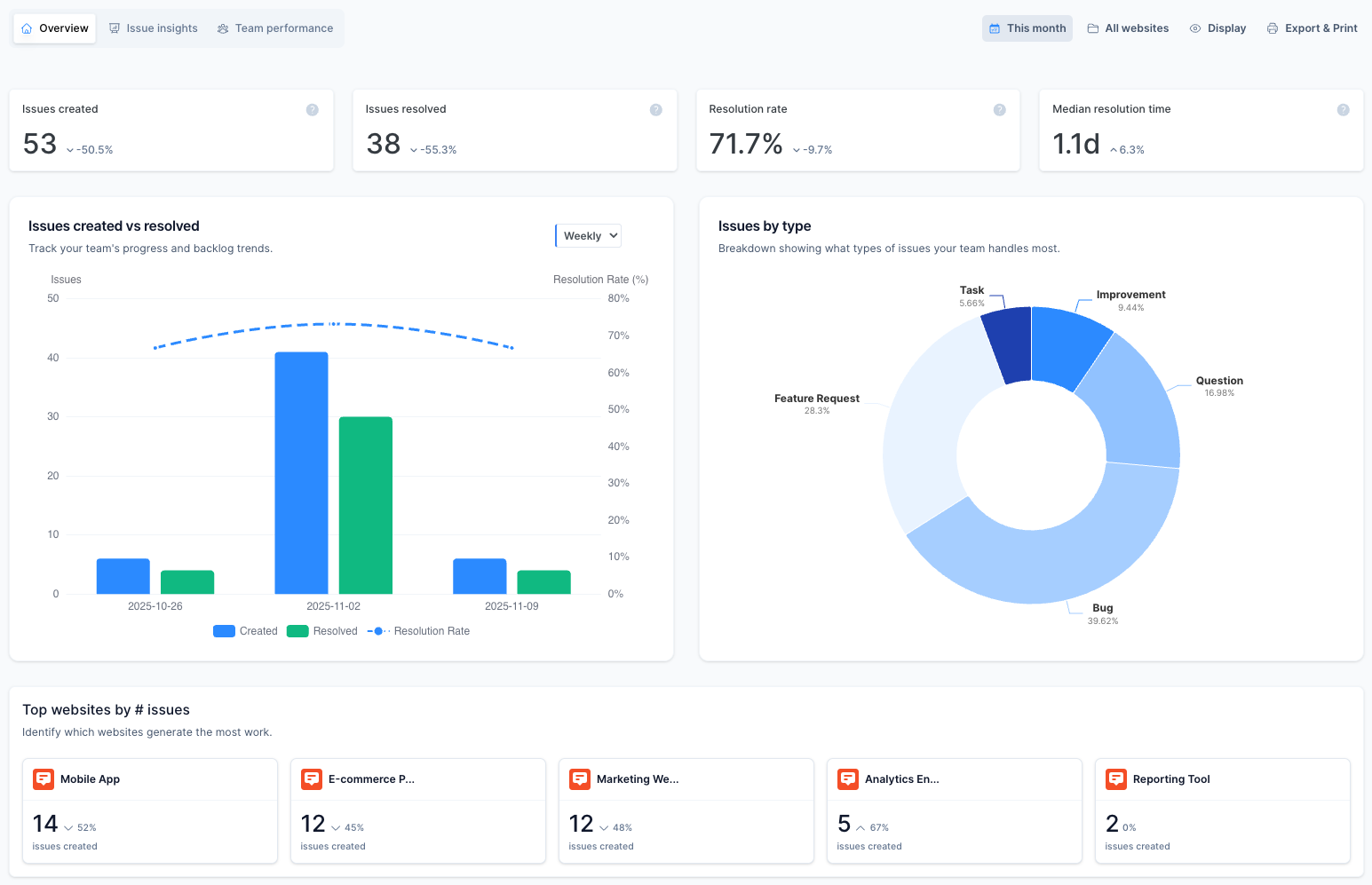
Track issue resolution metrics, monitor team performance, understand workflow patterns, and make informed decisions based on issue type and severity with three comprehensive analytics dashboards.

“Marker.io changed how we report website feedback. No more screenshots laying around my desktop.”
Reproduce bugs effortlessly
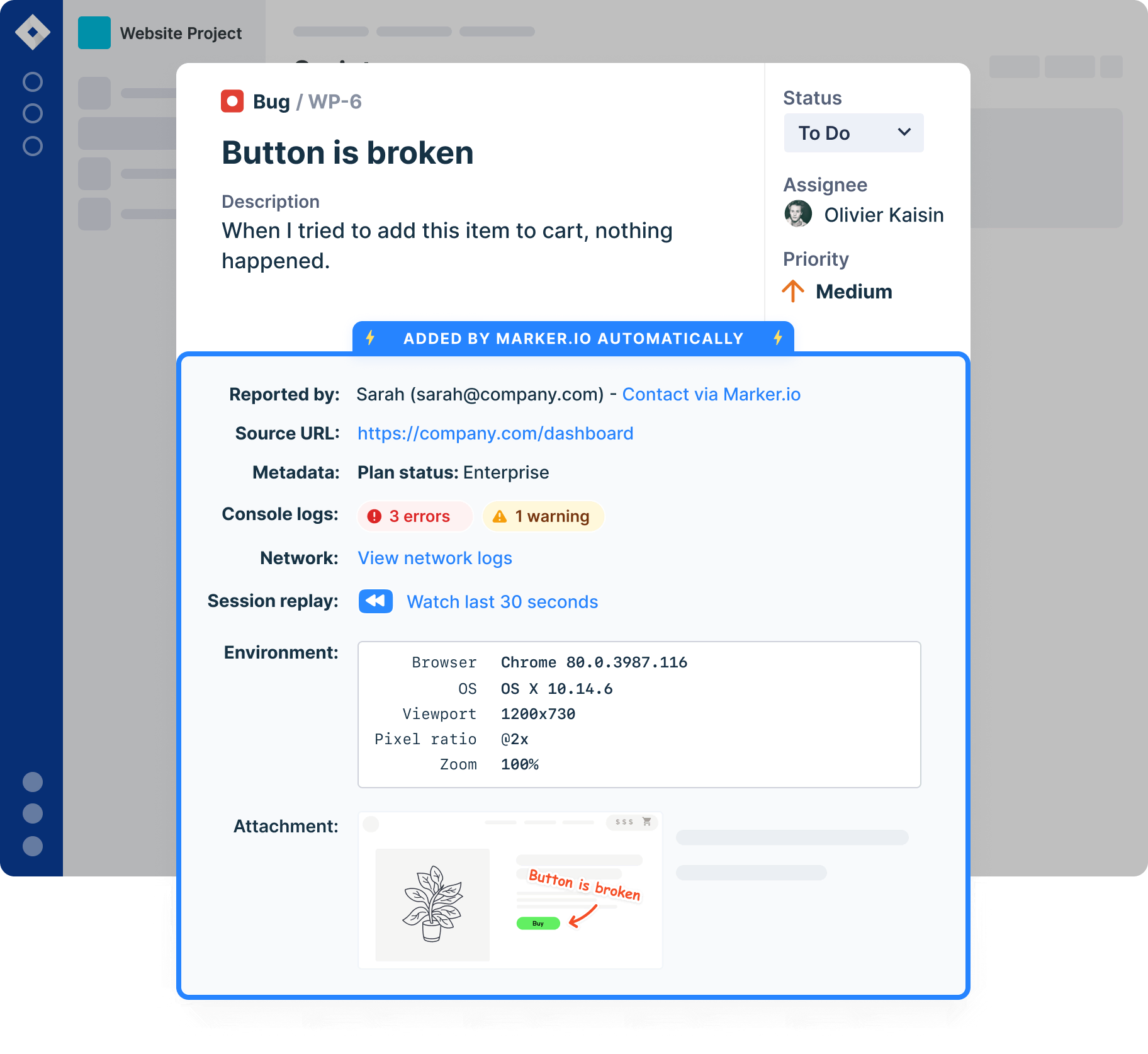
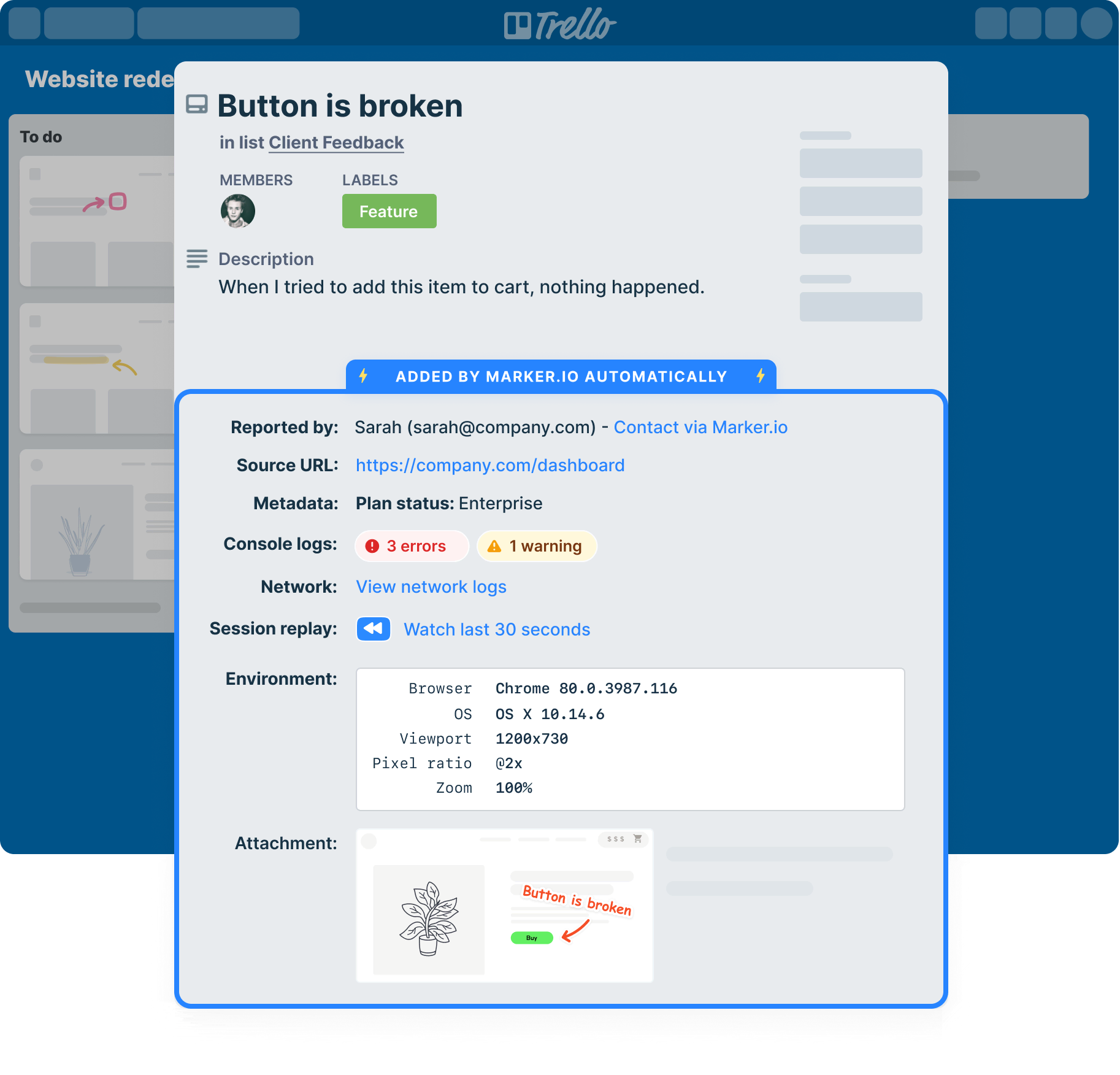
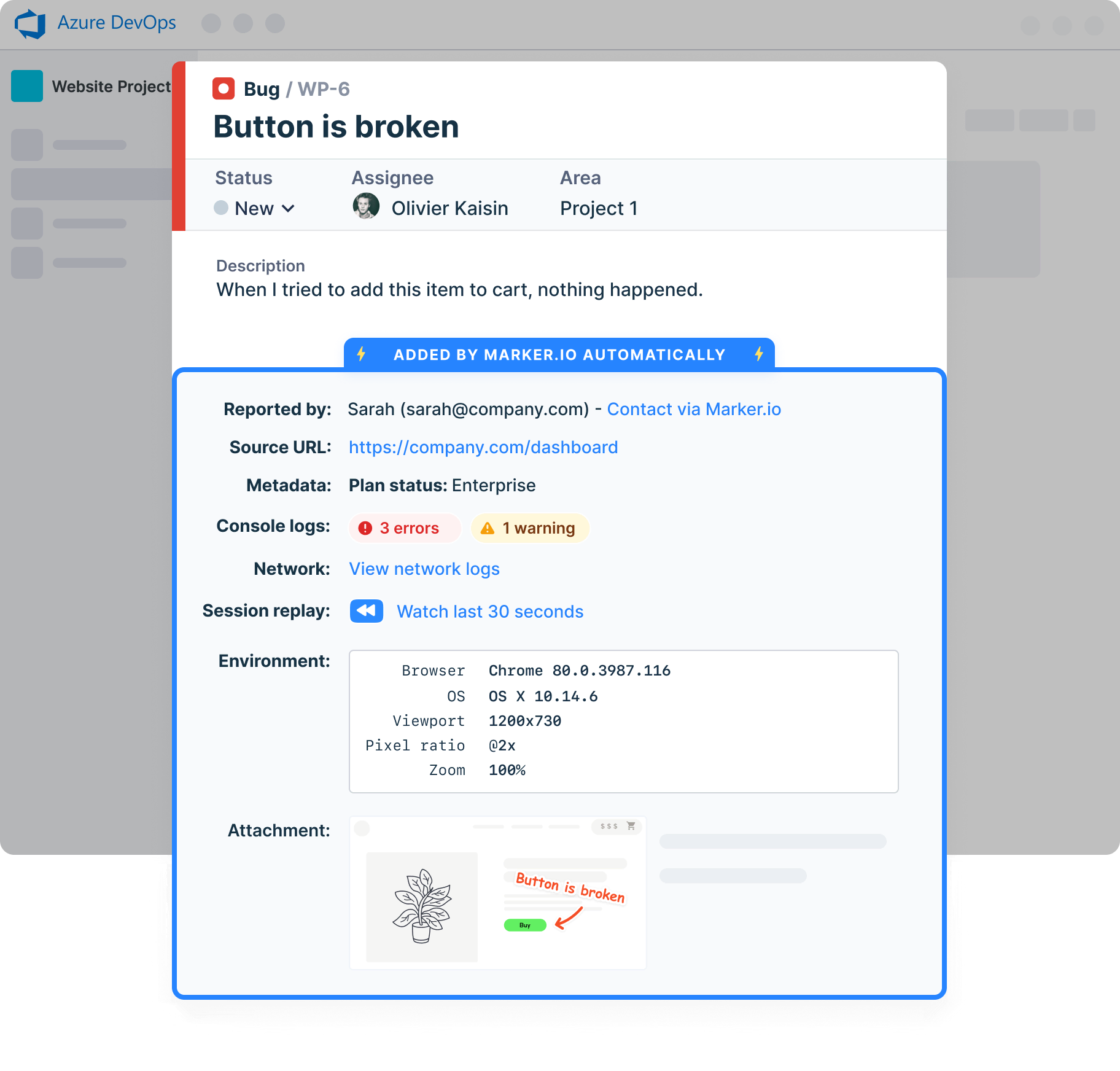
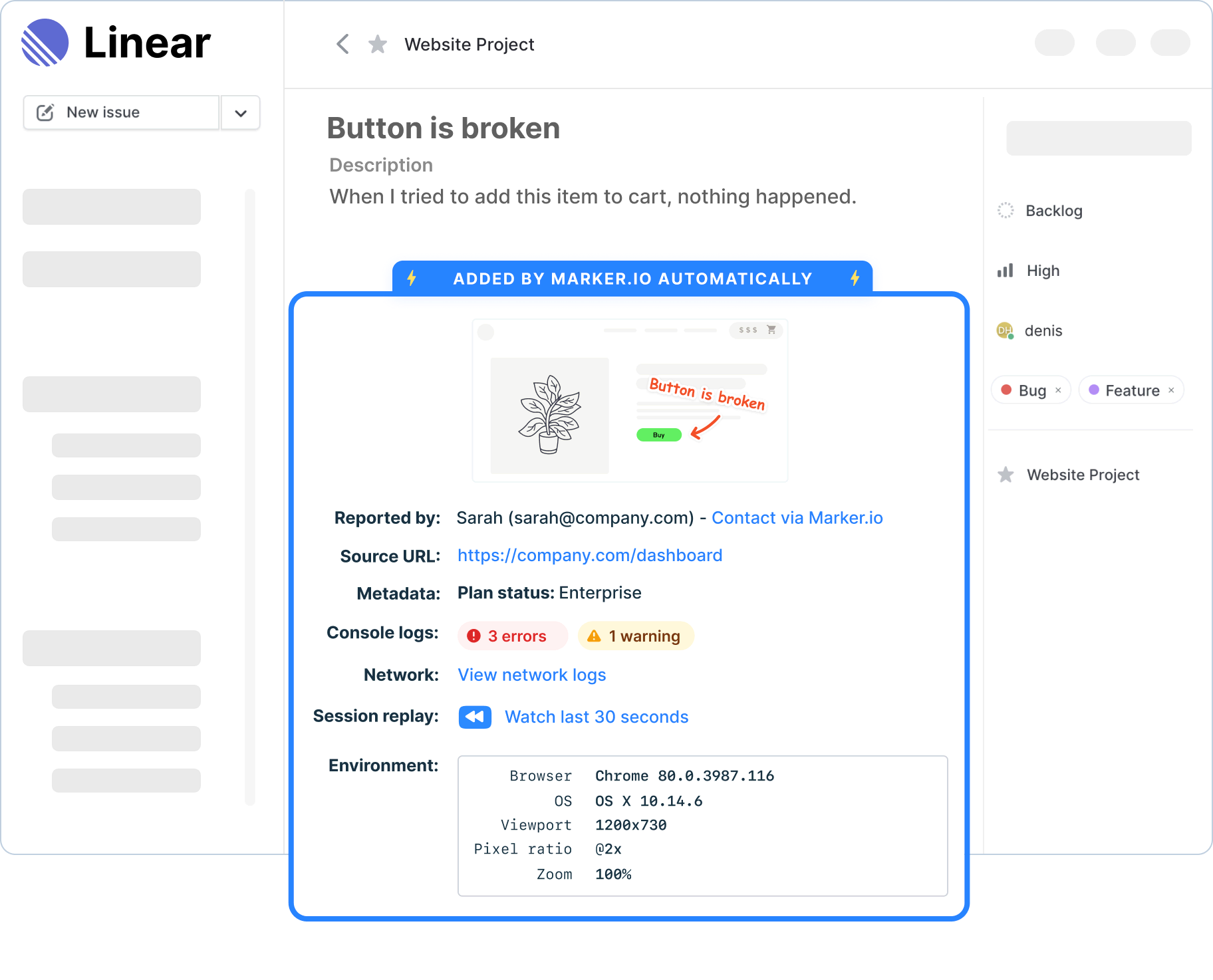
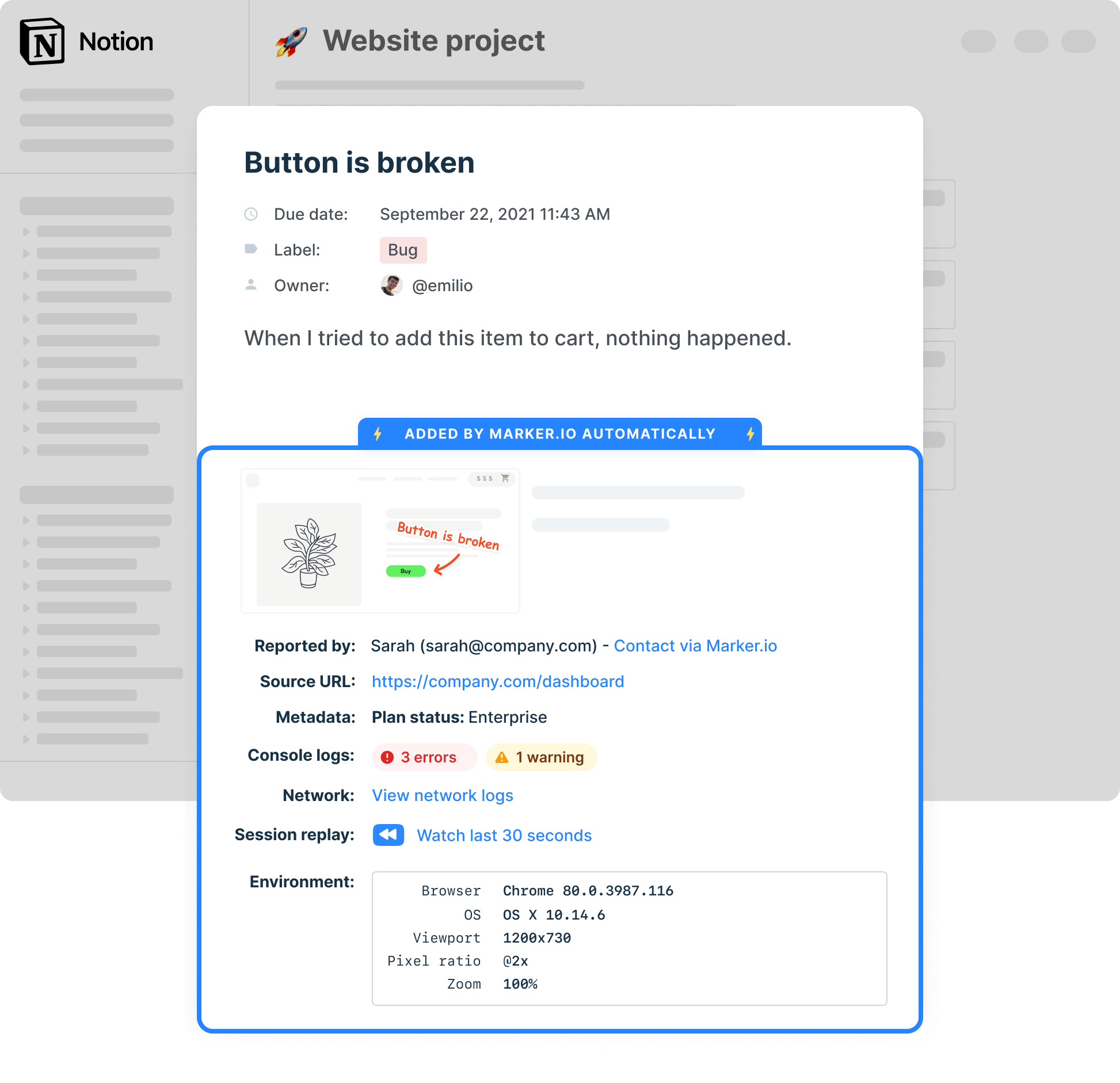
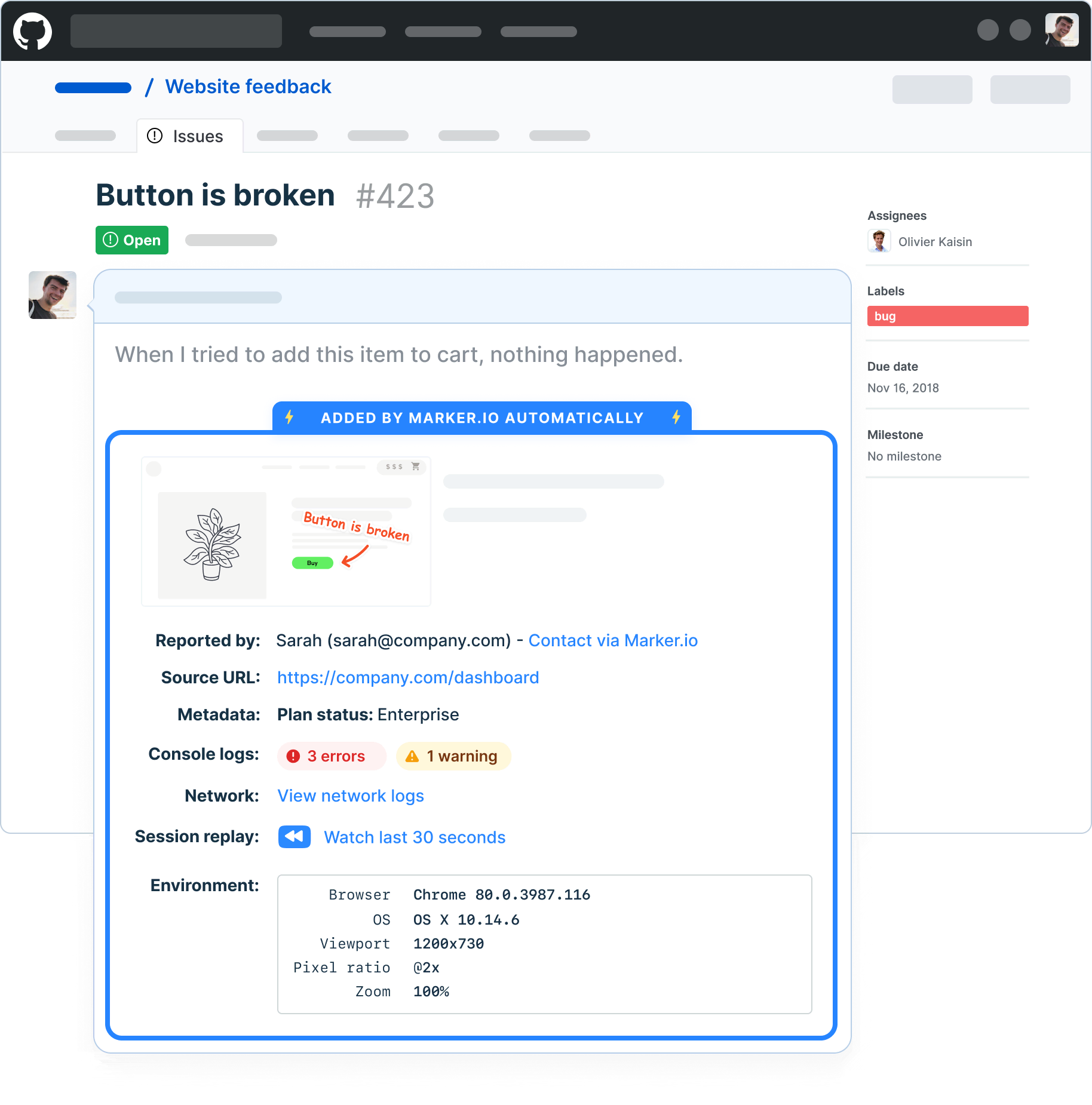
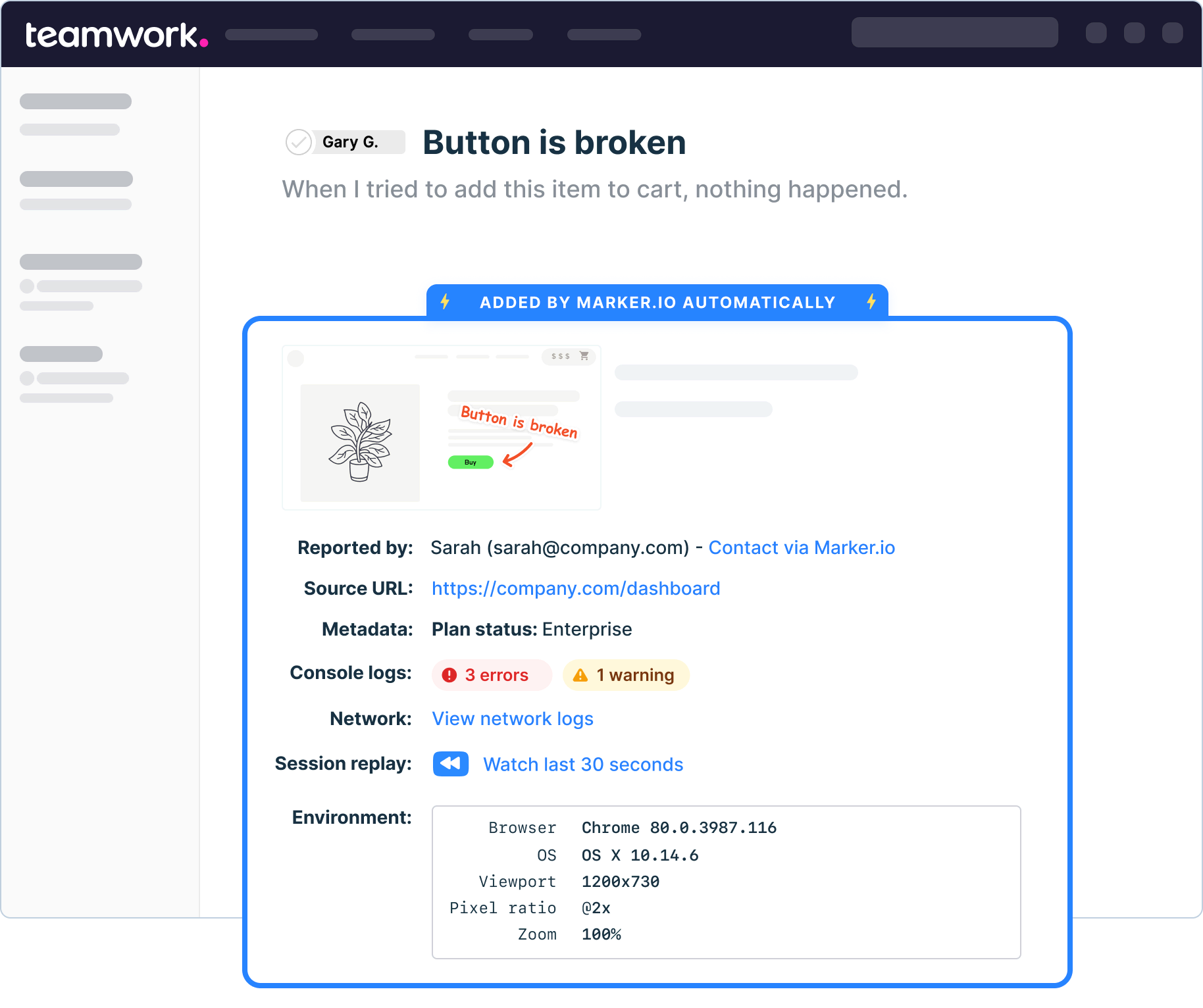
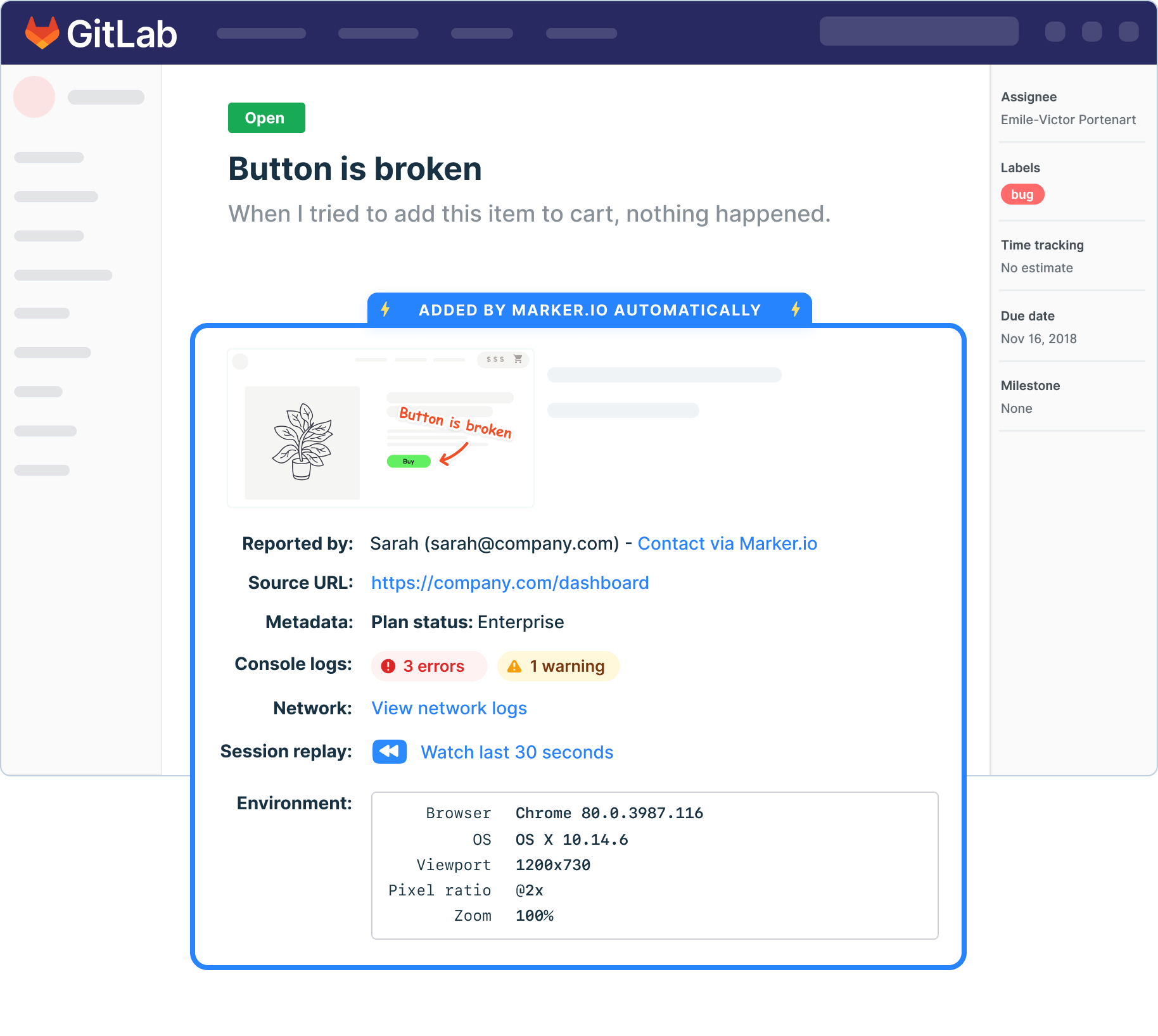
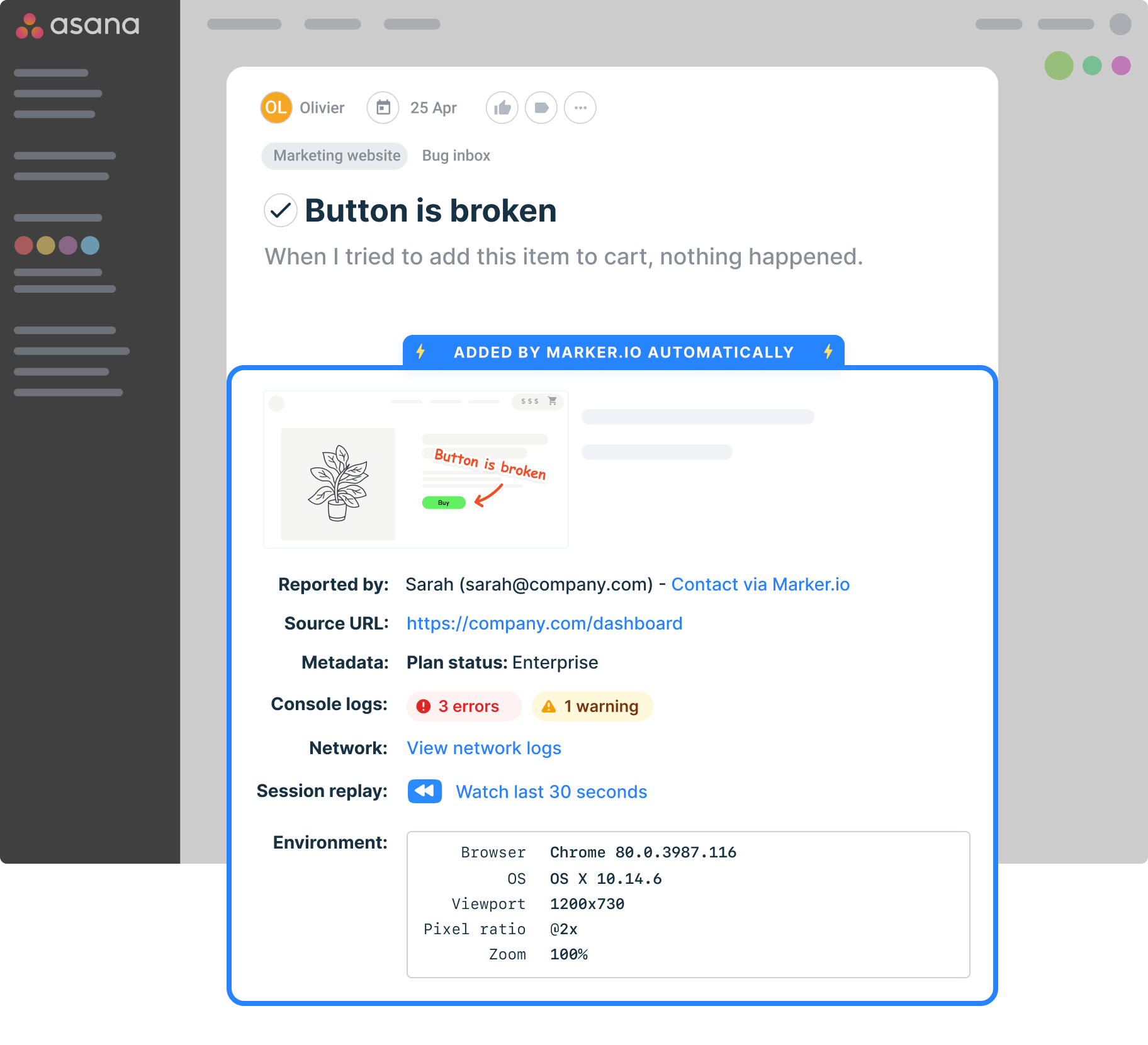
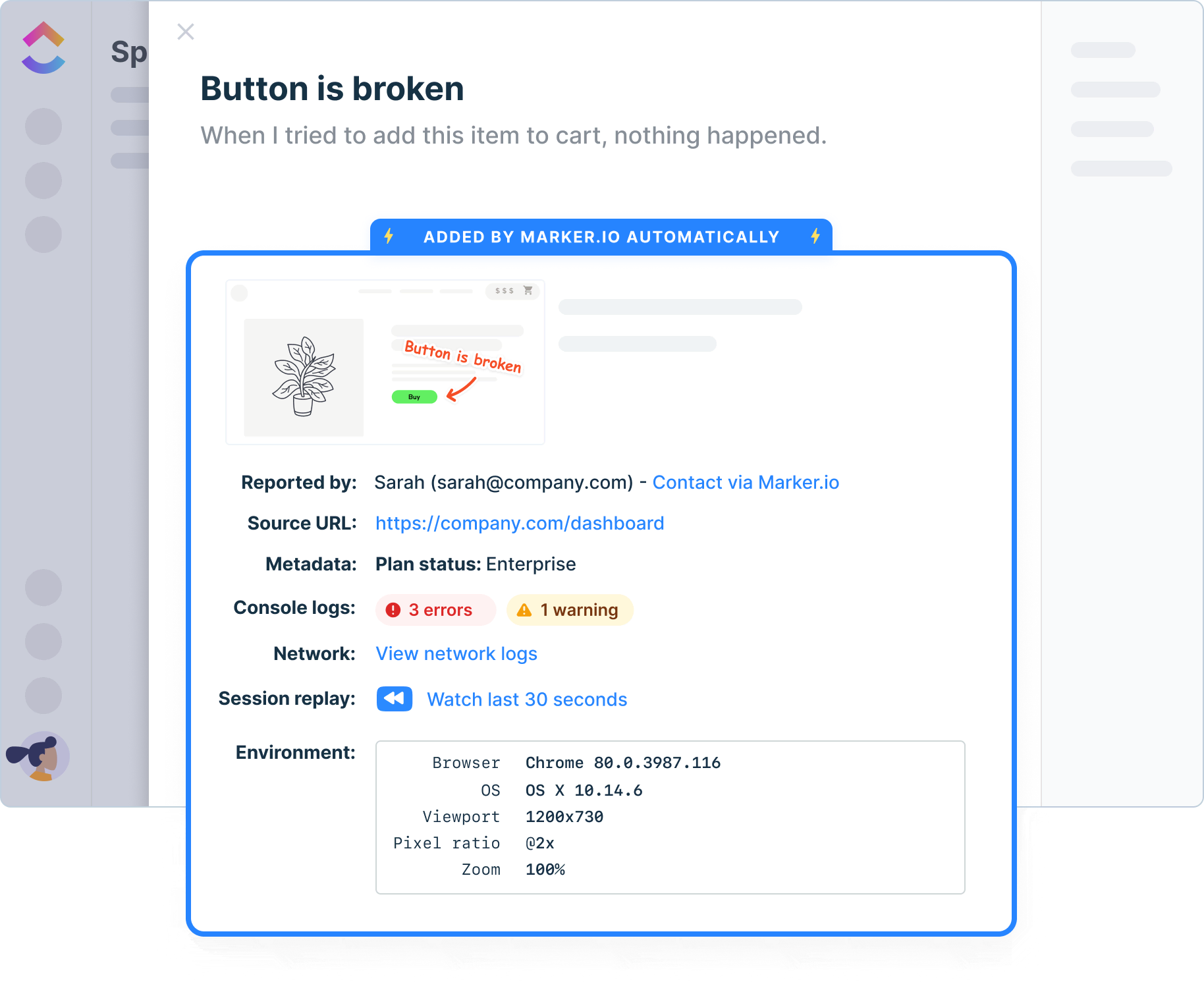
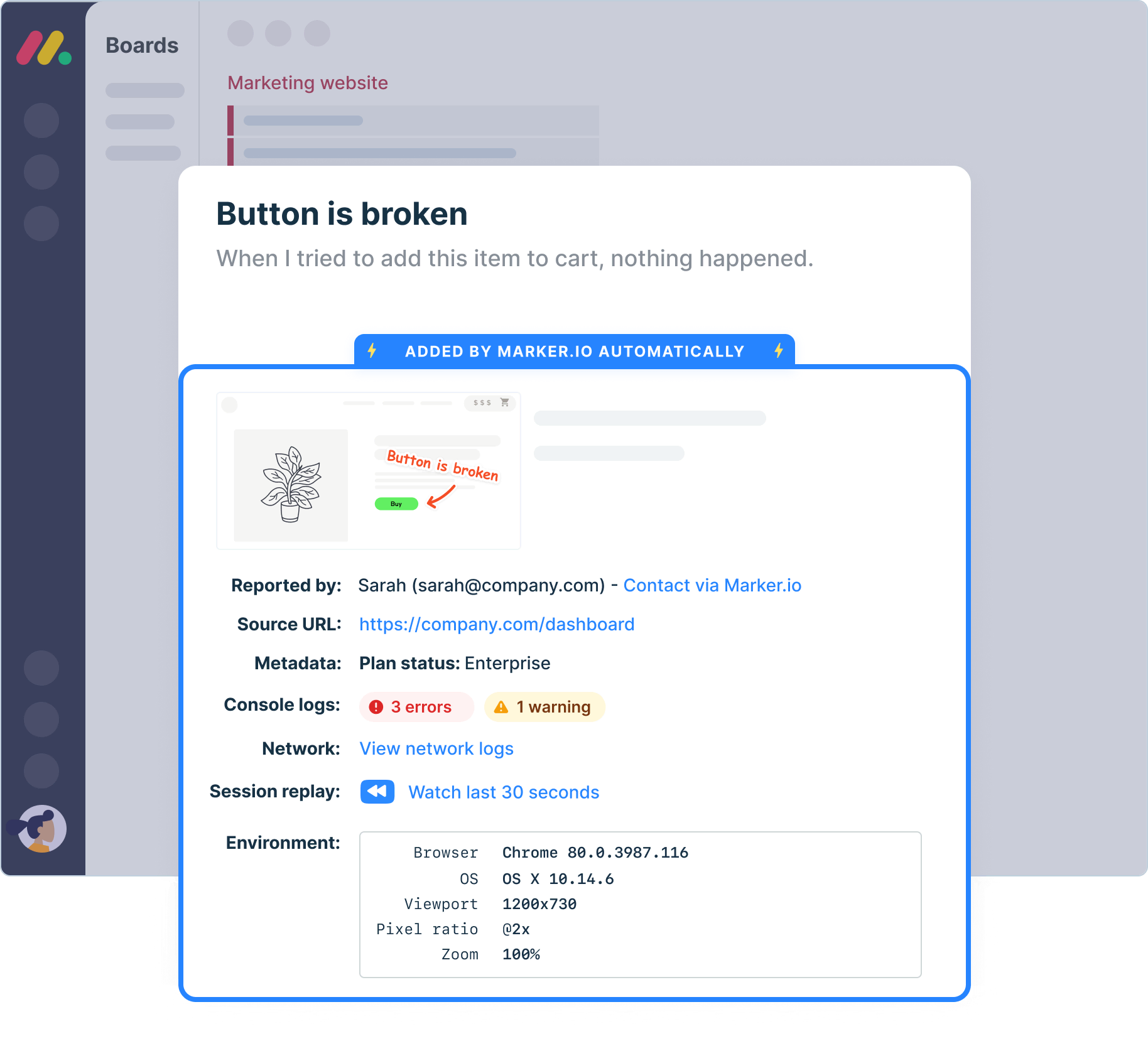
Give your software developers all the data they need to fix bugs, automatically added to your project management tool.
Testing environments
Report issues directly from your staging or UAT environments and simplify QA testing.
Technical details
Auto-capture metadata, screenshots, and technical logs to provide team members with context.
Network logs
Capture and view network logs on bugs reported via your business's defect tracking tool.
Environment data
Browser, OS, webpage and screen size are automatically added to your issues, without reporters having to do anything.
Javascript SDK
Control the bug tracking widget with JavaScript SDK and pass custom metadata about your users or technical environment.
Console logs
Get insights into console errors and give software development teams the contextual information they need.

“Our developers can now see bugs through the reporters' eyes, with no information getting lost.”
Who Marker.io is for
Marker.io helps teams manage website feedback across complex projects, large digital estates, and high-stakes launches, without adding another disconnected workflow.
Enterprise website teams
Coordinate feedback across large websites, multiple markets, and dozens of stakeholders.
WebOps and digital excellence teams
Standardize how website issues are reported, routed, and tracked across teams.
Brand operations teams
Review brand, content, and localization issues across multiple sites and campaigns.
QA and testing teams
Capture reproducible bugs with screenshots, annotations, session replays, and technical context.
Development teams
Receive actionable reports in the tools and backlog your team already uses.
Ecommerce teams
Report storefront, checkout, and customer-experience issues directly on the affected page.
What to look for in bug tracking software
The right bug tracking software should help teams capture, describe, prioritize, and resolve issues without slowing the development process.
Look for a tool that:
- Automatically captures screenshots, browser details, console logs, network requests, and session replays, with AI features that make communication easier.
- Turns each report into a structured issue or task in your existing workflow.
- Integrates with the tools your business already uses.
- Gives developers the context they need without lengthy back-and-forth.
- Helps teams prioritize issues, track progress, and keep stakeholders informed.
- Is simple for reporters to use, great for stakeholders and clients, and detailed enough for developers to act on.
Deploy Marker in your favorite CMS
Install Marker on all existing CMS, including Wix, Shopify, WordPress, and other tools on the market. Handle issue reporting wherever you are with our essential bug tracking tool.

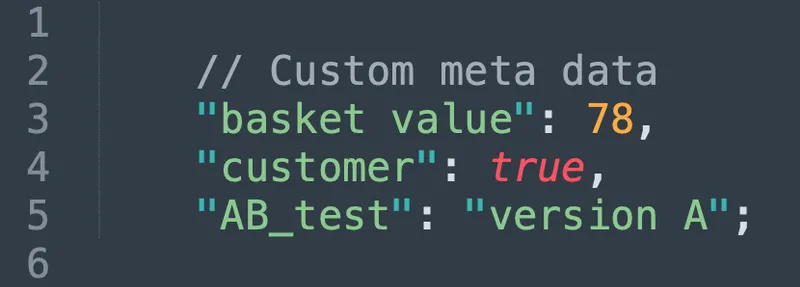
Understand who is sending bug reports
Use custom metadata to get more insights into your bug tracking tool users and reporters, and keep your database organized.
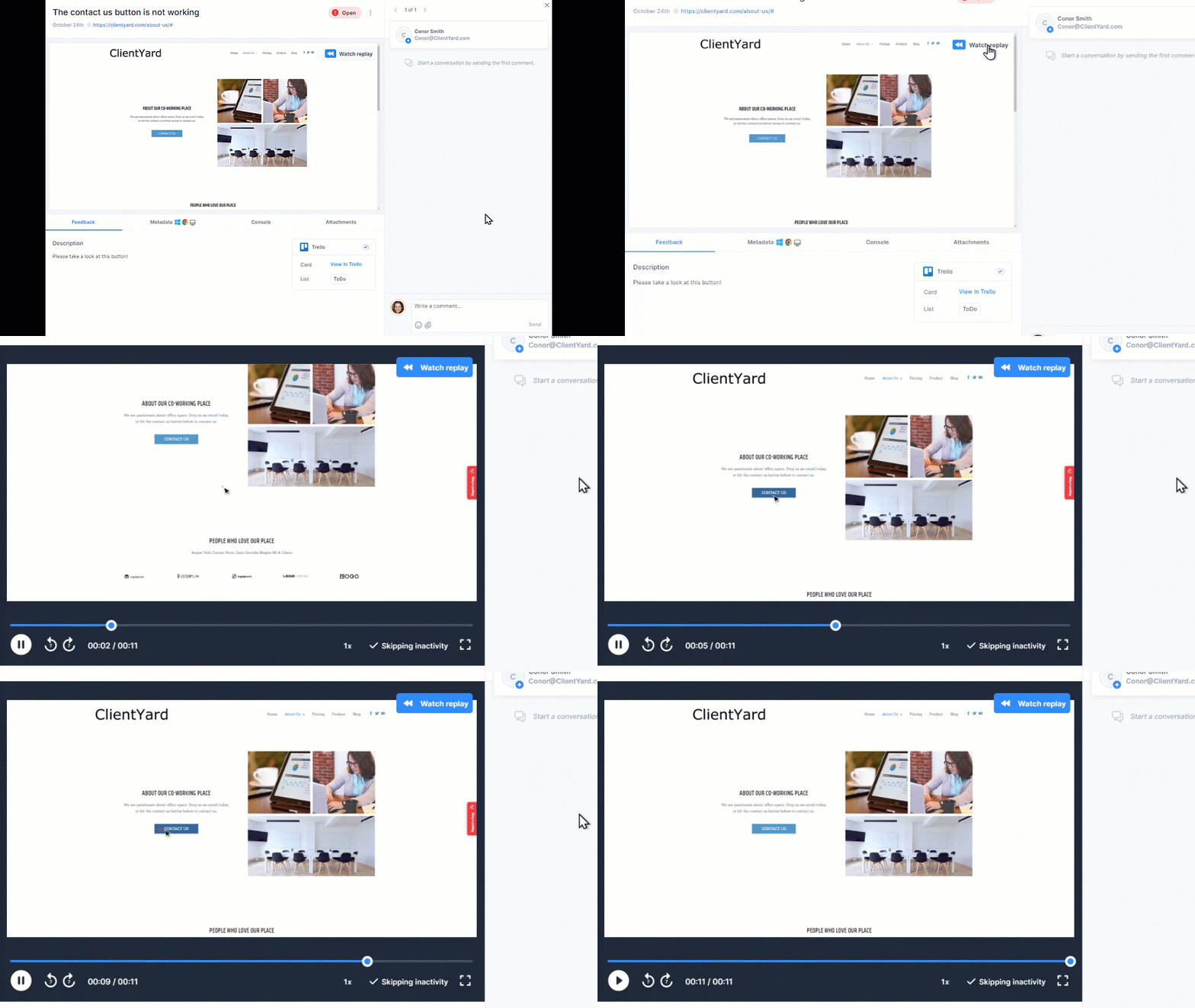
Travel back in time
Rewind and watch what clients did before submitting a software bug. Add visual feedback to your project management tool so your software developers can easily prioritize bugs.

Track bugs and report them on any device
Collect essential user feedback from team members and clients, or even customer feedback, on mobile, tablet, or desktop.
Frequently Asked Questions
What is an online bug tracker?
An online bug tracker is web-based software that helps teams report, organize, prioritize, and track bugs through to resolution.
A website bug tracker is designed specifically for issues found on websites. Marker.io enables reporters to capture a bug directly on the affected page, add visual feedback, and send the report to the team responsible for fixing it.
What is the difference between bug tracking and issue tracking?
Bug tracking focuses specifically on defects – things that are broken or don’t work as expected.
Issue tracking is broader. It can include bugs, improvements, tasks, feature requests, and other work items. Marker.io supports different issue types and sends reports into the tools your team already uses to manage its backlog.
What information should a bug report include?
A useful bug report should include:
- A clear title and description.
- Steps to reproduce the problem.
- The expected and actual results.
- The affected page and environment.
- The bug’s severity or priority.
- Screenshots, recordings, and technical logs.
Marker.io captures the screenshot, page URL, browser, operating system, screen size, and other technical context automatically. Console logs, network requests, and session replays can also be included when enabled.
How do you prioritize bugs by severity and impact?
Start by separating severity from priority. Severity describes how much damage the bug causes, while priority determines how urgently it should be fixed.
Consider how many users are affected, whether a workaround exists, how often the bug occurs, and whether it blocks a launch, checkout, or other important business process. Marker.io lets teams classify issues as Urgent, High, Medium, Low, or No priority.
Can external clients report bugs without an account?
Yes. Clients, testers, and other external reporters can submit bugs through an open Marker.io widget without creating an account.
Reporters can follow up on their own submissions, while invited guests can be given access to a specific project when they need to review and collaborate on a wider set of issues.
Can Marker.io replace Jira?
Marker.io is designed to work with Jira, not replace it.
Marker.io makes it easy for stakeholders to capture visual website bugs and automatically collect the context developers need. It then sends each report into Jira, so your development team can continue managing priorities, assignments, and the backlog in its existing source of truth.
How do bug tracker templates help prioritize issues?
Bug tracker templates standardize how team members track bugs and report bugs, so every issue includes the same key features: steps to reproduce, impact, priority, and environment.
With consistent fields, which you can customize using Marker.io, your combined bug tracking system and project management tool can prioritize tasks and generate reports that separate quick bug fixes from larger feature requests, defect management or test management work.
In Marker.io’s bug tracking service, widget fields map to your issue tracker’s custom fields, so incoming feedback lands in the right list, aligning with your agile methodologies and ready for project planning, so you can start assigning tasks correctly. Setup is easy, so your company can start using Marker.io in just a few clicks. Thanks to the analytics feature, you also get key metrics and insights into team performance.
How do I build a bug tracker with JavaScript?
To build a bug tracking tool with JavaScript, you don’t need to reinvent an entire issue tracking system. Drop the Marker.io JavaScript snippet code or SDK into your website’s HTML and connect it to your favorite issue tracker or project management tool.
With a few lines of code, you get a simple bug tracking tool for issue reporting, screenshots and technical metadata. Integrations are a major component of our bug tracker: create a versatile platform for bug tracking thanks to third-party integrations with your project management, software development, CMS, and team collaboration tools.
Your connected tools handle access control, customizable workflows, time tracking, audit trails, and reporting, while our straightforward defect tracking system saves you time by capturing high-quality bug reports to get pulled automatically into those other tools – no steep learning curve or complex code review needed.
Get started now
Free 15-day trial • No credit card required • Cancel anytime