
The website design feedback tool for faster, clearer reviews
Empower clients, colleagues, and stakeholders to report clear, actionable website design feedback directly on the page, without switching tools or chasing missing context.

The trusted design tool for market leaders






Annotate your site
Get your point across with visual markups, a high-fidelity screen capture, and session replay.
Collaborate on projects
Give colleagues and clients the access they need to web design projects to organize feedback.
Install the widget
The easy-to-install widget is optimized for responsive websites and modern browsers.

“Clients used to send us emails, documents, spreadsheets and even powerpoints for feedback. Now we just use Marker.io.”
How our website feedback tool works
Collect effective feedback without sending screenshots, forwarding email threads,
searching for technical details, or copying comments between tools.
Capture feedback on the page
Reviewers click on the relevant area, annotate a screenshot, and explain what needs to change. It's easy to flag any web design feedback, from incorrect content to a layout or font-size issue.
Add context automatically
Marker.io records the affected page, browser, screen size, visuals, console logs, and other technical details. Your design and web development teams can act without chasing up missing information.
Create work in your existing tools
Send each report to Jira, Linear, ClickUp, GitHub, or your connected platform.
Two-way sync creates a seamless handoff to your project management tools so everyone is in one workflow.
Manage feedback with these features
Capture contextual feedback
Record your website feedback with annotated screenshots, session replay, and technical details on every web design project. See exactly which design elements, layouts, and screen sizes cause issues so your web design team stays on the same page… literally.

Manage client and colleague access
Give clients and external stakeholders guest access, and an overview of issues on a focused guest portal, so they can leave feedback without touching your project management tools. Control website design feedback with roles, permissions, and a shared view of all design review comments.
Connect with project management tools
Integrate your website design feedback tool with Jira, Trello, Asana, ClickUp, GitHub, Azure DevOps, and more so every issue becomes an actionable task. Keep projects moving with two-way sync that updates statuses automatically and keeps project managers and developers aligned.

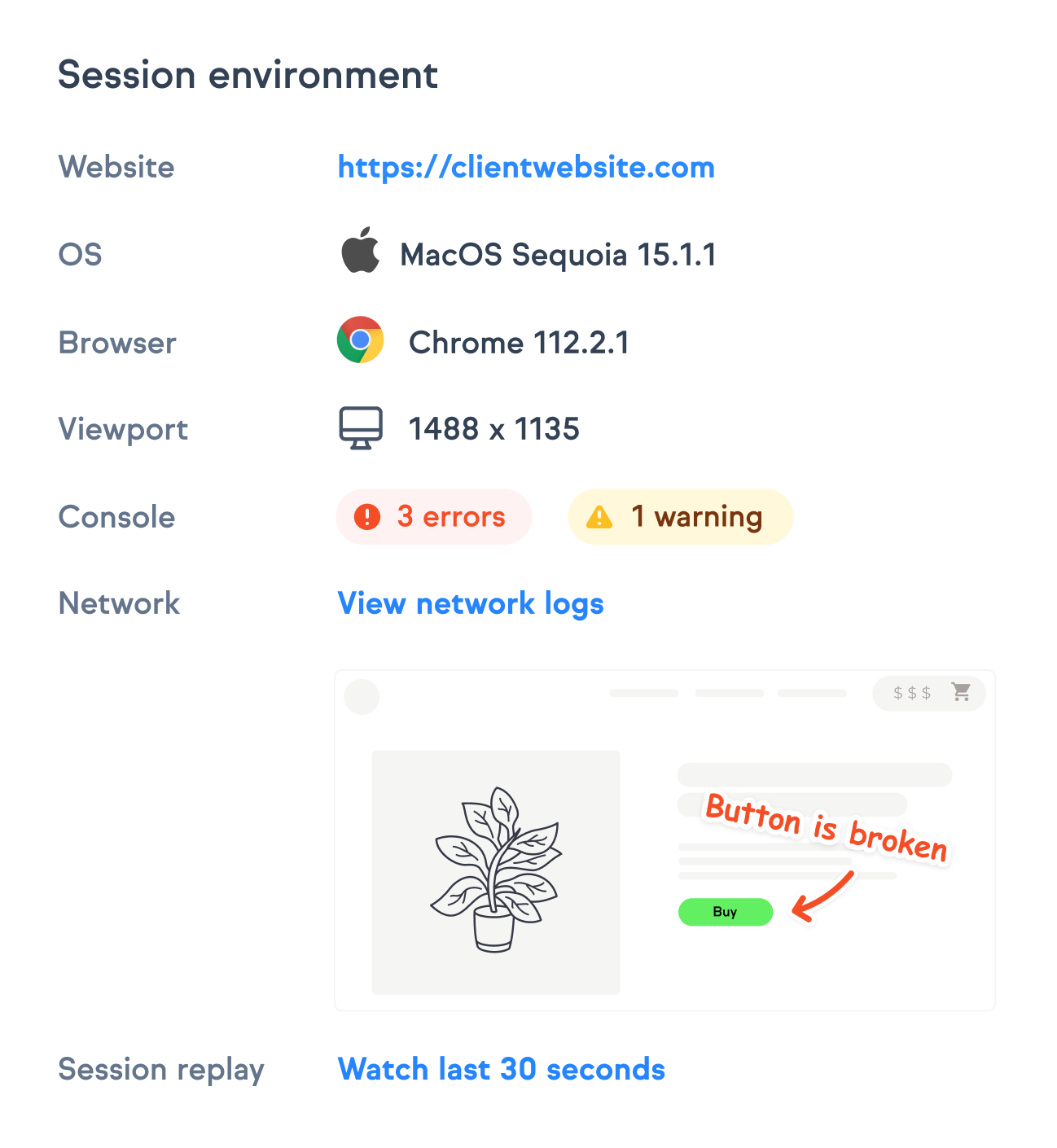
Deploy on every environment
Deploy the widget on live websites, staging URLs, and testing environments with a lightweight snippet or CMS plugin. Use the browser extension to capture web design feedback on any page or design element so your team can review the live site easily.

“Marker.io changed how we report website feedback. No more screenshots laying around my desktop.”
Collaborate without compromising quality
Gain control throughout the entire process, so you can give everyone the access they need to leave comments and work together effectively.
Mask your data
Protect sensitive data in screenshots and session replays with enterprise-grade data masking that excludes or obfuscates confidential fields.
Attach technical details
Include browser info, operating system, console logs, viewport, and page URL in every feedback report automatically.
Capture environmental context
Capture full environment and custom data like user role, account, and device so you understand your target audience’s pain points.
Sync status automatically
Keep designers, clients, project managers, and creative teams up to date with synced issue statuses on design feedback issues.
Track feedback trends
Monitor feedback volume, resolution times, and project activity so you can continuously improve your design feedback process.
Report from any device
Collect website design feedback from clients and stakeholders on mobile, tablet or desktop. You can even communicate in Slack threads.
Get clearer feedback, powered by AI
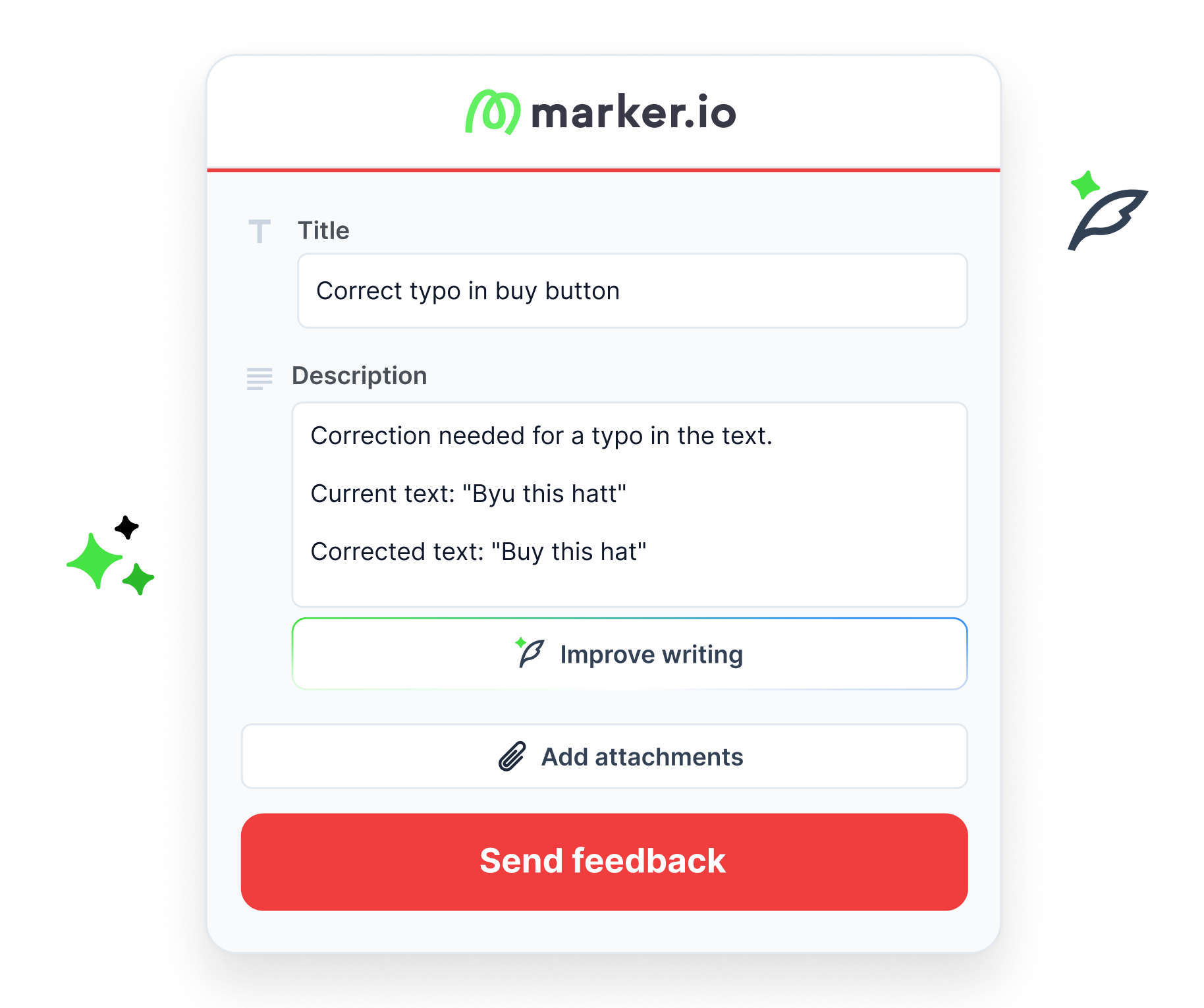
Get early access to AI tools that cut the time you spend on every website issue. Turn raw feedback into structured input, generate clear issue titles instantly, and keep global teams aligned with automatic translations.
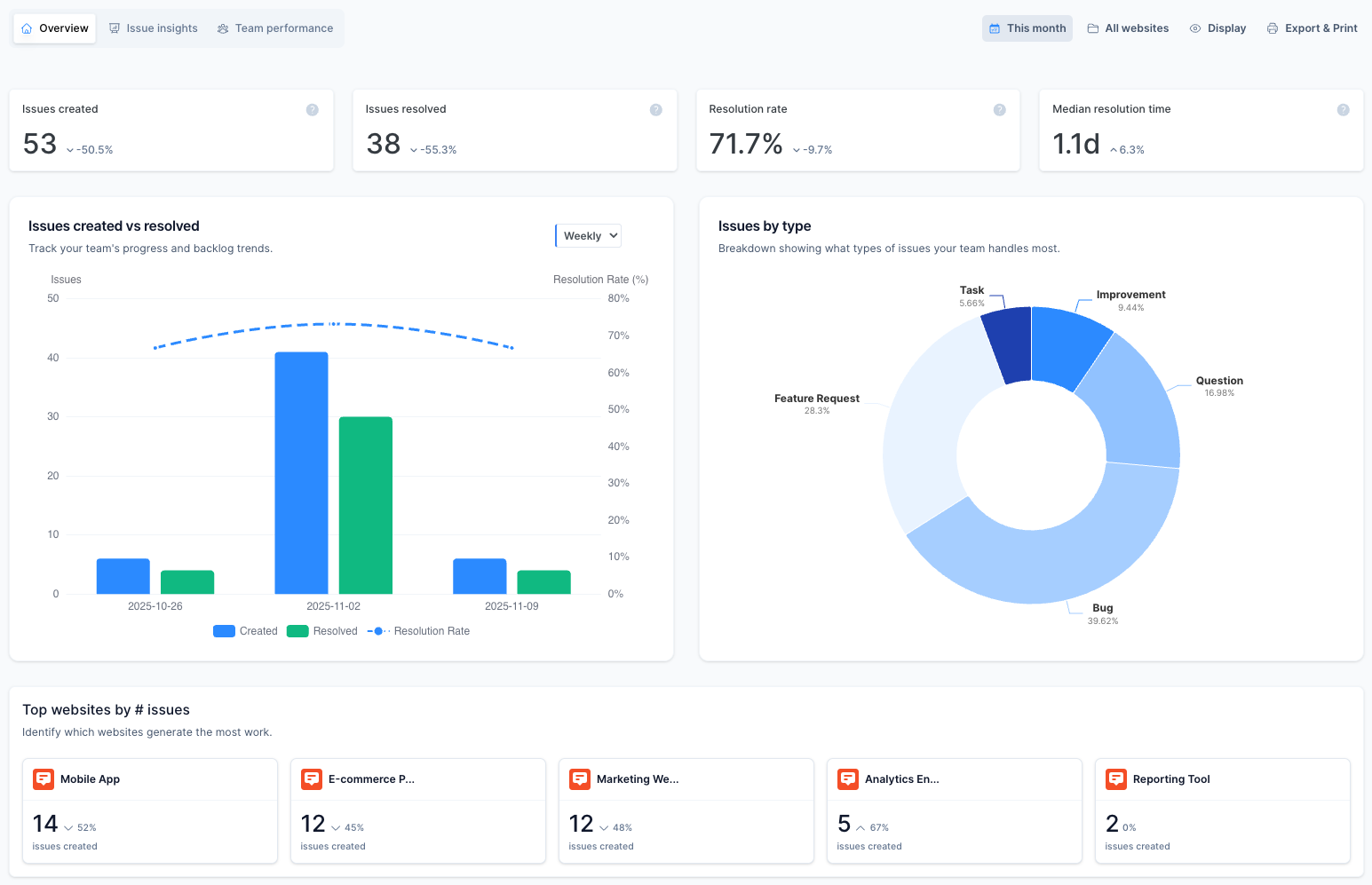
Monitor projects and team performance
“Now I can show stakeholders how fast we resolve issues—and see my team's efficiency in one place.”
Start collecting website feedback in three steps
Start reporting issues in less than 2 minutes.
Sign up for a free trial
Create your account to start a 15-day free trial, which has all the essential features of our paid plans.
Connect your integration
Connect a popular project management tool and add your first issue using the feedback button (e.g., Jira , Trello, or Github).
Install the widget
Embed your widget on your site or use our browser extension and start collecting data-rich issues.
Who Marker.io is for
Our web feedback tool helps teams collect, manage, prioritize, and act on website feedback across complex projects, large website portfolios, and high-stakes launches.
Enterprise website teams
Coordinate feedback across multiple websites, pages, markets, and stakeholder groups.
WebOps and digital excellence teams
Standardize how website issues are reported, routed, and tracked across the business.
Brand operations teams
Review brand, content, campaign, and localization issues consistently.
QA and testing teams
Capture reproducible issues with screenshots, session replays, annotations, and technical context.
Development teams
Receive actionable reports in the tools and backlog your team already uses.
Ecommerce teams
Report storefront, checkout, and customer-experience issues directly on the affected page.
What to look for in a website feedback tool
The best website feedback tool makes reviews easier from the first design check through development, testing, launch, and ongoing maintenance.
Look for a tool that:
- Lets reviewers leave visual feedback directly on the affected page.
- Captures screenshots and technical context automatically on user feedback forms.
- Makes it easy for internal teams and external stakeholders to contribute.
- Supports clear collaboration across design, marketing, QA, and development teams.
- Sends feedback into your existing issue-tracking and PM tools.
- Keeps comments, statuses, and decisions connected throughout the project.
- Works across live URLs, staging sites, and test environments.
- Provides the permissions and security controls needed for complex website projects.

Frequently Asked Questions
What is a website feedback tool?
A website feedback tool enables reviewers to leave contextual comments directly on a live, staging, or test website.
It connects each comment to the relevant page or design element, making the feedback easier to understand and act on. Marker.io also captures screenshots and technical details before sending the report into your existing workflow.
What is a website visual feedback tool?
Web visual feedback tools are tools essentially website feedback tools that focus on collating all the feedback that is most relevant to the visual identify of a website and its pages, often using visual elements to highlight issues – such as session replay to capture video feedback and show user behavior when they encountered an issue.
How do I use Marker.io for website design feedback?
Embed the Marker.io widget on your website or use the browser extension.
Reviewers can then submit visual website design feedback directly from the affected page, including annotated screenshots, comments, session replays, and technical details. Marker.io sends each report to your existing project management or issue-tracking tools.
How is website feedback different from customer feedback?
Most website feedback tools focus on specific issues found while reviewing a website, such as incorrect content, broken functionality, layout problems, or inconsistent design elements.
Customer feedback software is broader. It usually captures opinions about a product, service, company, or overall experience through surveys, reviews, ratings, and interviews.
The main difference is how users log feedback. Customer feedback tools are often primarily survey tools, but offer other options, whereas website tools use feedback widgets to collect feedback directly.
Can I collect client feedback without extra logins?
You can. Clients and other external stakeholders can submit feedback through the Marker.io widget without accessing Jira, Trello, GitHub, or your other internal tools where you manage feedback.
You can also invite guests when reviewers need to view previous reports, add comments, or follow issues through to resolution. You can even open the website review process to website visitors during user testing and UAT.
Can I run design feedback on live and test sites?
Yes. You can use Marker.io as a website visual feedback tool on live websites, staging environments, and user-testing URLs.
Design feedback tools help web designers, project managers, website managers, QA testers, and developers collect feedback throughout the design and web development process – before and after launch.
How does Marker.io help teams collect effective feedback?
Reviewers submit feedback directly from the affected page instead of sending screenshots, emails, or disconnected documents.
Marker.io captures the visual and technical context automatically, helping the receiving team understand the issue and act on it faster.
Does Marker.io integrate with project management tools?
Yes. Marker.io integrates with Jira, Linear, ClickUp, GitHub, Azure DevOps, Trello, Asana, and other project management and issue-tracking tools.
Reports are sent to the connected platform, while two-way sync keeps comments and issue statuses aligned.
Get started now
Free 15-day trial • No credit card required • Cancel anytime