




“We rely on Marker.io to manage issues across hundreds of websites. It helps us identify and resolve issues 10x faster—honestly, we couldn't work without it.”
Collect website feedback 10x faster
Share actionable feedback with developers, who get the technical details they need,
and non-technical reviewers, who get a fast feedback process.
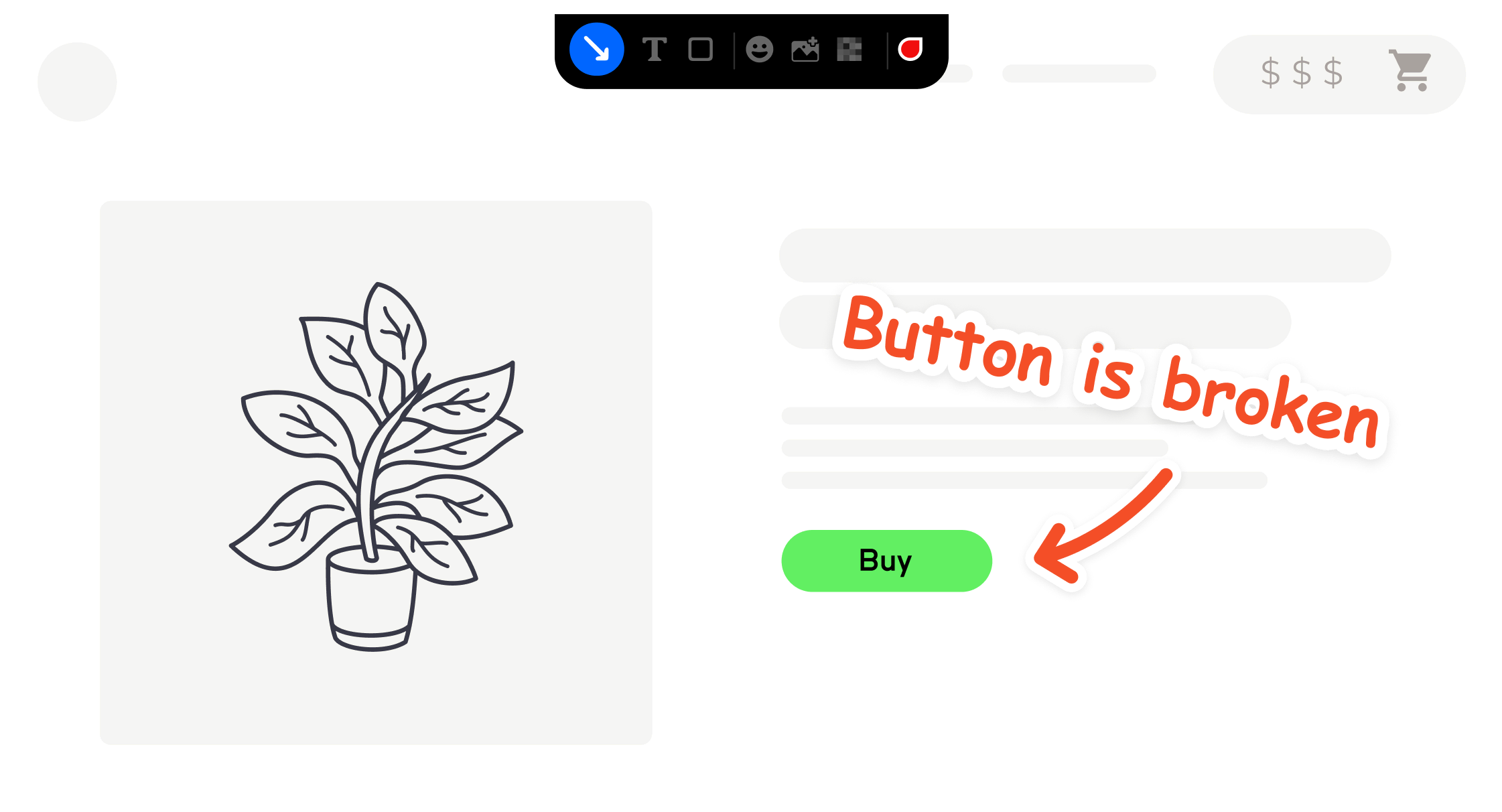
Annotate your site with visual feedback
“We can log issues directly on our site, without leaving the browser.”
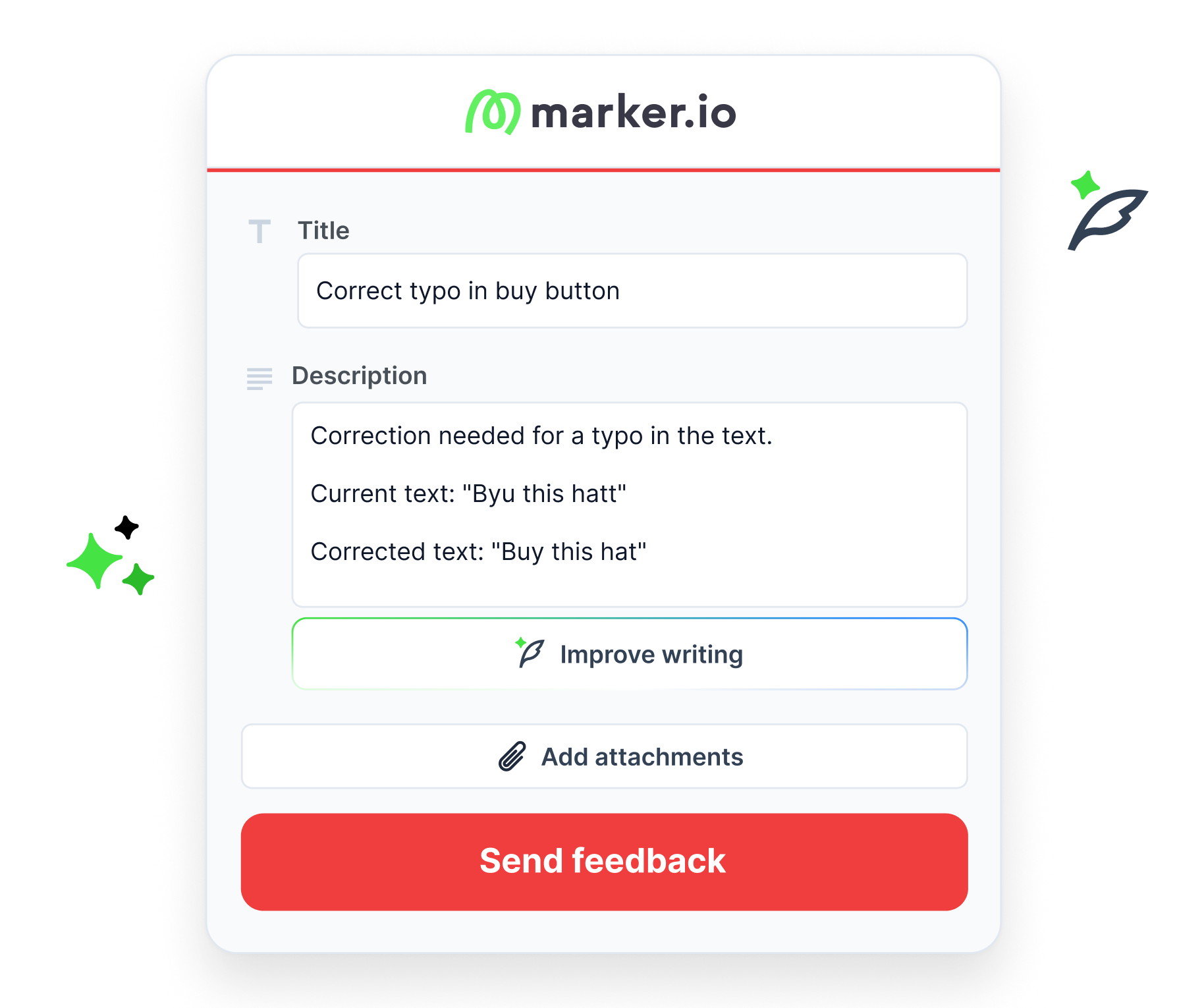
Turn rough comments into clear feedback
“It's nice to just brain dump what you want to say and then have the AI rewrite it.”
Replay user sessions
“We get to see what happened, without our users needing to record a video.”
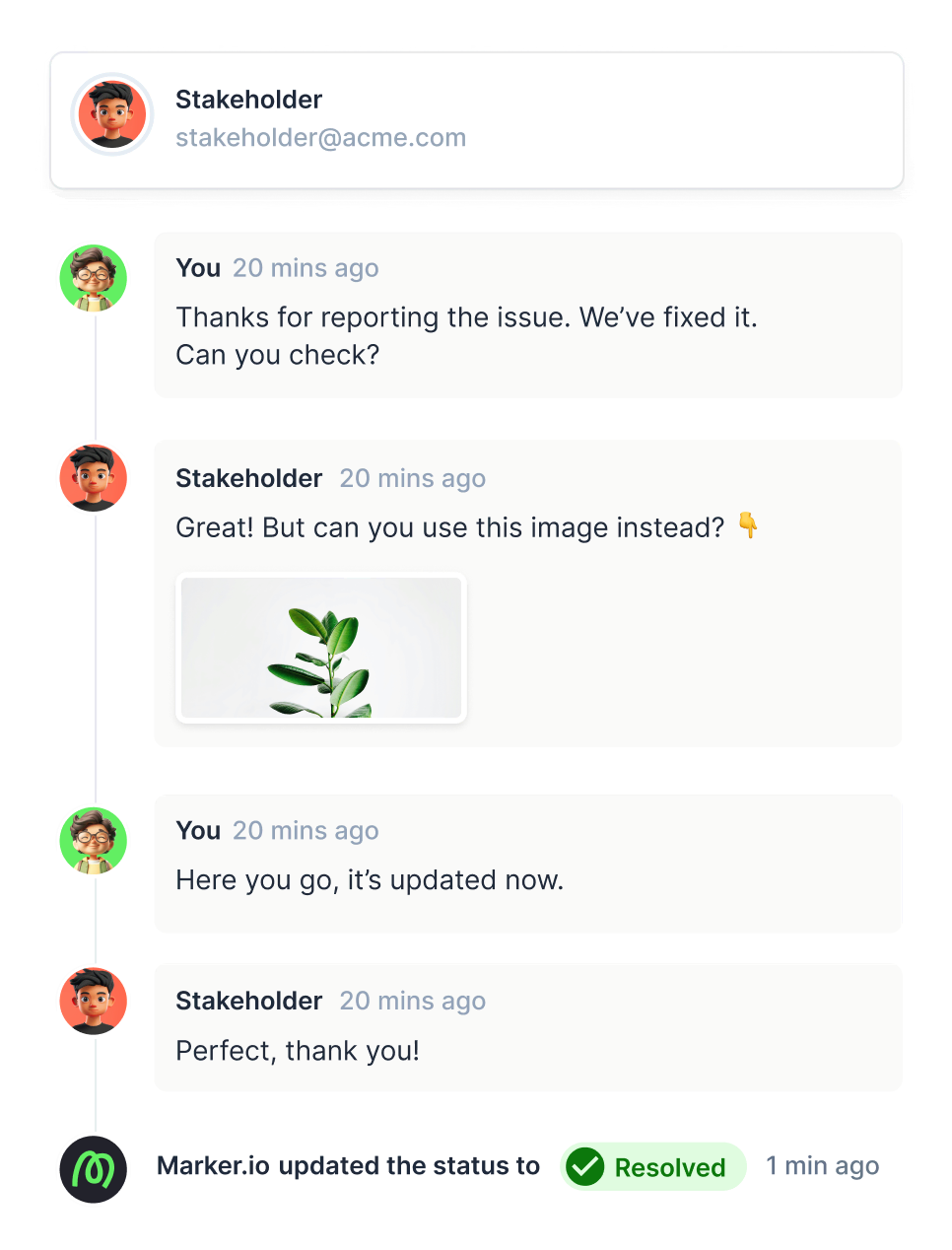
Collaborate with stakeholders on revisions and approval
“We cut down emails by 70%.”
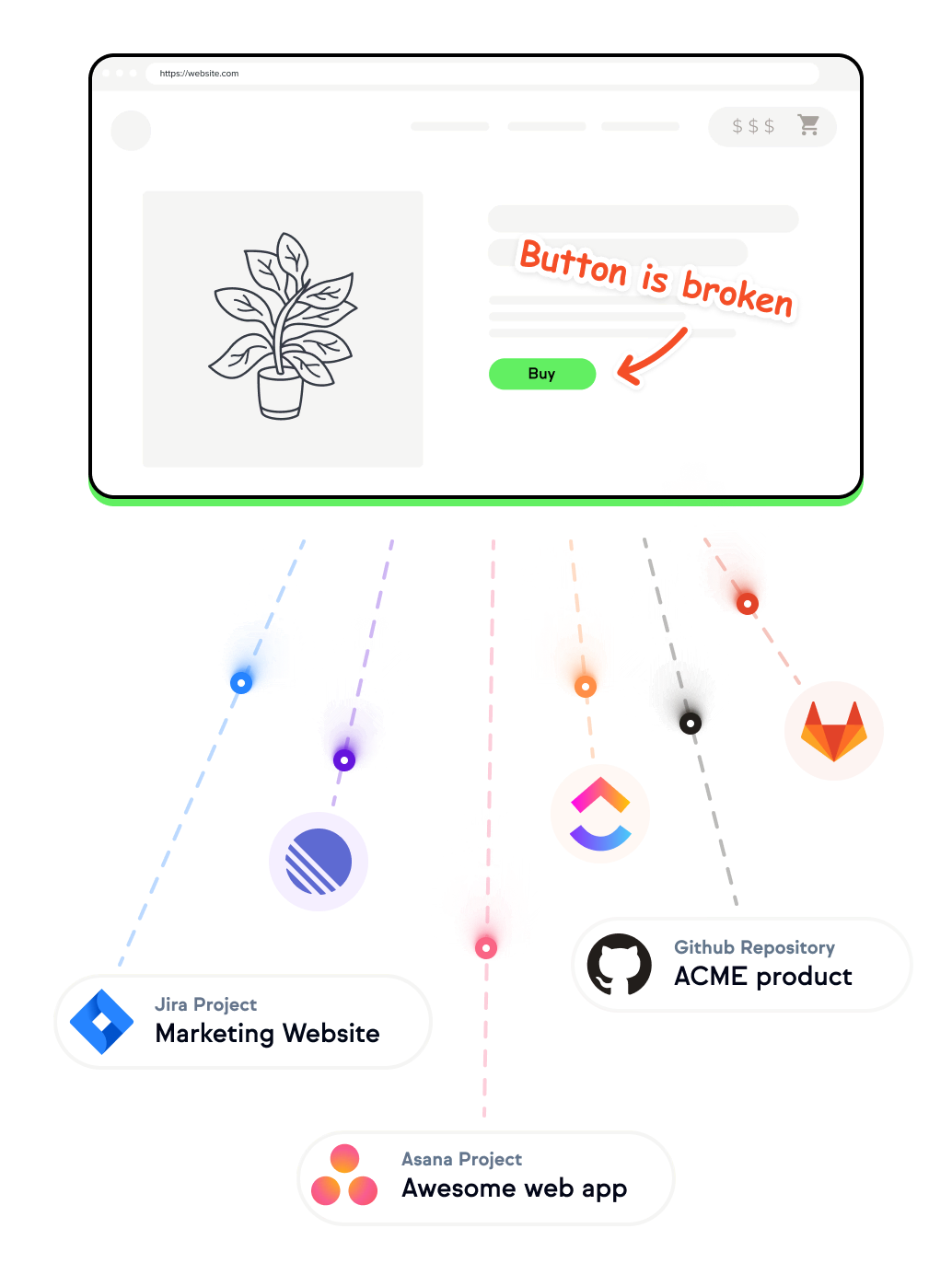
Connect feedback to the tools you already use
“We used to copy/paste emails into Jira.”
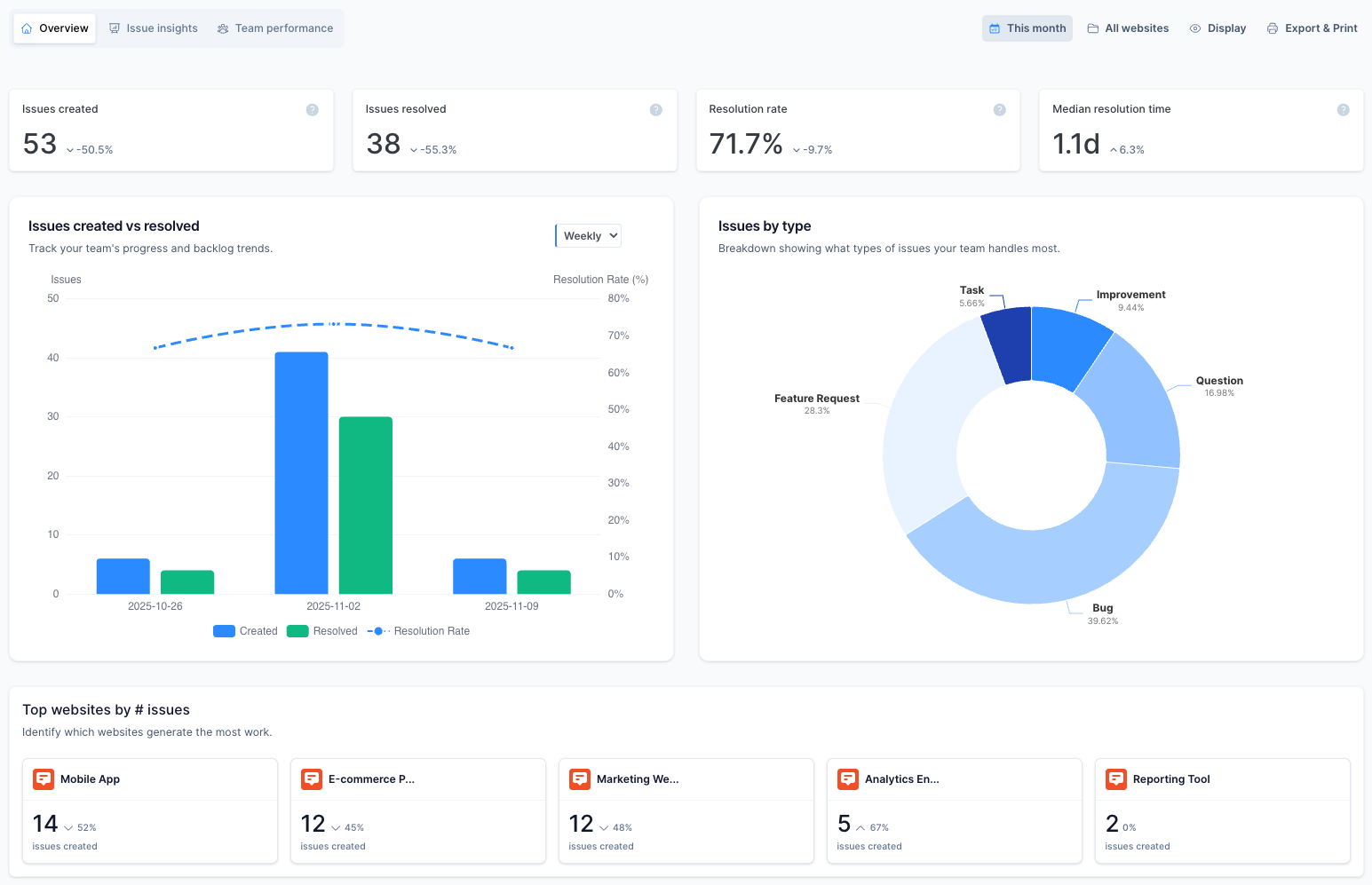
Track what matters
“Now I can show stakeholders how fast we resolve issues—and see my team's efficiency in one place.”
Automate your website scanning process
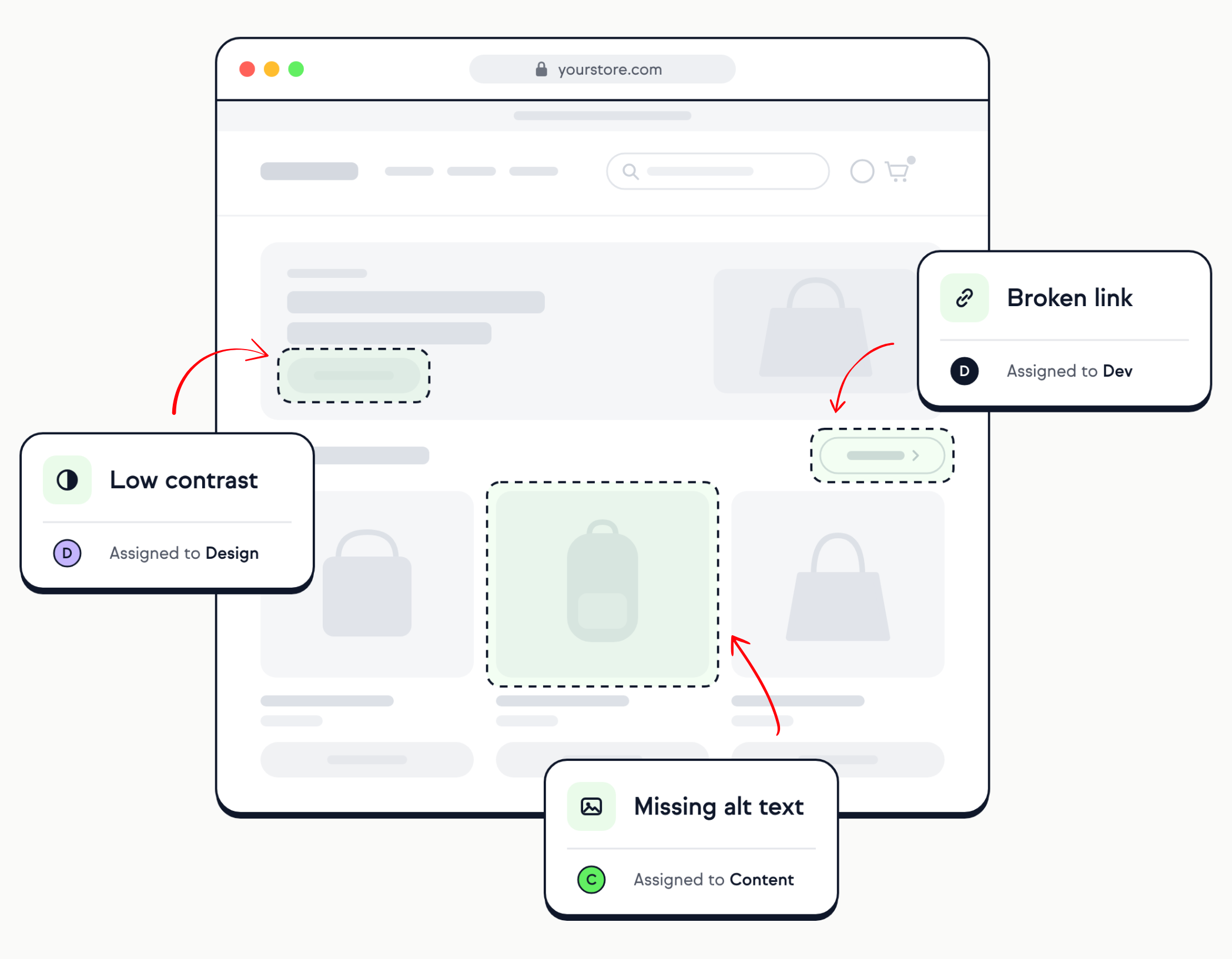
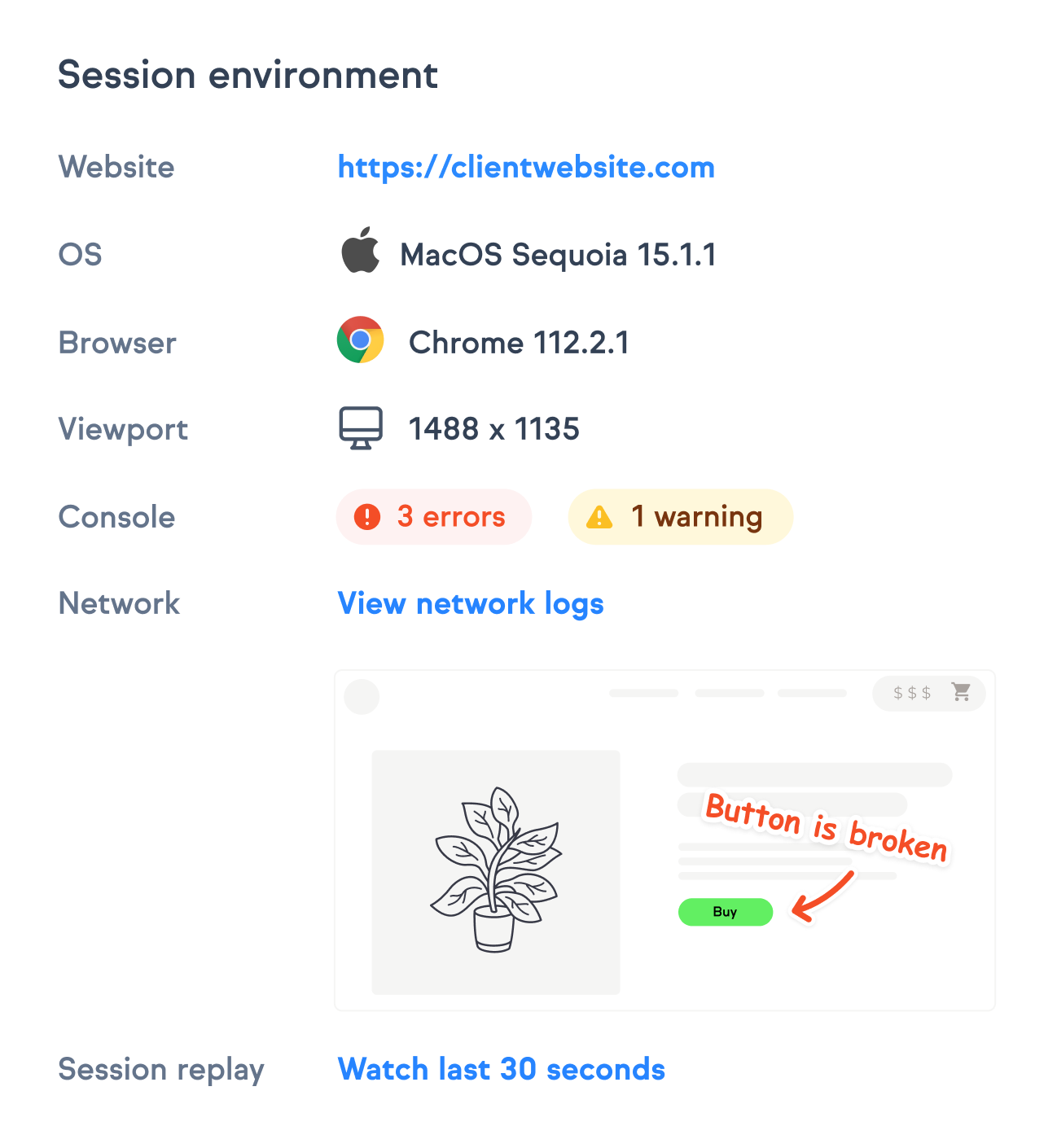
Reproduce website issues faster
“Our developers have everything they need to debug and fix issues.”
One website feedback tool for every team
How any team can use Marker.io to capture feedback on their website.
WebOps and digital teams
Standardize your feedback process across all brands, markets, sites, and pages, so technical stakeholders and brand teams work from the same reports.
Agencies
Collect client feedback and run client reviews without asking non-technical clients to learn new software.
Product and QA teams
Report bugs in web apps with the technical metadata developers need.
Marketing teams
Get design feedback on landing pages and campaigns before they go live.
How the website feedback process works with Marker.io
Install
Pick your installation method: a code snippet, the WordPress plugin, or a browser extension.
Review
Reviewers comment directly on any web page, annotate a screenshot, and hit submit.
Resolve
Each issue lands in your project management tool with full technical context, ready for a developer to pick up.
Keeping your data safe
GDPR Ready
We support GDPR requirements, with data centers in Europe.
SOC 2 Type II
Security certification conducted by external auditor.
Privacy tools
Tools to obfuscate sensitive or personal data.



5,000+ Happy Customers

“Marker.io changed how we report website feedback. No more screenshots laying around my desktop.”
Frequently Asked Questions
What is Marker.io?
Marker.io is a website feedback and visual annotation tool for teams of any size. It’s the best way to gather design feedback and issue reports with screenshots, annotations, and advanced technical metadata. It also integrates perfectly with Jira, Trello, ClickUp, Asana (and more) to keep track of your website reporting and updating workflows.
Who is Marker.io for, and can I use it for website design feedback?
Marker.io is a website feedback tool for teams that build and maintain websites. They use it to collect website design feedback and client feedback, and turn it into actionable tasks.
As well as teams managing website design feedback processes, it’s used by:
- Organizations managing complex or multi-site websites
- Agencies collaborating with clients and stakeholders
- Product, web, design, and QA teams inside companies
Whether you’re building, designing, testing, improving, or running a live site, Marker.io helps teams manage website design feedback without breaking existing workflows.
How easy is it to set up Marker.io for website feedback and website testing?
Embed a few lines of code on your website and start collecting client feedback with screenshots, visual annotation, and advanced technical metadata. We also have a no-code WordPress plugin and a browser extension.
Will Marker.io slow down my website?
No, it won't.
The Marker.io script is engineered to run entirely in the background and should never cause your site to perform slowly.
Can I use Marker.io for QA and UAT?
Yes, Marker.io is one of the leading QA and user acceptance testing tools. It combines intuitive issue-tracking tools with powerful project management integrations to make it easy for users, colleagues, and stakeholders to report issues and provide website feedback so your developers and designers can fix them.
Do users need an account to send client feedback?
No, anyone can submit website feedback and send comments without an account.
What’s the key difference between visual feedback tools and survey tools?
Survey tools use on-page surveys, website surveys, and feedback forms to gather customer feedback from actual users at scale. They’re often paired with behavioral analytics for user research and customer insights.
Visual feedback tools like Marker.io collect contextual feedback pinned to a specific element, with technical metadata attached. They’re built for website review, QA, and design feedback rather than to measure sentiment. Many teams use both for user feedback.
How much does Marker's website feedback solution cost?
Plans start at $39 per month. There’s no free plan, but every plan comes with a 15-day free trial – no credit card required. For more information, check out the pricing page.
Get started now
Free 15-day trial • No credit card required • Cancel anytime