
Website Feedback Integrations
Connect Marker.io to the tools your team already uses. Collect feedback from stakeholders and turn it into actionable work, without changing your workflow.

Asana
Collect feedback into Asana projects as new tasks

Azure DevOps
Collect feedback and bug report into Azure DevOps Projects

Basecamp
Collect feedback into Basecamp projects as new to-dos

Bitbucket
Collect feedback into Bitbucket repositories as new issues

Browserstack
Capture BrowserStack's virtual device's environment into your issues

Chrome Extension
Capture screenshots from any webpage & install widget without snippet code

ClickUp
Collect feedback into ClickUp projects as new tasks

Console log recording
Record client-side Javascript errors when reporting feedback via Marker.io

Firefox Add-on
Capture screenshots from any webpage & install widget without snippet code

FullStory
Replay a user session to understand the steps that led to the reported bugs

GitHub
Collect feedback into GitHub repositories as new issues

Gitlab
Collect feedback and bug report into Gitlab Projects

Google Tag Manager
Install Marker.io's widget via google tag manager

Intercom
Collect feedback into Intercom as new conversations

JavaScript snippet code
Install the Marker.io widget on your site via snippet code

Jira
Collect feedback and bug report into Jira Projects

Linear
Report bugs & website feedback into Linear Projects/Teams

LogRocket
Capture LogRocket sessions into Marker.io issues

Monday.com
Collect feedback into Monday.com projects as new tasks

Notion
Collect feedback into Notion database as new pages

Polypane
Build responsive, accessible and performant websites with Polypane and Marker.io

Safari Extension
Capture screenshots from any webpage & install widget without snippet code

Segment
Install Marker.io's widget in 1-click via Segment

Sentry
Record sentry events when reporting feedback via Marker.io

Session Replay [Native]
Replay an automatically recorded video of what reporter did before submitting feedback

Shopify
Install widget on your Shopify site via a plugin

Shortcut
Collect feedback into Shortcut projects as new stories

Slack
Collect feedback into Slack channels as new messages

Teamwork
Collect feedback into Teamwork projects as new tasks

Trello
Collect feedback and bug report into Trello Boards

Webhooks
Collect feedback and send data to custom Webhooks

Wordpress
Install widget on your Wordpress site via a plugin

Wrike
Collect feedback into Wrike projects as new tasks

Zapier
Send feedback to any platform by combining Webhooks projects with Zaps

Zendesk
Collect feedback into Zendesk as new conversations
How website feedback integrations work
Website feedback tool Marker.io connects the people reviewing your web pages with the teams responsible for fixing them. Here's how the process works:
Capture website feedback
Stakeholders report bugs, request changes, or annotate pages directly on your website using the Marker.io widget or browser extension. No account is required to submit feedback.
Attach the technical details
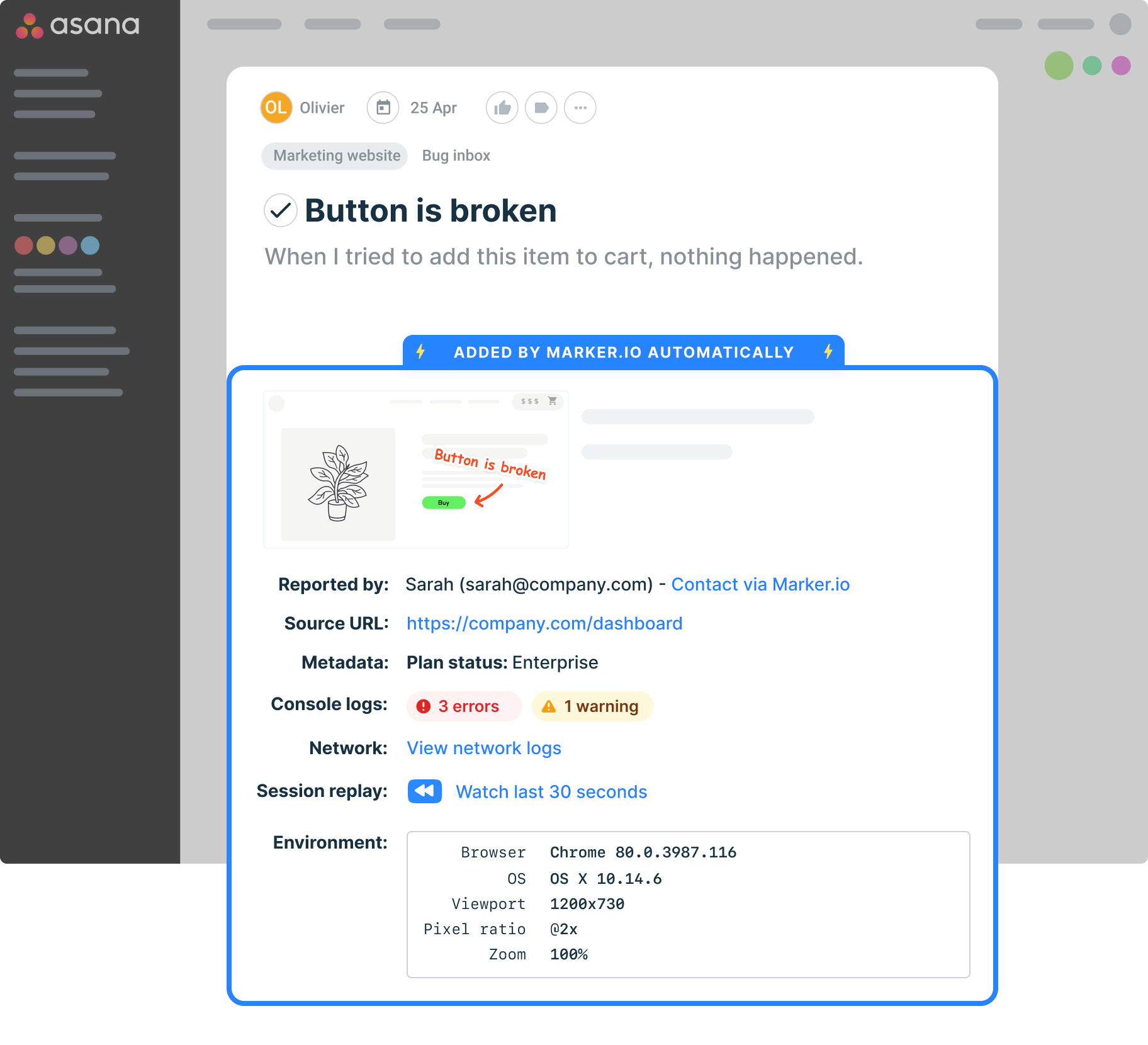
Marker.io automatically captures a screenshot, page URL, browser information, and other technical details. Developers get the context they need without asking stakeholders to reproduce the issue.
Send feedback to your team's tools
Connect Marker.io to your issue tracker or project management tool. Send reports to your chosen destination as issues, tasks, or other relevant records so your team can manage the work in one tool.
Connect feedback to your issue tracker
Your developers shouldn't have to search through emails and spreadsheets to find website issues. With our website feedback tool for Jira, stakeholders can report bugs directly into Jira projects, complete with screenshots and technical context.
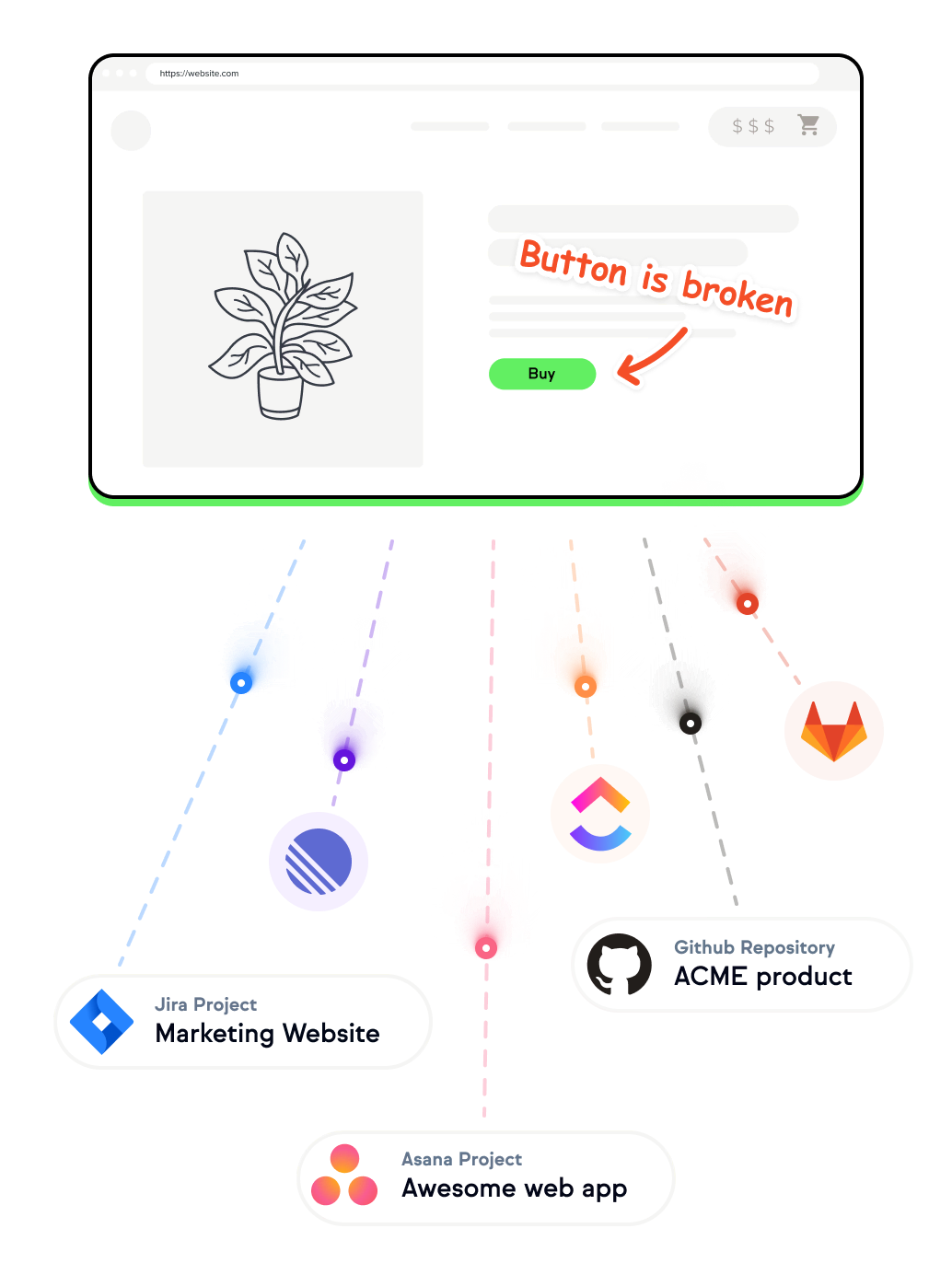
Marker.io also connects with Azure DevOps, GitHub, GitLab, Linear, and Bitbucket, so developers receive website feedback in their existing issue trackers.

Keep website projects moving
To manage multiple websites, you need to collect feedback from brand, marketing, digital, and client teams, often across different markets. Our website feedback tool for Asana turns stakeholder feedback into tasks your team can track alongside your other work.
You can also connect Marker.io to Trello, ClickUp, Monday.com, Notion, Teamwork, Shortcut, Wrike, and Basecamp.
Communicate website issue updates to anyone
Not every website issue starts with a developer. With our website feedback tool for Slack, reports can be sent to a Slack channel, so teams see incoming feedback without switching tools.
Marker.io also connects with Intercom and Zendesk, enabling support teams to receive contextual bug reports and handle customer conversations in their existing systems.

Build custom feedback workflows
Frequently Asked Questions
Can I send website feedback directly to my existing issue tracker?
Yes. Marker.io integrates with Jira, Linear, GitHub, Azure DevOps, and other issue trackers.
Once connected, website feedback submitted through Marker.io creates issues or work items in your chosen tool, so developers can manage them alongside their existing work.
What information does Marker.io send to connected tools?
Marker.io sends the initial screenshot, feedback description, page URL, and environment details, including browser, operating system, and screen size.
As well as teams managing website design feedback processes, it’s used by:
Depending on your plan and settings, Marker.io can also capture console logs, network requests, and session replays. The full recordings and logs remain in Marker.io, with links from the connected issue so developers can access them.
Can different websites send feedback to different project management tools?
Yes. Each Marker.io project can connect to a different integration, allowing you to manage feedback across websites, brands, or teams.
For example, you could send feedback from one website to Jira, another to ClickUp, and a third to Asana. Project limits depend on your Marker.io plan.
Do issue status updates in my connected tools appear in Marker.io?
Yes. With supported integrations and plans, Marker.io can automatically update an issue's status when it changes in your connected tool.
Status synchronization works from the connected tool to Marker.io. Changing a status in Marker.io doesn't change it in the external tool, although a comment is posted to record the update. Supported integrations can also synchronize comments, depending on their configuration.
Can I connect Marker.io to tools that aren't listed in the integrations directory?
Yes. Marker.io supports webhooks for sending issue data and notifications to external services.
You can also use Zapier to send feedback to other supported applications and automate workflows. Both options require the Marker.io Business plan, and Zapier requires a compatible plan.
Are all Marker.io integrations available on every pricing plan?
No. The Starter plan includes a few key integrations, while the Team plan adds advanced integrations, Jira, and issue synchronization.
The Business plan includes premium integrations, webhooks, and connections to Zendesk and Intercom.
See the pricing page for the full breakdown.
Get started now
Free 15-day trial • No credit card required • Cancel anytime