
Website issues, found automatically
Marker.io now scans your website on a schedule and flags the exact elements that broke. Starting with website accessibility monitoring.
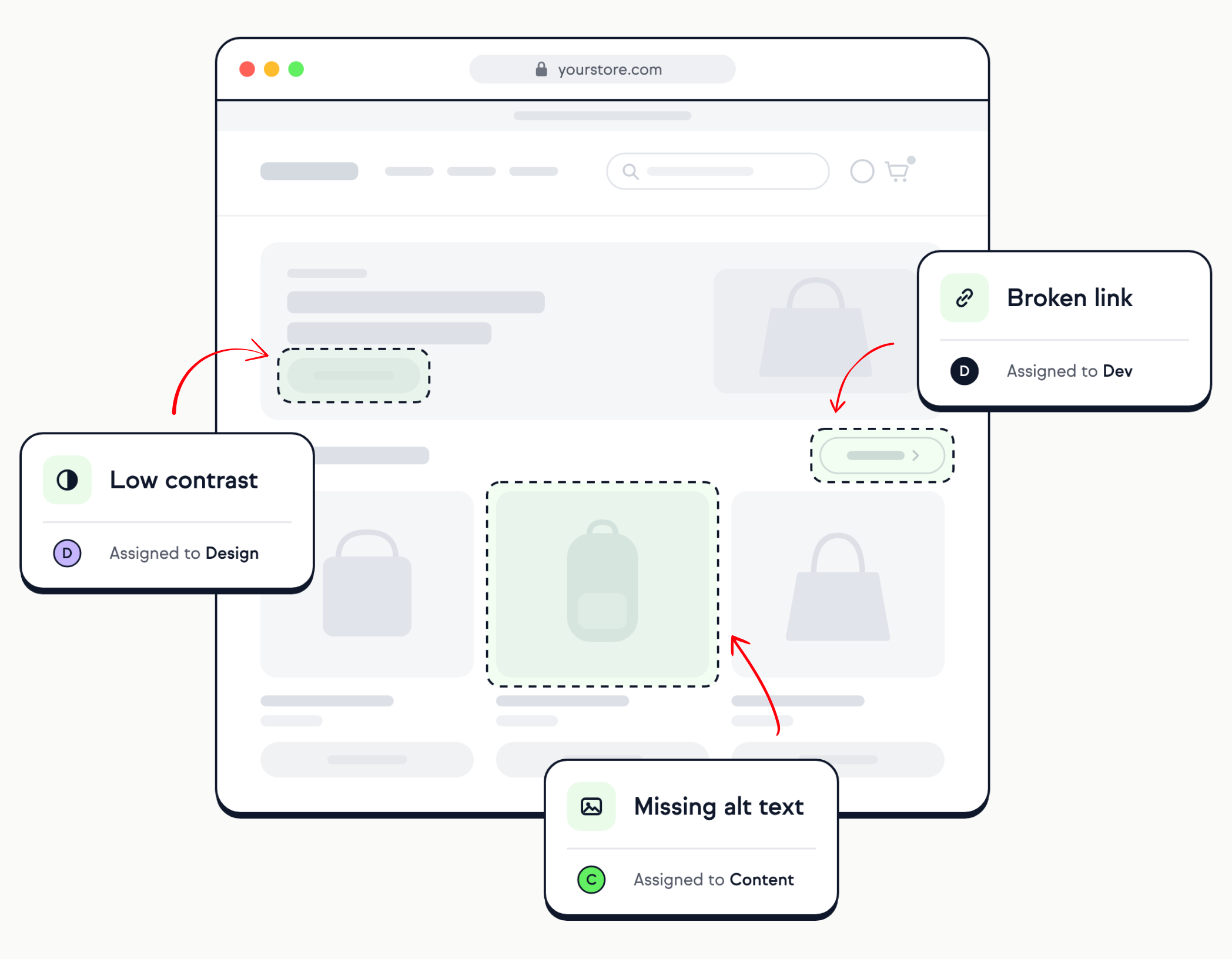
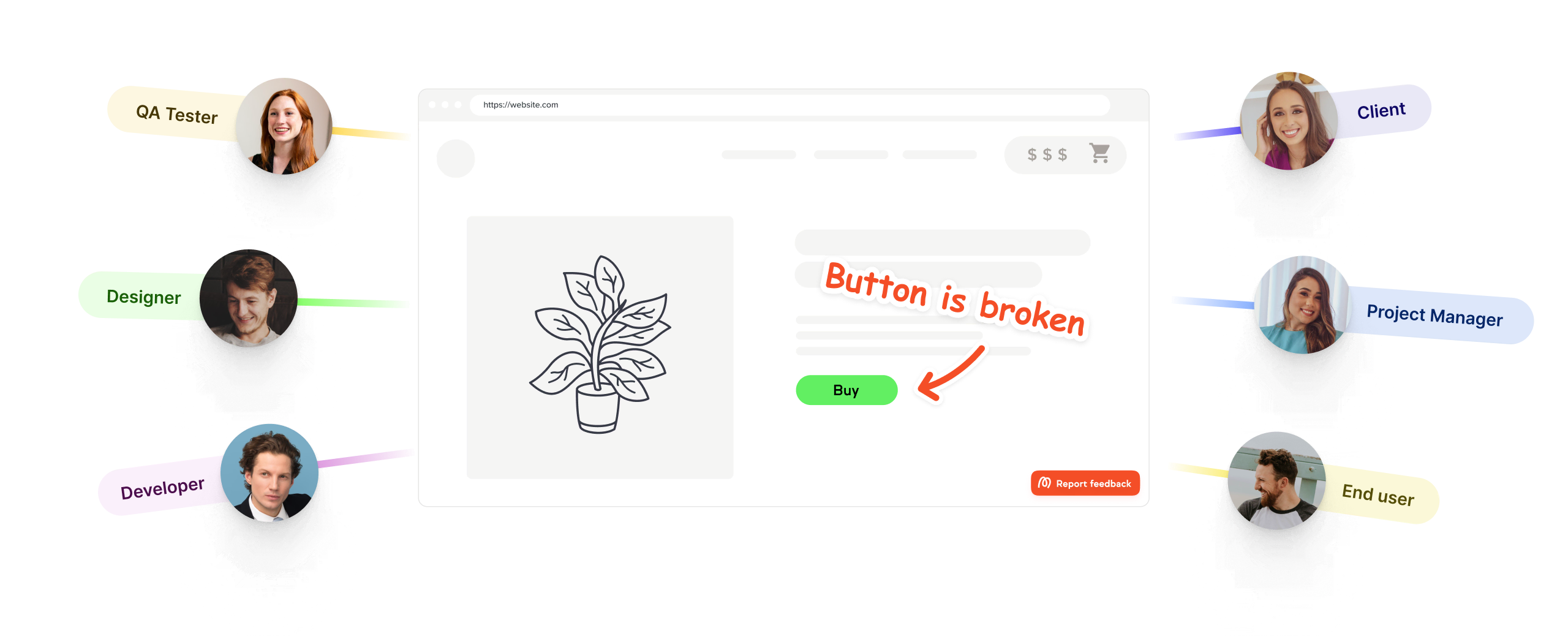
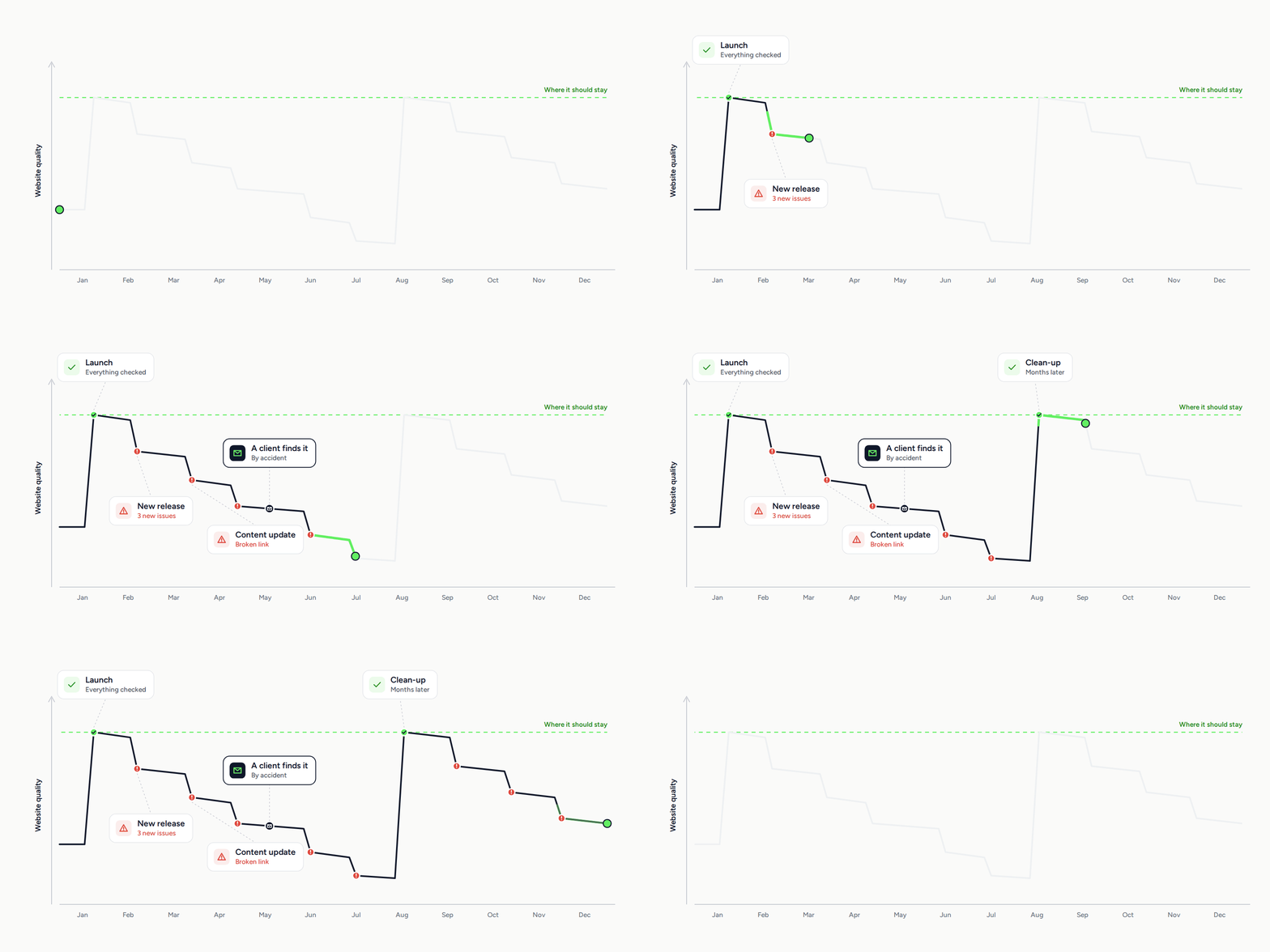
Your website was perfect at launch. But it doesn't stay that way.
Every release and content update can introduce new issues. They pile up quietly until a customer gives up, a lawsuit lands, or your boss emails about an issue that's been live for three weeks.
Every page checked, with issues ready to fix
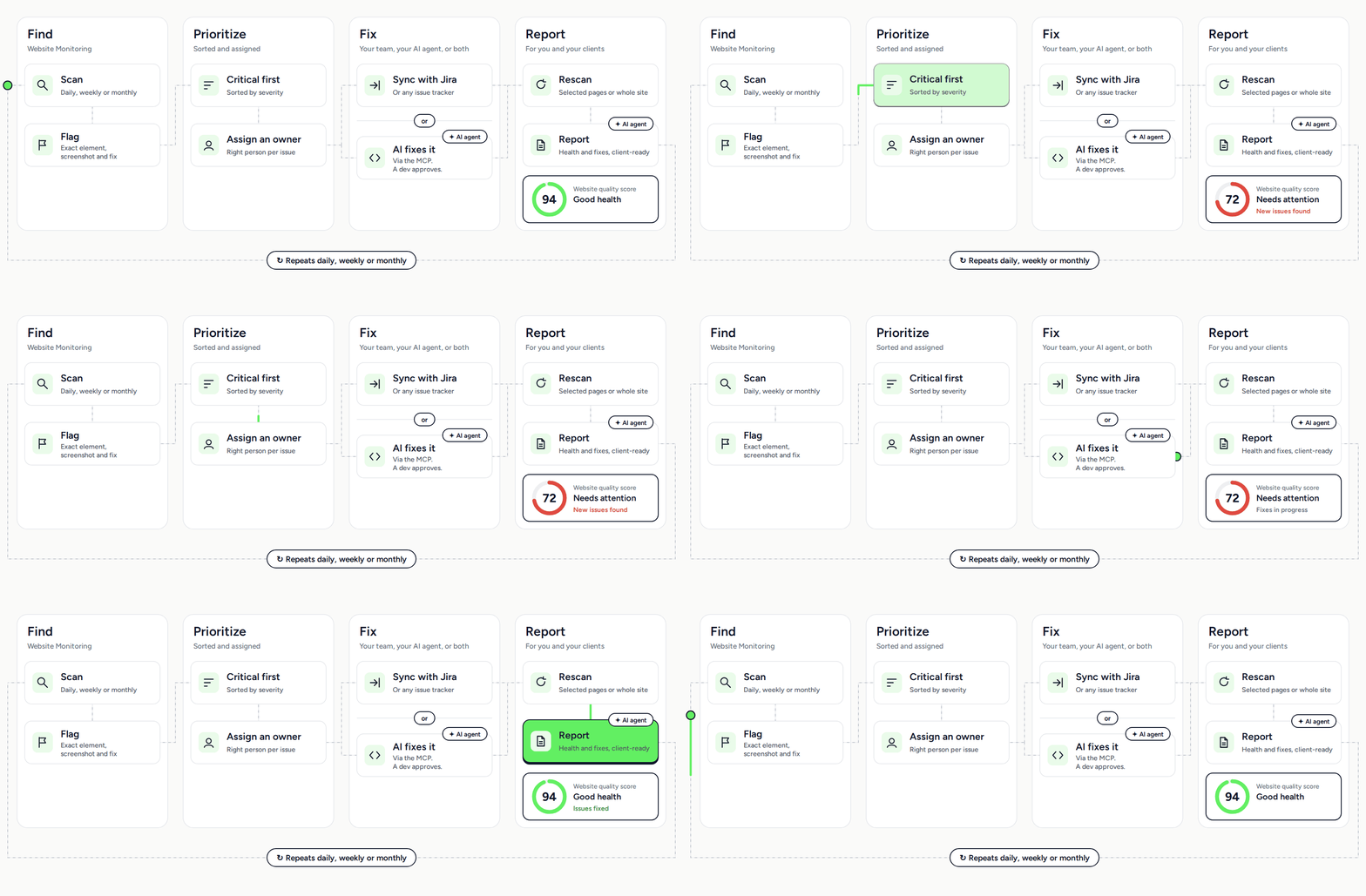
Marker.io scans your whole website on a schedule. Get each issue with a screenshot and a suggested fix, sorted by severity and assigned to the right person in your team's backlog.
Most tools hand you a list of problems. This one shows the fix
Automated monitoring checks multiple pages on a schedule. Weekly or monthly, every page gets scanned — not just the ones someone had time for.
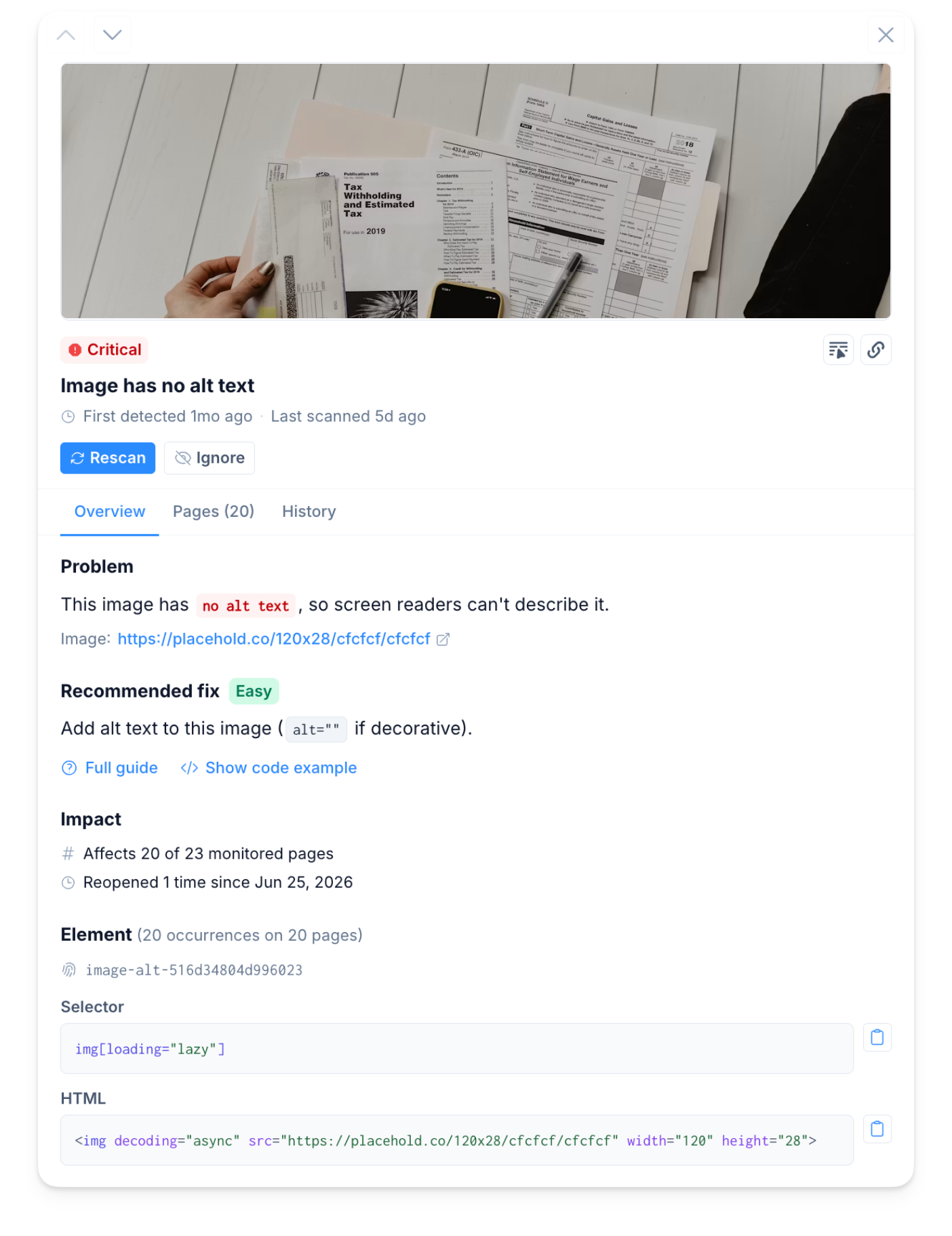
The broken element screenshotted on the page, with the code and a plain-English fix guide. No hunting, no expertise required.
The same broken footer won't become 200 issues. It's one item. Fix it, and it clears everywhere.
You set the rules
You choose what's scanned
You decide what counts
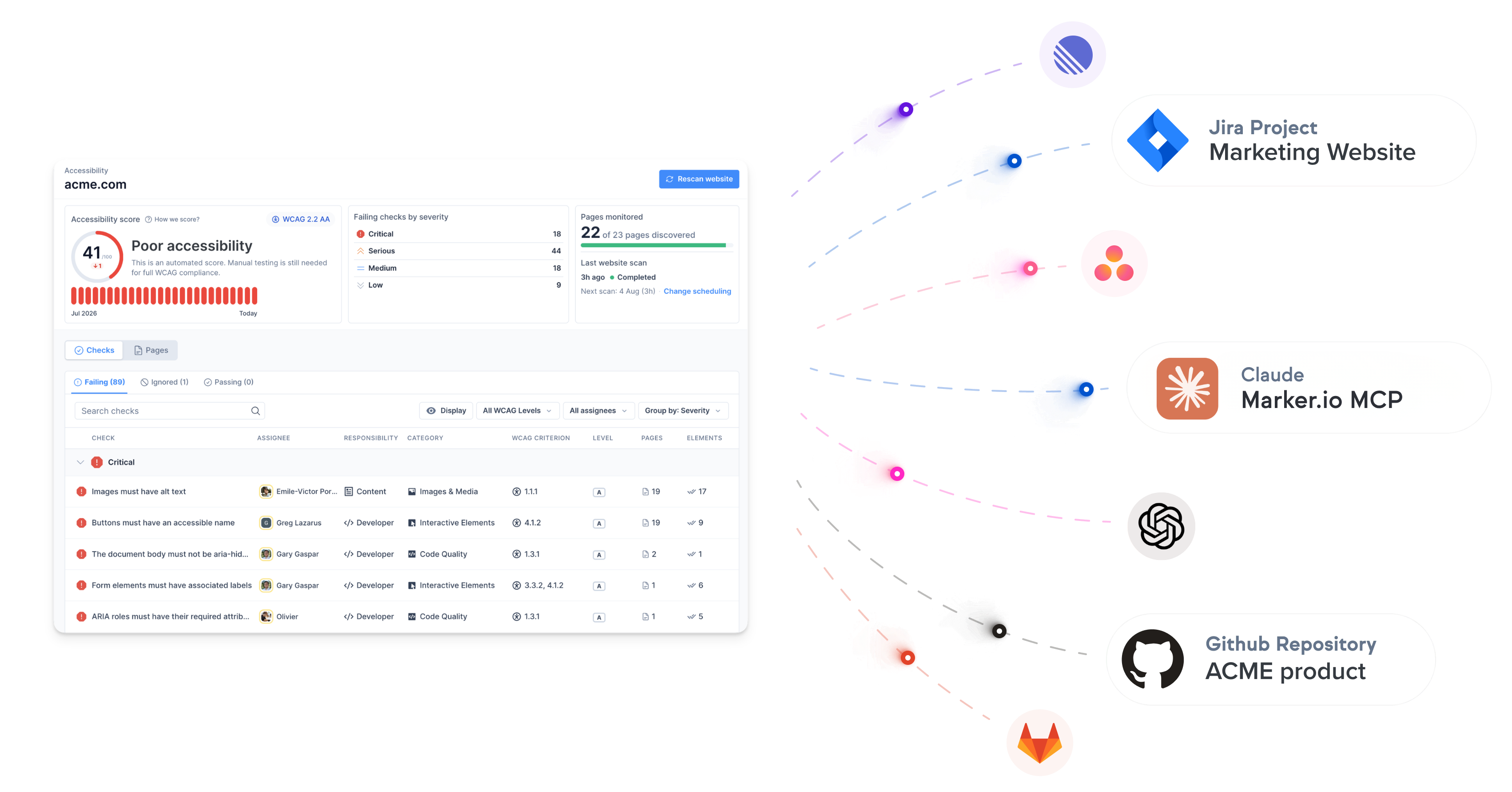
Scan results become assigned tickets. Not another report
Assign checks by area. The owner hears about it when their part slips. Nobody else drowns in alerts. Push issues straight to Jira, ClickUp, Asana or wherever your team works.
Harness our enterprise features
Proof you've been doing the work
An audit is a snapshot. This is the footage.
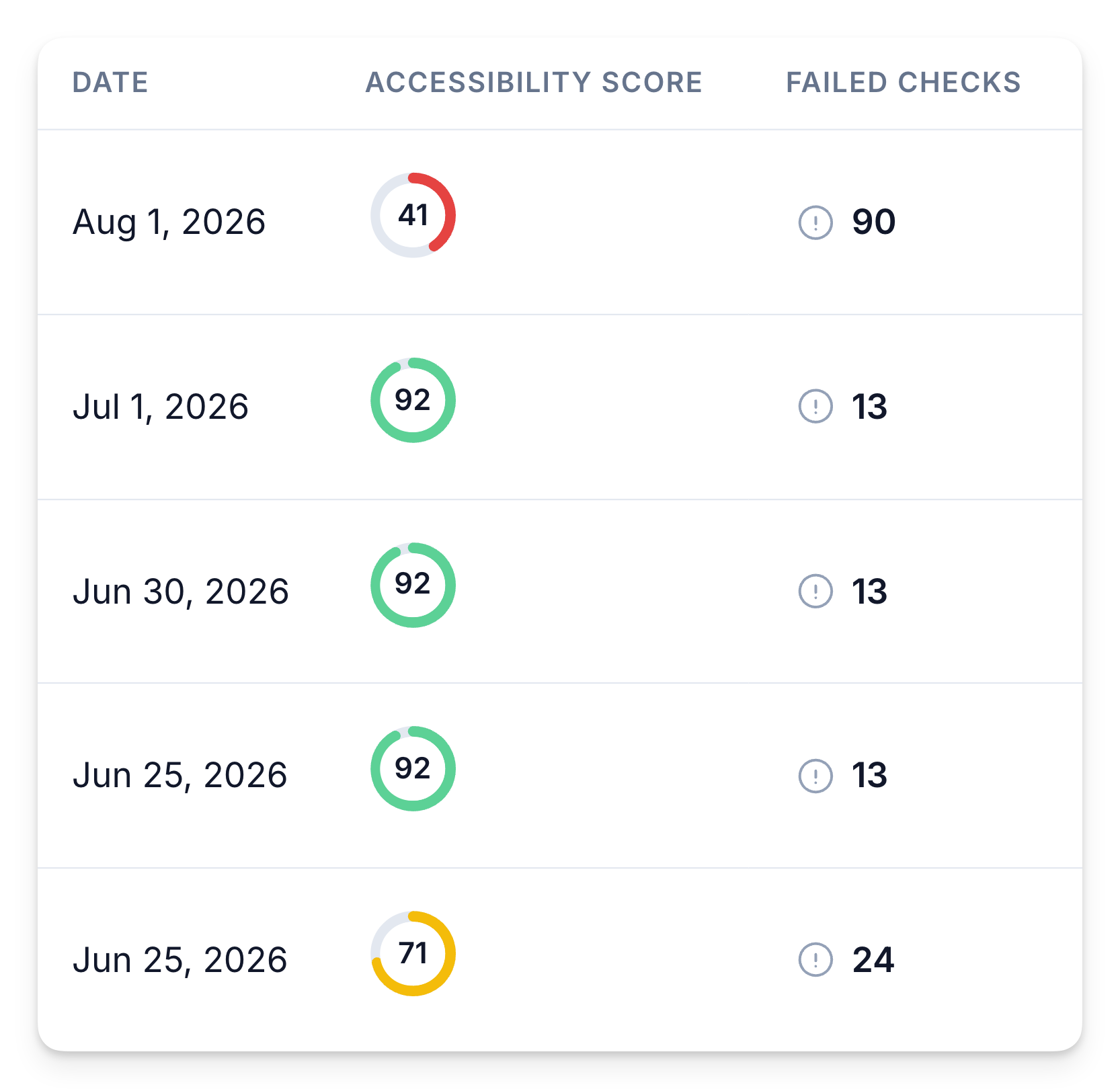
Every scan logged. A trend you can show, not a one-day number.
Every scan and fix is logged over time, so you see your website score improve. Each check has an owner.
When a client, a boss, or an auditor asks what's been done, you can have the answer, with dates. It serves as a legal proof of good faith.
The alternatives fall short
Free Scanners
Lighthouse, WAVE
Enterprise tools
Siteimprove, Deque
One website or fifty

Accessibility first. The rest of your site's health is on the way
One scanner, one workflow. We're starting with the checks that carry legal risk today, and adding the rest over the coming year.
Accessibility
Compliant with the Web Content Accessibility Guidelines (WCAG). See now.
✓ Add missing alt text to images
✓ Fix poor text color contrast for AA compliance
✓ Fix ARIA roles & required attributes
✓ Add skip to content links
SEO & AI Search
Make sure your site is optimized for SEO and AI search.
✓ Define clear page titles & meta descriptions
✓ Add structured sitemap for search
✓ Review thin pages for SEO
✓ Add analytics to every page
Content Quality
Detect typos, grammar errors, broken links, and missing images.
✓ Review spelling & grammar errors
✓ Fix broken links & missing images
✓ Remove Lorem Ipsum placeholders
✓ Fix unclear link text
Compliance
Website compliance monitoring for brand consistency, privacy risks, and legal compliance.
✓ Review cookies & privacy policy
✓ Add cookie disclaimer to every page
✓ Review form fields for GDPR
✓ Review gender & disability language
Data Privacy
Detect potential data privacy issues and find sensitive information.
✓ Review publicly visible addresses
✓ Review visible phone numbers & emails
✓ Fix insecure cookie flags
✓ Implement HSTS for all SSL pages
AI-Assisted Policies
Generate custom policies in seconds with the AI-Assisted Policy Generator.
✓ Write checks in plain language
✓ AI content analysis
✓ Visual page inspection
✓ Brand guideline enforcement
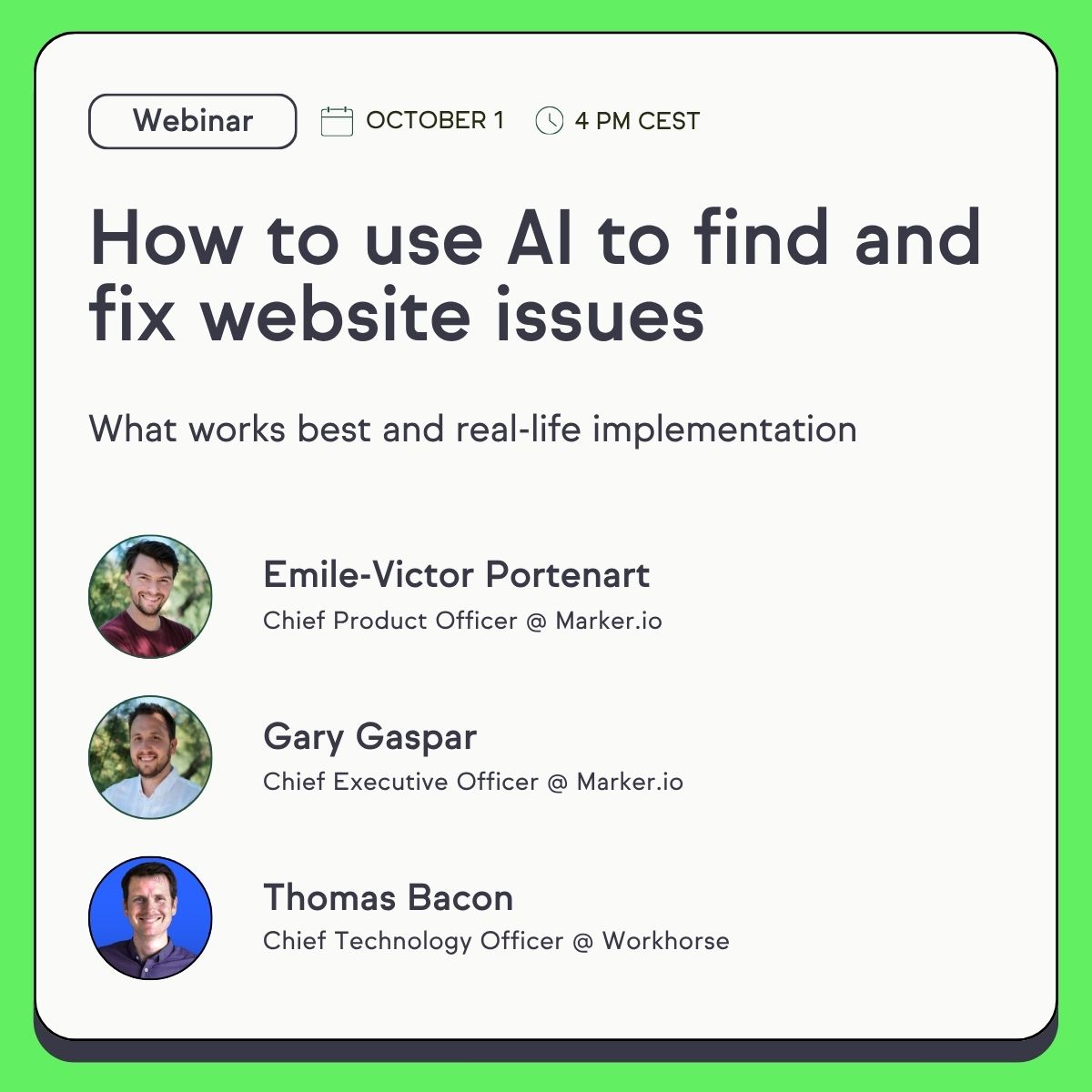
How to use AI to find and fix website issues
In this session, we show you the whole loop: Website Monitoring scans every page of your site on a schedule, and your AI agent does the rest.
Frequently Asked Questions
What is Marker.io Website Monitoring?
Website Monitoring scans your website on a schedule and flags issues before your visitors find them. Each issue comes with a screenshot of the broken element and how to fix it. It goes straight to the right owner in Jira, Linear, ClickUp or wherever your team works, and every fix is logged. It starts with website accessibility monitoring. Content checks, including broken links, come next.
How does Marker.io help with website governance?
Marker.io scans your website on a schedule and flags the exact element that broke, with a screenshot and how to fix it. Each check has an owner (content, design or development), and issues go straight to their issue tracker (i.e., Jira, Asana, Linear). Your team can also report what they spot on a live page with the Marker.io widget, so automated findings and human reports go through one workflow. Every fix is logged.
What can Website Monitoring check?
Accessibility checks are live today. Content checks, including broken links, are next. Each new module runs on the same scan schedule, with the same owners and the same record of fixes.
Who is Website Monitoring for?
Teams responsible for a website that many people edit: in-house web, digital and marketing teams, and agencies that maintain client sites after launch.
Can my AI agent fix the issues?
Yes. Connect the Marker.io MCP to Claude, Codex, or another AI agent. The agent reads your scan results and fixes the issues in your code or CMS. Review the changes before they go live, then rescan to confirm each fix.
Does website accessibility monitoring replace a manual audit?
No. Automated accessibility testing finds issues fast and keeps catching new ones as your site changes. Some WCAG criteria need a person to judge them, so full conformance still needs manual testing. An audit shows one day. Monitoring shows what changed since.