A Feedbucket alternative built for faster, AI-enabled feedback
Capture feedback from Marker.io’s website or browser extension, use AI to clean up and translate reports, and give AI agents access to full issue context through MCP.

Marker.io vs. Feedbucket
Both tools make collecting feedback from a staging website or live site easier than passing screenshots, emails, documents, and comments back and forth. The main difference is what each tool offers beyond the website widget.
For teams that want website feedback to flow into a broader QA and development process, with browser-based reporting, developer context, AI tools, and enterprise controls.
For smaller agencies and teams that want a simple tool where clients can leave visual and video feedback directly on websites.
Why choose Marker.io as your Feedbucket alternative?
With Feedbucket, clients can leave feedback directly on a website, capture screenshots or videos, and send the result into the team’s PM tool. Marker.io is the tool you need when the feedback process extends beyond that into QA, development, AI-assisted workflows, security, and ongoing website operations.
- Report from an embedded feedback widget or browser extension.
- Capture annotated screenshots, technical details, console logs, network requests, and Session Replay.
- Use separate Member and Guest forms for internal QA and client feedback.
- Improve feedback with AI translation, Magic Rewrite, and automatic title generation.
- Connect AI agents through MCP, including tools such as Claude Code.
- Push structured reports into the project management tool your developers already use.
- Add enterprise controls including SOC 2 Type II, SSO, audit logs, and Sensitive Data Masking.
- Collect annotated screenshots and native video feedback from the site.
- Give clients access without an account or browser extension.
- Automatically capture browser, OS, screen size, page URL, and console logs where available.
- Connect to popular PM tools with strong feedback and status synchronization.
- Give AI assistants access to projects, feedback, comments, screenshots, and console logs through MCP.
- Get unlimited projects and unlimited client reporters on all paid plans.
Key differences


Report from websites without adding the widget code first. Feedbucket explicitly does not offer a browser extension.
Preserve the activity immediately before a bug report without the reporter having to manually start a screen recording.
Attach captured network requests to reports for additional developer context. Feedbucket currently documents console logs and technical metadata, but not network-request capture.
Translation, rewriting, and title generation improve feedback before it reaches the team.
Connect assistants such as Claude, ChatGPT, Cursor, or coding agents to feedback data and actions.
Give internal QA and clients different forms, with integration fields shown, hidden, or preset.
Create different report types such as bugs, improvements, or tasks, each with its own fields.
Restrict team members to individual projects instead of giving them access across the whole account. Project-specific team-member access is not available in Feedbucket.
Track feedback volume, resolution rate, resolution time, project performance, reporter activity, browsers, devices, and team performance.
Scan pages on a schedule for accessibility issues instead of waiting for someone to leave feedback.
Exclude or mask designated website content before screenshots or Session Replay data leave the browser.
Independently audited SOC 2 Type II certification. Feedbucket’s current public security materials do not document an equivalent certification.
Marker.io supports SAML/OIDC SSO on custom plans; Feedbucket lists SSO as coming soon.
Track logins, issue changes, project activity, and workspace actions.
Includes development, error-monitoring, service-management, and testing tools such as Azure DevOps, ServiceNow, BrowserStack, FullStory, and LogRocket.
JavaScript snippet, browser extension, WordPress plugin, npm package, and additional CMS/deployment integrations.

“If you find that many bugs, just writing down everything in a clear, cohesive way can take quite a lot of time. So it's nice to just brain dump what you want to say and then have the AI rewrite it.”
Report feedback without having to install a widget
A JavaScript snippet works when you control the website, which is great for our easy-install widget, but that is not always guaranteed.
You might be reviewing a live website where you cannot change the code, comparing your client’s site with a competitor, checking a third-party page, or performing internal QA before anyone has added the feedback script.
Marker.io’s browser extension gives team members another route. Install the Chrome extension, Firefox extension, or use it through Edge, then capture and send feedback from the browser without touching the site’s code. For advanced context such as Session Replay, console logs, and network requests, the Marker.io widget can also be enabled through the extension on the relevant website.

Use AI before and after feedback is submitted
Marker.io adds AI at two different points in the workflow.
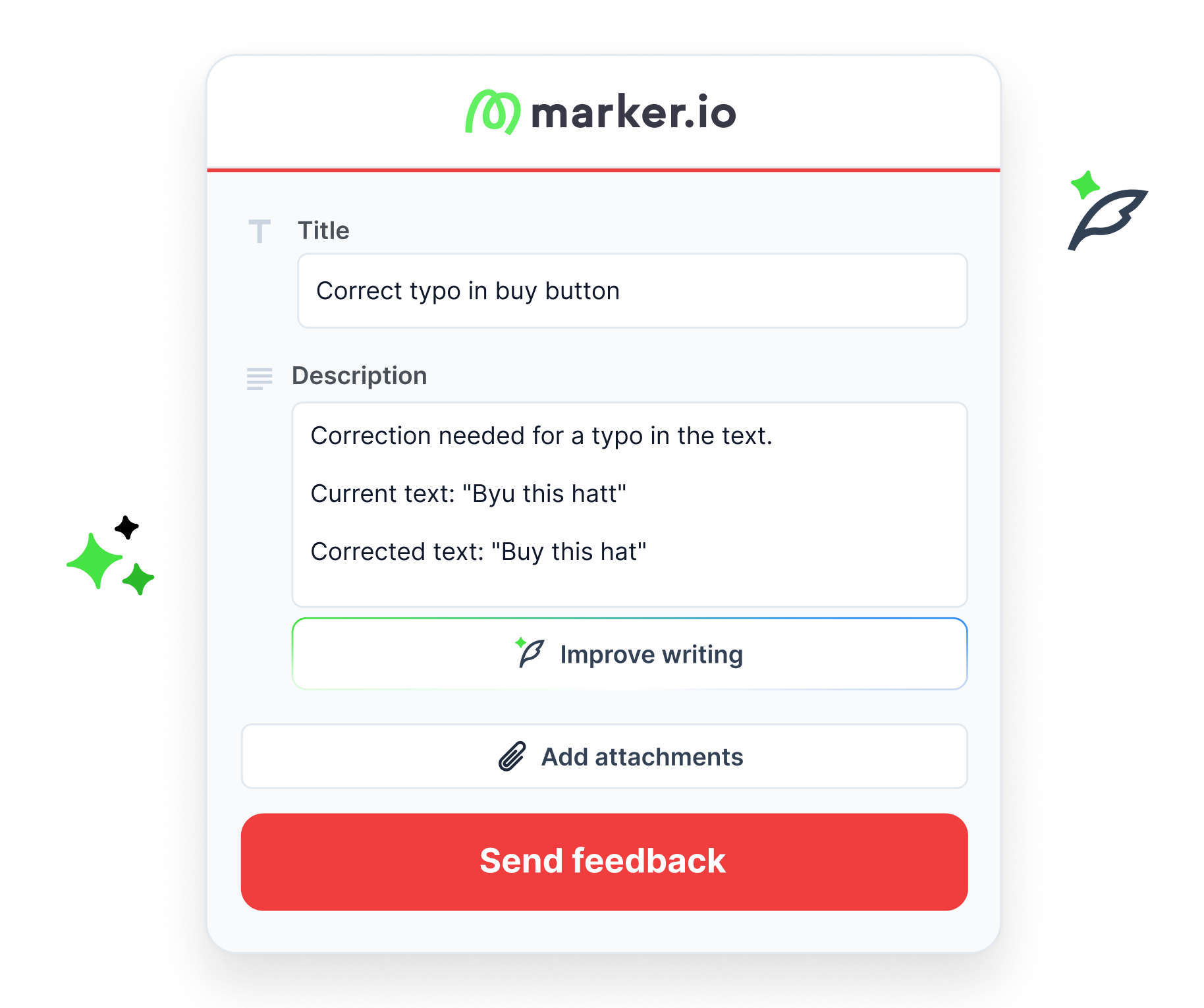
First, you can use AI to help write feedback. Magic Rewrite turns rough notes into clearer descriptions, AI Translation lets users report in their own language, and title generation creates a useful issue title automatically.
Clients, internal QA teams, and non-technical stakeholders do not need to know how a developer would phrase the problem. They just need to explain what went wrong, and Marker.io will help structure it before it enters the development workflow.
Second, Marker.io MCP gives AI agents access to the issue after it has been reported. An MCP-compatible assistant can read issues and technical context, inspect screenshots, update statuses, and add comments. You can use ChatGPT, Cursor, Codex, Claude Code, VS Code, Windsurf, JetBrains, and other MCP clients.
See what happened before the bug report
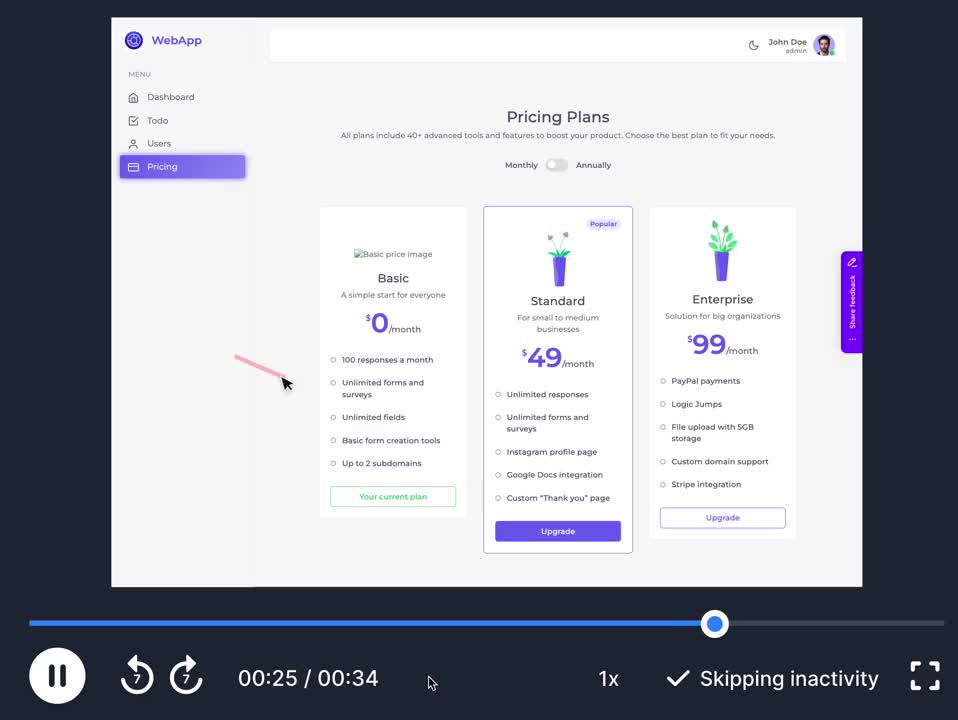
Marker.io’s Session Replay reveals what happens when the useful part of a reporter’s activity occurred before they knew there was a bug.
When enabled, Session Replay keeps a short rolling window of recent website activity. If the user submits feedback, up to the most recent 2.5 minutes can be attached to the issue so developers can see the clicks, navigation, and actions that led to the report. If nobody reports an issue, the temporary replay data is discarded rather than becoming a permanent recording.
Give developers more than a screenshot
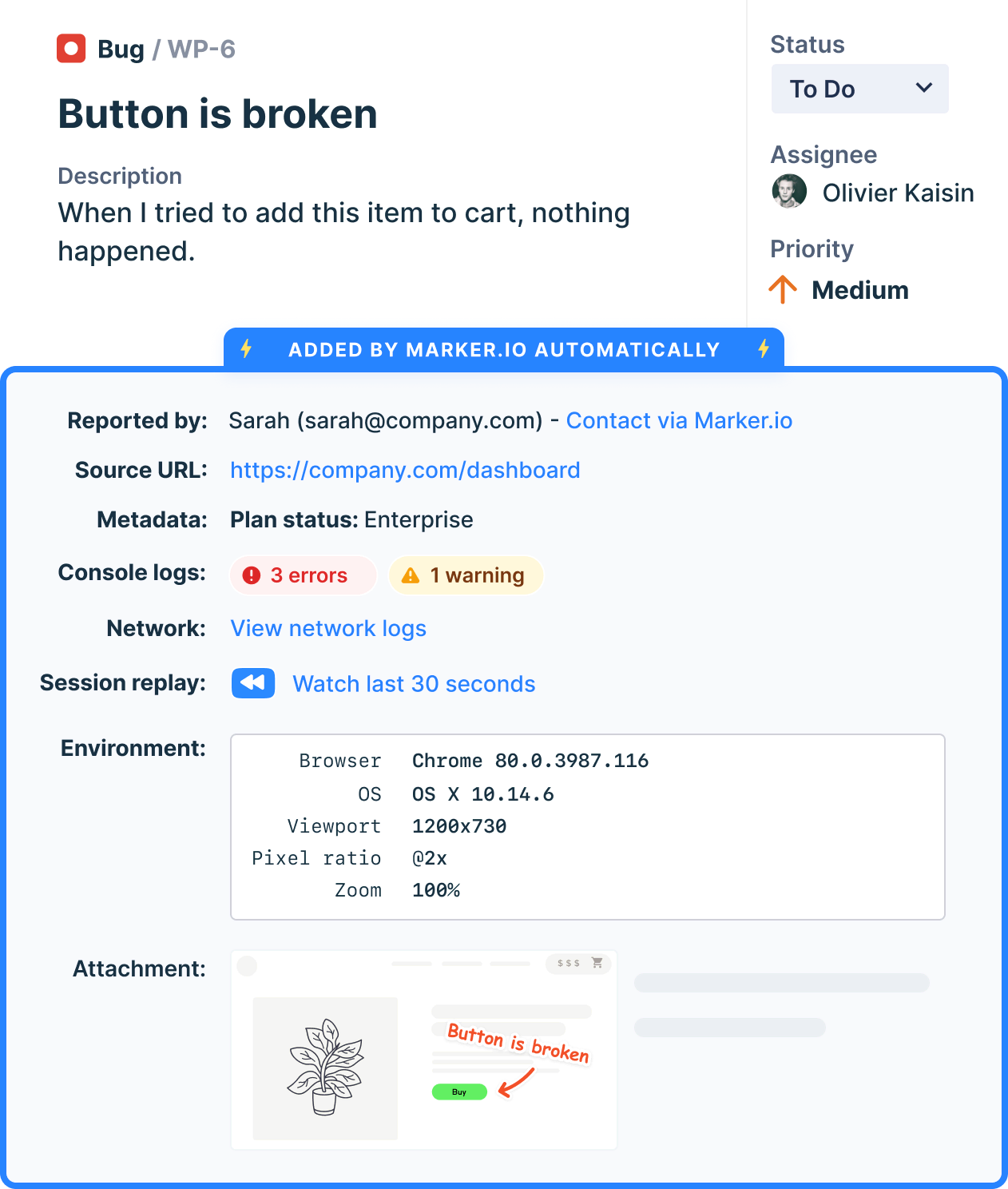
Marker.io captures the page URL, browser and version, operating system, device type, screen and viewport size, annotation location, console logs , network requests, custom metadata, screenshots, and more.
A bug report can show the annotated screenshot, the browser and screen size, the console error, the failed network request, and what the user did immediately before the page broke. Your developer gets all of the context they need to reproduce the issue without asking the reporter to open DevTools.
Use different forms for internal QA and client feedback
A client reviewing a homepage does not need the same fields as an internal QA engineer. Marker.io separates Guest Forms from Member Forms.
Keep the Guest Form short for client work: description, annotation, perhaps one or two project fields. Give the Member Form more structure for internal QA: issue type, assignee, priority, status, expected result, actual result.
Marker.io can pull supported native fields from connected project management tool integrations into the form, then show them, hide them, make them required, or preset their values. You can even create different issue types with different forms for bugs, improvements, tasks, and other workflows.


Keep your project management tool as the source of truth
Your website feedback tool should not become another backlog your developers have to maintain. Marker.io’s integrations are designed so teams can manage feedback from tools such as Notion without having to keep returning to their bug tracker, including comments and status synchronization.
Marker.io integrates with issue trackers, PM tools, service management, session replay and error recording, cross-browser testing, and CMS and deployment tools, including Azure DevOps, Bitbucket, ServiceNow, FullStory, LogRocket, BrowserStack, Wrike, and more.
Move from reported issues to continuous website monitoring
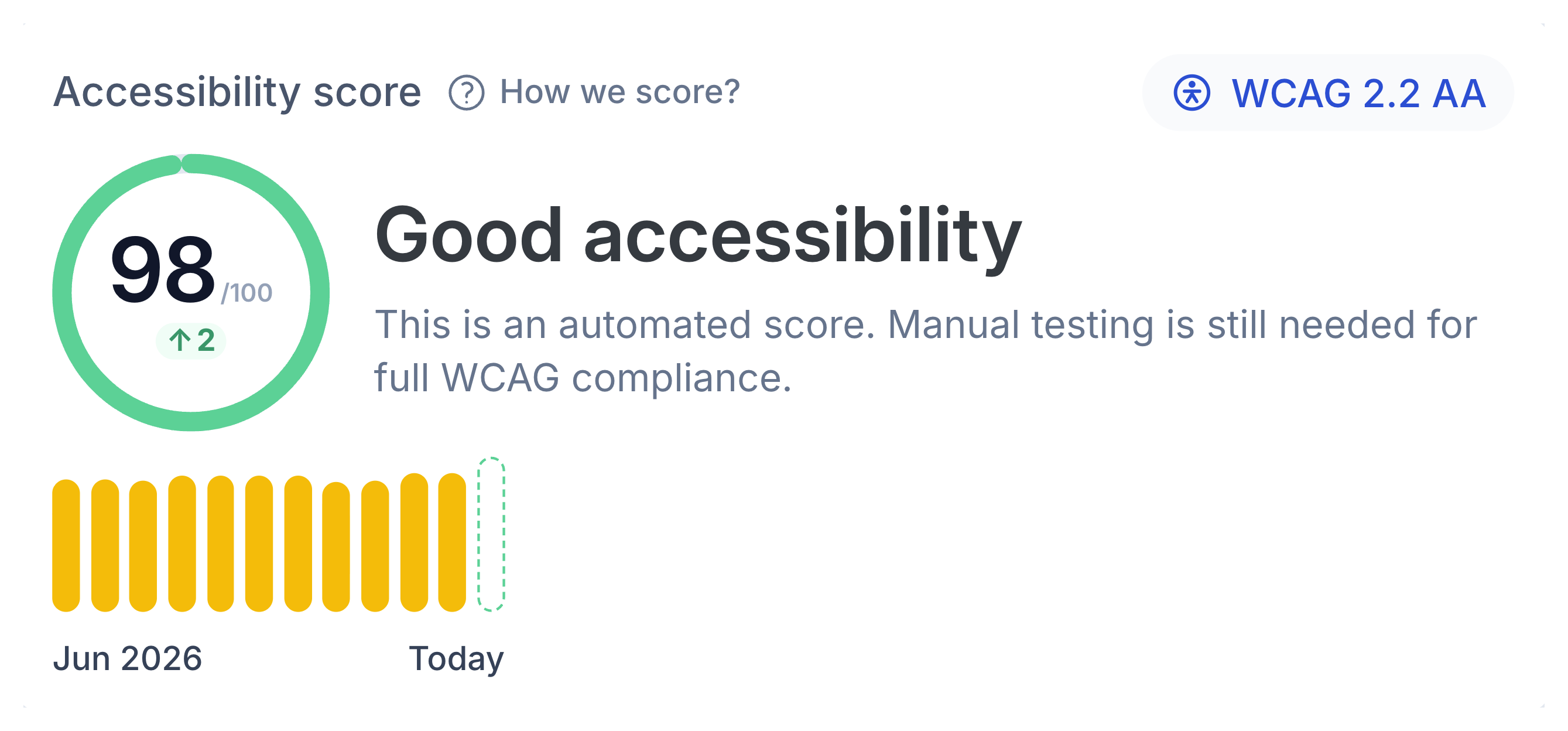
Our accessibility tool can scan pages on a schedule against WCAG-based checks, flag the element that failed, show the problem, and turn it into assigned and tracked tasks. Marker.io documents 90 automated accessibility checks built on axe-core and WCAG standards.
For agencies and web teams that want to cover staging environments and live sites with one tool, Website Monitoring is a must have.

Add enterprise controls as your workflow scales
As well as being SOC 2 Type II compliant, Marker.io offers the following security and governance features:
- SAML/OIDC SSO
- Audit logs
- Sensitive Data Masking
- Client-side filtering of network requests
- Workspace Analytics
- Admin controls and project-level access management
For client work involving stricter IT, procurement, or security requirements, this is the difference between a feedback tool that works for the project and one that works for the entire company.
Monitor what feedback is resolved and when
Collecting feedback is only half the job. Once enough projects and team members are involved, you also need to understand what happens after bug reports arrive.
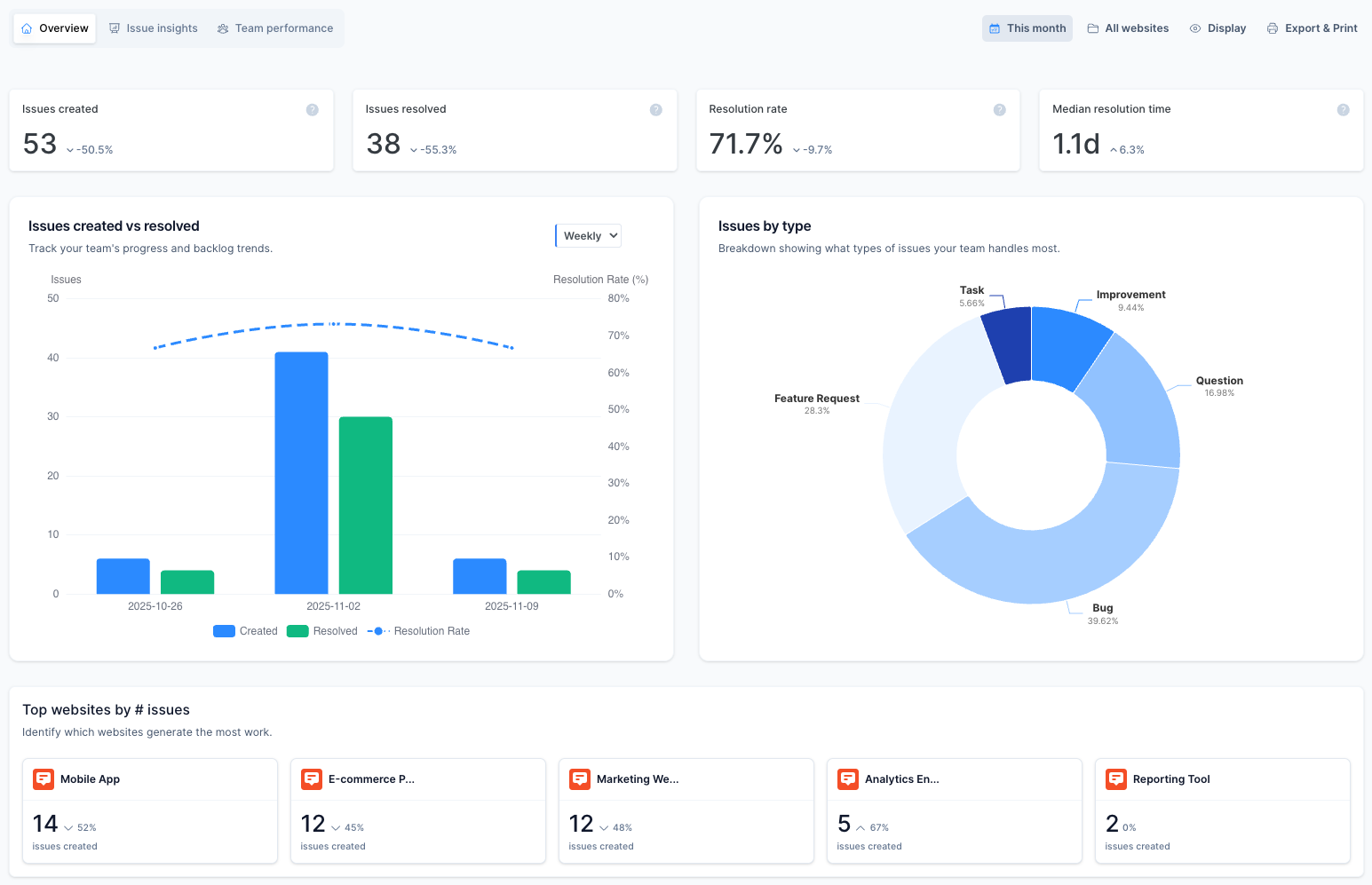
Marker.io Workspace Analytics tracks metrics including:
- Issues created and resolved
- Resolution rate
- Median resolution time
- Issues by project, type, priority, browser, device, and viewport
- Reporter activity
- Team workloads and resolution performance
The dashboard can be filtered by project and date range so agencies can review individual client work or look across the whole company.
A final Marker.io and Feedbucket comparison
Still not sure which tool is right for you? Here is a quick rundown of the key differences.
More ways to report
Use the website widget, Chrome extension, Firefox extension, Edge, JavaScript snippet, WordPress plugin, npm package, and other installation options.
Website-first by design
Feedbucket focuses on an installed widget and explicitly does not offer a browser extension.
Automatic Session Replay
Developers can see what happened before the bug report was submitted without asking the user to create a video.
Native video feedback
Clients can start a screen recording directly in the browser, with or without audio.
Reporter-facing AI
Translate feedback, rewrite rough descriptions, and create clearer issue titles before triage.
No equivalent reporter-facing AI tools
No similar tools are currently available.
Deeper developer context
Console logs, network requests, environment details, custom metadata, screenshots, and Session Replay can travel with a report.
Additional technical details
Feedbucket documents URL, browser, OS, resolution, console logs, screenshots, and recordings.
More workflow control
Separate Member and Guest forms can expose, hide, or preset fields pulled from connected project management tools.
Client and member controls
Different functionality can be configured for clients and team members, but without the same integration controls as Marker.io.
Enterprise governance
SOC 2 Type II, SSO, audit logs, Sensitive Data Masking, and Workspace Analytics are available.
EU-hosted with security controls
Feedbucket is hosted in Frankfurt and offers security reviews; SSO is currently listed as coming soon.

“Marker.io changed how we report website feedback. No more screenshots laying around my desktop.”
Where Feedbucket is the better fit
Even though Marker.io might have the edge, there are times when Feedbucket is the right solution for a team. Choose Feedbucket when:
Native screen recording is vital
You want unlimited projects at a low fixed price
You are a freelancer or small agency primarily collecting client feedback
You do not want clients to install anything
You want to pay less per team member
You need image feedback as well as website feedback
Marker.io vs. Feedbucket pricing
Neither Marker.io nor Feedbucket currently has a permanent free plan or free tier. Both offer a free trial with no credit card required: 15 days for Marker.io and 14 days for Feedbucket.
Here is how the pricing tiers are structured.
Starter: $39/month billed annually. 3 users, up to 10 projects, unlimited feedback, screenshots and annotations, environment details, collaboration, and basic integrations.
Pro: $39/month billed annually or $49 monthly. 2 team members, unlimited projects, unlimited feedback, unlimited client reporters, screenshots, video feedback, collaboration, integrations, and MCP.
Team: $149/month billed annually. 15 users, up to 50 projects, Session Replay, developer tools, console logs, network requests, custom metadata, custom issue types, custom branding, issue sync, and CSV export.
Business: $72/month billed annually. 25 team members, unlimited projects and feedback, console logs, JavaScript API, custom branding, custom metadata, and CSV export.
Business: Custom yearly pricing. Adds custom users/projects, premium integrations, analytics, SSO/SAML, audit logs, Sensitive Data Masking, and additional security controls.
Enterprise: Custom pricing. Adds custom team size, dedicated success manager, priority support, invoices, and security reviews. SSO is listed as coming soon.
Current list pricing as of September 2026.
Your pricing decision should be less about which tool has the lowest per-seat pricing and more about whether you need a dedicated client feedback tool or a broader website QA and development workflow.
One workflow from staging to live websites
The strongest reason to choose Marker.io is that your workflow will benefit everyone. Use Marker.io as the feedback tool on a staging website:
Once the project moves from staging environments to live sites, Website Monitoring and Workspace Analytics give the same team tools for finding issues and measuring how quickly they are resolved.
Feedbucket alternative FAQs
Is Marker.io a Feedbucket alternative?
Yes. Both products are website feedback tools that let clients and team members leave feedback directly on a site, capture annotated screenshots and technical details, and send bug reports to project management tools.
Marker.io is a strong Feedbucket alternative when you also need a browser extension, automatic Session Replay, network requests, AI-assisted feedback, richer form configuration, Workspace Analytics, website monitoring, or enterprise security controls.
What is the main difference between Marker.io and Feedbucket?
Feedbucket is primarily built for web design agencies collecting client feedback through an installed website widget.
Marker.io supports the same website-first review model but does more, offering a browser extension, Session Replay, developer tools, AI features, configurable Member and Guest forms, broader integrations, analytics, monitoring, and enterprise governance.
Does Feedbucket have a browser extension?
No. Feedbucket does not have a browser extension because its focus is on allowing clients to leave feedback directly on a website without installing anything.
Marker.io has extensions for Chrome, Firefox, and Edge, which means invited team members can report on websites even when they cannot edit the site or install the JavaScript snippet.
Which is better for client feedback, Marker.io or Feedbucket?
Both are strong options. Marker.io makes more sense when the same client feedback also needs to feed a deeper QA and development process, particularly when you need different forms for internal QA, richer technical details, browser-extension reporting, analytics, or enterprise controls.
Feedbucket is well suited to agencies that want a simple website widget clients can use with no account, signup, or browser extension.
Do Marker.io or Feedbucket have a free plan?
No. Neither currently offers a permanent free plan or free tier.
Marker.io offers a 15-day free trial with no credit card required. Feedbucket offers a 14-day free trial with access to its features during the trial.
Which is better for WordPress, Marker.io or Feedbucket?
Both support WordPress workflows. Marker.io offers a WordPress plugin, alongside its JavaScript snippet, npm package, browser extension, and other installation routes. Feedbucket offers a WordPress plugin and controls for showing the widget to specific logged-in users or roles on live websites.
Should I switch from Feedbucket to Marker.io?
If Feedbucket already covers your client feedback workflow and you mainly value video feedback, unlimited projects, and straightforward agency pricing, switching may not add enough value.
The switch makes more sense when your team needs capabilities Feedbucket does not currently document: automatic Session Replay, browser-extension capture, network requests, reporter-facing AI, custom issue-type forms, workspace analytics, automated website monitoring, SOC 2 Type II, SSO today, audit logs, or Sensitive Data Masking.
Get started now
Free 15-day trial • No credit card required • Cancel anytime