
Schedule accessibility checks for your whole website
Marker.io now scans your whole site against WCAG on a schedule, shows the exact element that fails, and tells you how to fix it.
Trusted by teams at:




Your website was accessible at launch. But people kept changing it
Every update: a new page, an image or a form can introduce an accessibility issue

Constant website updates
Teams launch new pages, content, or campaigns every week. Each change can quietly introduce accessibility issues, like missing alt text.

Multiple people
Editors, developers, designers and agencies all have access to a website CMS. Almost none of them are accessibility experts.

Invisible issues
A missing label or low contrast still looks fine on screen. Visitors hit barriers you never hear about.
Nobody has time to check every page of your website
So it doesn't get checked. Until an accessibility lawsuit lands, a customer gives up, or your boss emails you about an issue that's been live for three weeks.
It checks the pages. It files the issues. You just fix
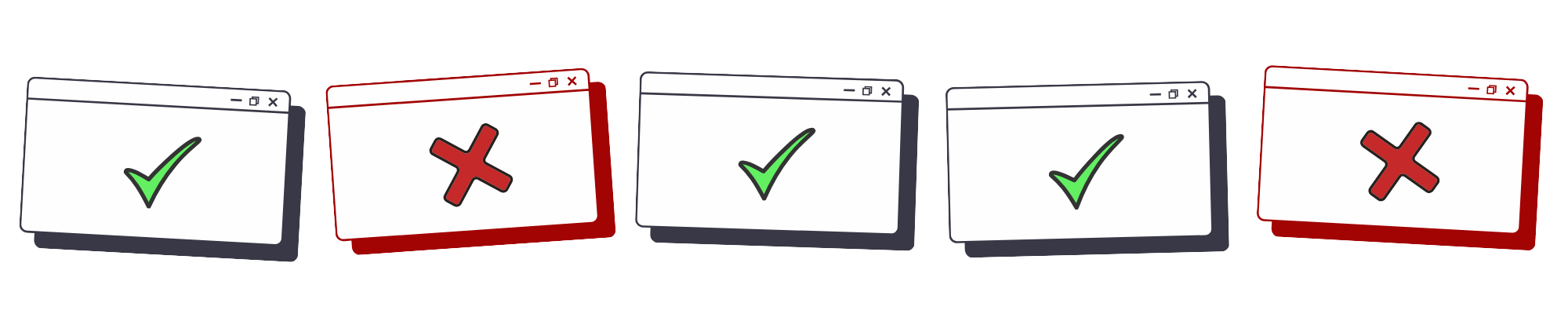
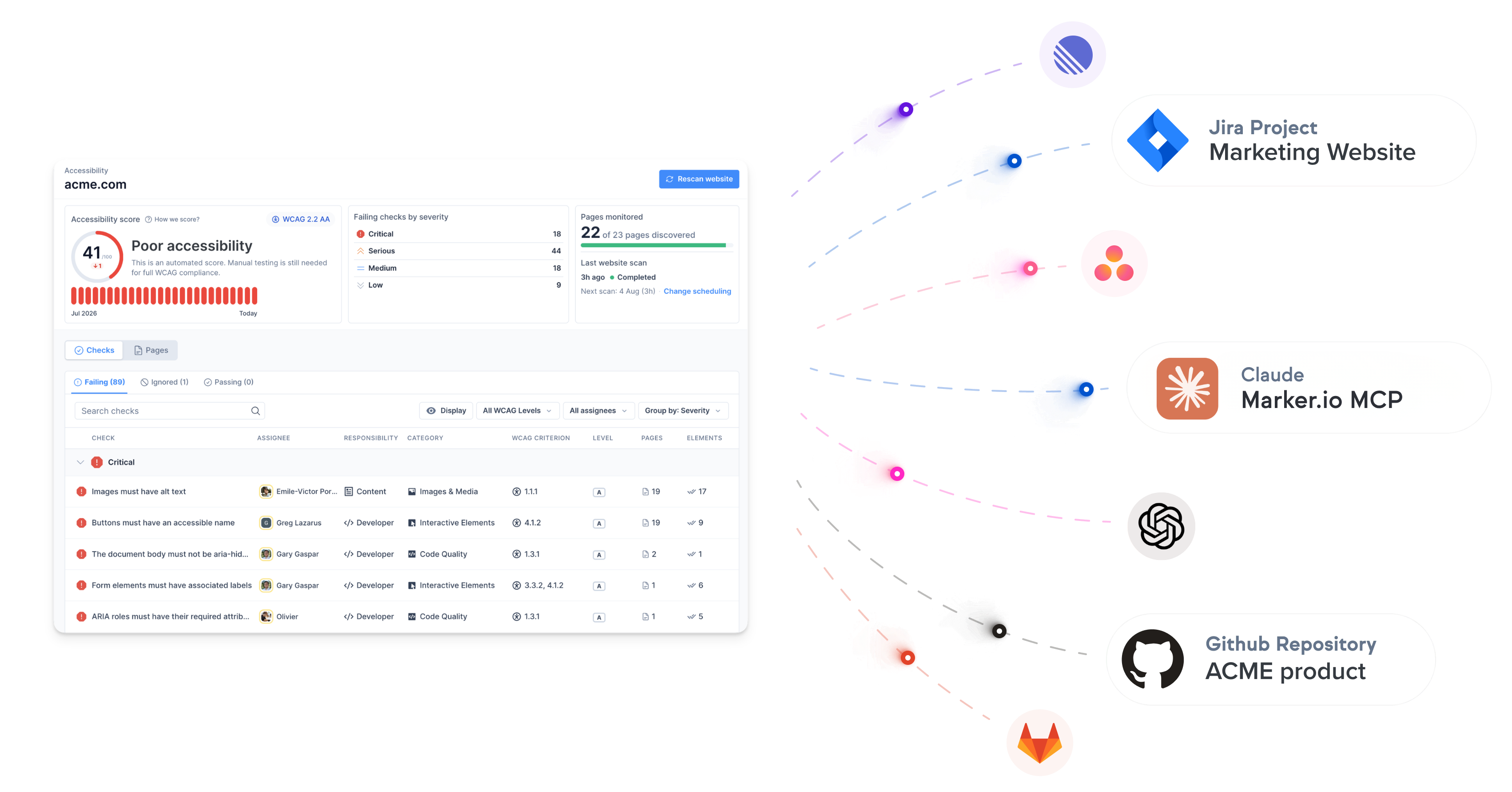
Scan every page automatically and catch accessibility issues a manual review would miss. Every issue lands into your backlog, where your team already works.
Harness our enterprise features
Find it
Automated scans run on selected pages, on a schedule. Each issue is screenshotted, grouped, and explained.
Fix it
Issues land in Marker.io. Assign an owner, push to your issue tracker (i.e., Jira), and log every fix where your team already works.
Prove it
Every scan and fix logged with dates, owners, reasons. Keep the historical data and track progress.
How it works
Every page, on a schedule
Add your domain. Marker finds your pages from the sitemap and checks each one against WCAG 2.2 AA, weekly or monthly.


See the exact element, with the fix
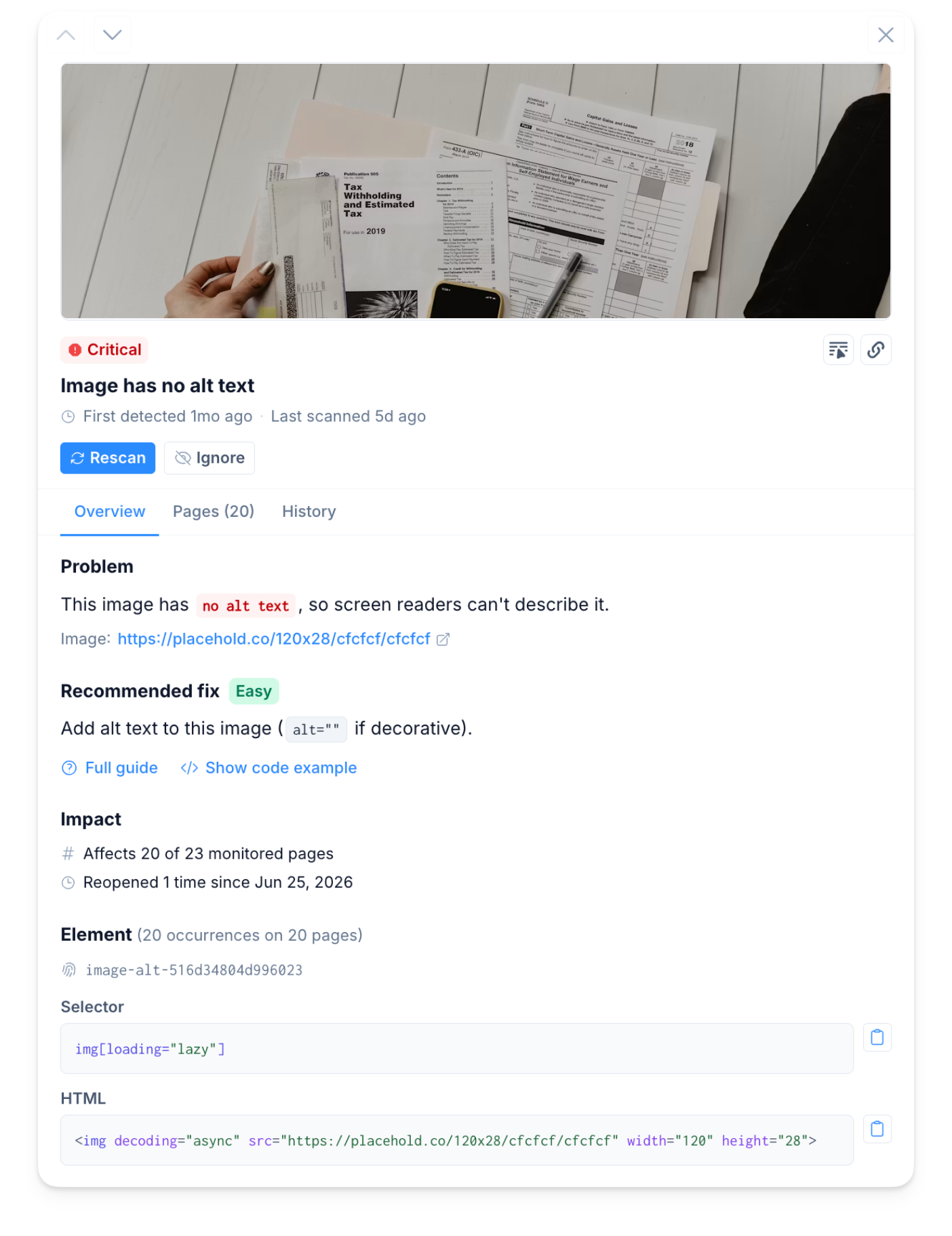
Every issue comes with a screenshot of the failing element, what is wrong, and how to fix it, code included.
.svg)
Fix once, verify in minutes
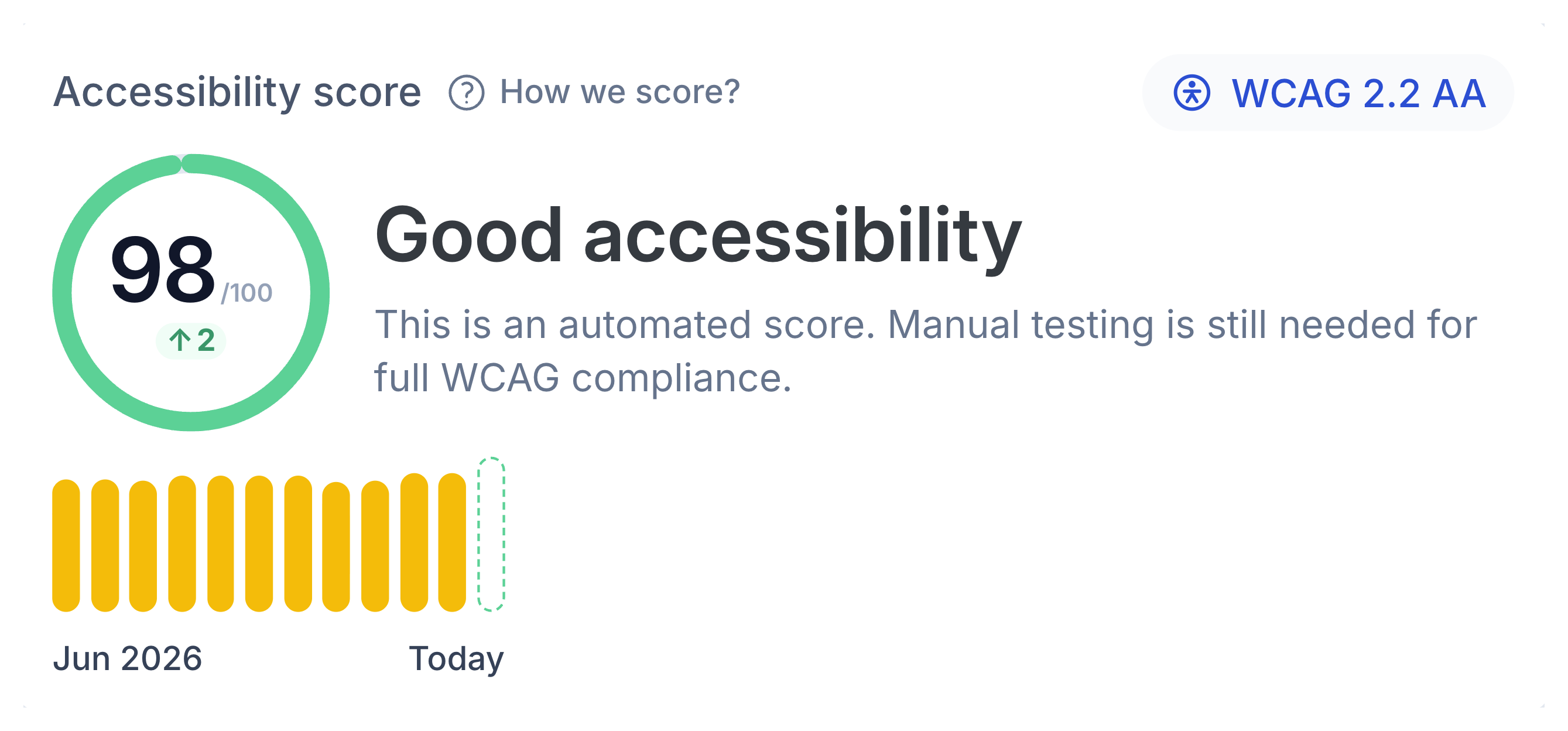
The same issue across 50 pages shows up as one. Fix it, rescan, see your accessibility score improve, done.


Why not just...
...run an audit?
Good for
A deep expert review of the whole website.
Where it stops
True on the day it lands. But your site changes next week.
Marker.io
Keeps checking every page between audits, on a schedule.
...use a free checker?
Good for
A free accessibility score for one page.
Where it stops
You need to manually check all the pages and create tasks.
Marker.io
Checks all your pages and assigns tasks to the right people.
...install an overlay?
Good for
A quick install, no developer needed.
Where it stops
It does not change your code, so the issues are still there.
Marker.io
Shows your developers the exact element and how to fix it.
Most tools hand you a list of problems. This one shows the fix
Automated monitoring checks multiple pages on a schedule. Weekly or monthly, every page gets scanned — not just the ones someone had time for.
The broken element screenshotted on the page, with the code and a plain-English fix guide. No hunting, no expertise required.
The same broken footer isn't 200 issues. It's one item. Fix it, and it clears everywhere.
Scan results become assigned tickets. Not another report
Assign accessibility issues to your team by area. The owner hears about it when their part slips, nobody else drowns in alerts. Push issues straight to Jira, ClickUp, Asana or wherever your team works.
Harness our enterprise features
You set the rules
You choose what's scanned
You decide what counts
Proof you've been doing the work
An audit is a snapshot. This is the footage.
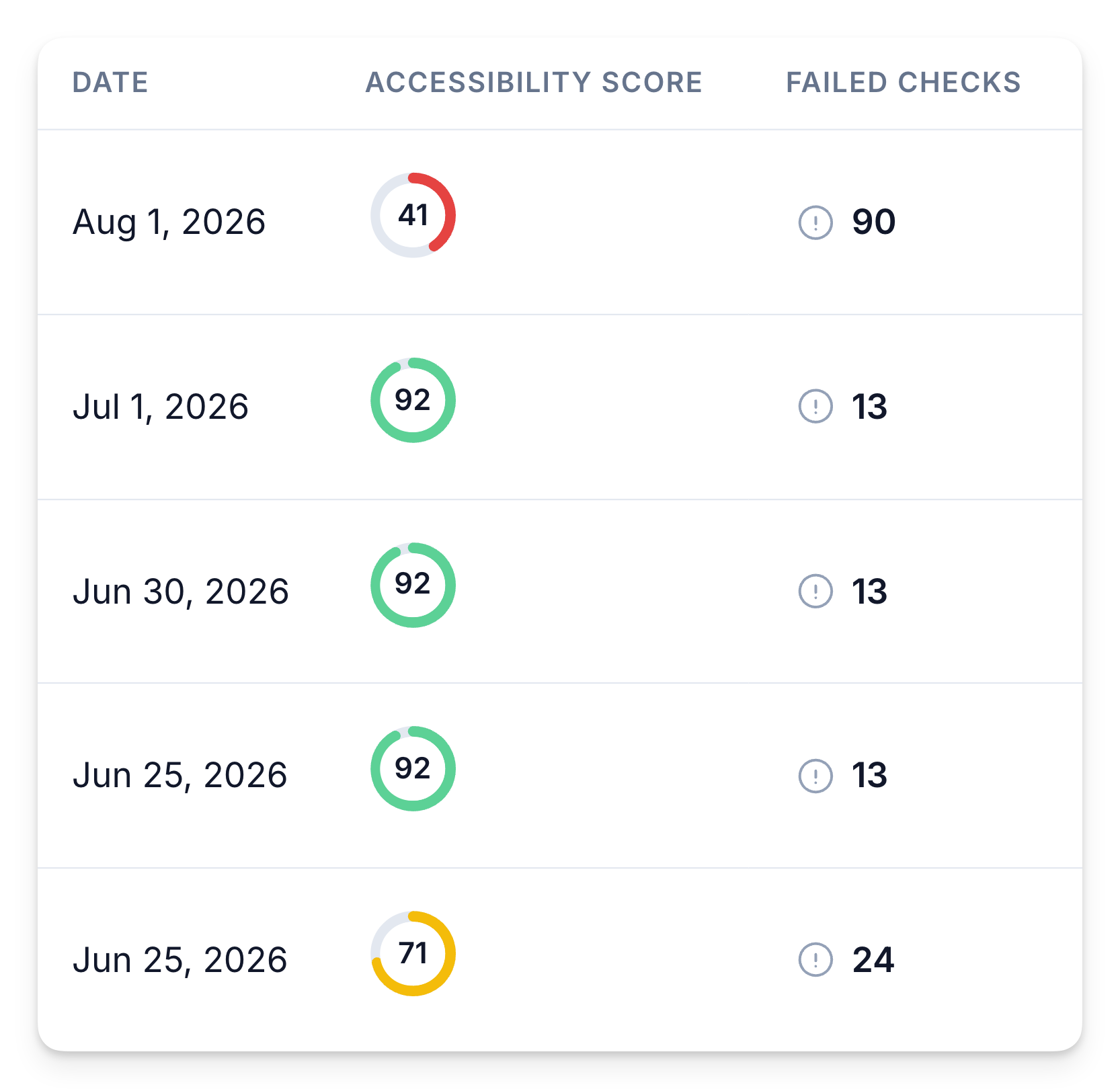
Every scan logged. A trend you can show, not a one-day number.
Every scan and fix is logged over time, so you see your accessibility score improve. Each check has an owner.
When a client, a boss, or an auditor asks what's been done, you can have the answer, with dates. It serves as a legal proof of good faith.
The alternatives fall short
Free Scanners
Lighthouse, WAVE
Enterprise tools
Siteimprove, Deque
One website or fifty

Accessibility first. The rest of your site's health is on the way
One scanner, one workflow. We're starting with the checks that carry legal risk today, and adding the rest over the coming year.
Accessibility
Compliant with the Web Content Accessibility Guidelines (WCAG).
✓ Add missing alt text to images
✓ Fix poor text color contrast for AA compliance
✓ Fix ARIA roles & required attributes
✓ Add skip to content links
SEO & AI Search
Make sure your site is optimized for SEO and AI search.
✓ Define clear page titles & meta descriptions
✓ Add structured sitemap for search
✓ Review thin pages for SEO
✓ Add analytics to every page
Content Quality
Detect typos, grammar errors, broken links, and missing images.
✓ Review spelling & grammar errors
✓ Fix broken links & missing images
✓ Remove Lorem Ipsum placeholders
✓ Fix unclear link text
Compliance
Website compliance monitoring for brand consistency, privacy risks, and legal compliance.
✓ Review cookies & privacy policy
✓ Add cookie disclaimer to every page
✓ Review form fields for GDPR
✓ Review gender & disability language
Data Privacy
Detect potential data privacy issues and find sensitive information.
✓ Review publicly visible addresses
✓ Review visible phone numbers & emails
✓ Fix insecure cookie flags
✓ Implement HSTS for all SSL pages
AI-Assisted Policies
Generate custom policies in seconds with AI-Assisted Policy Generator.
✓ Write checks in plain language
✓ AI content analysis
✓ Visual page inspection
✓ Brand guideline enforcement
Resources
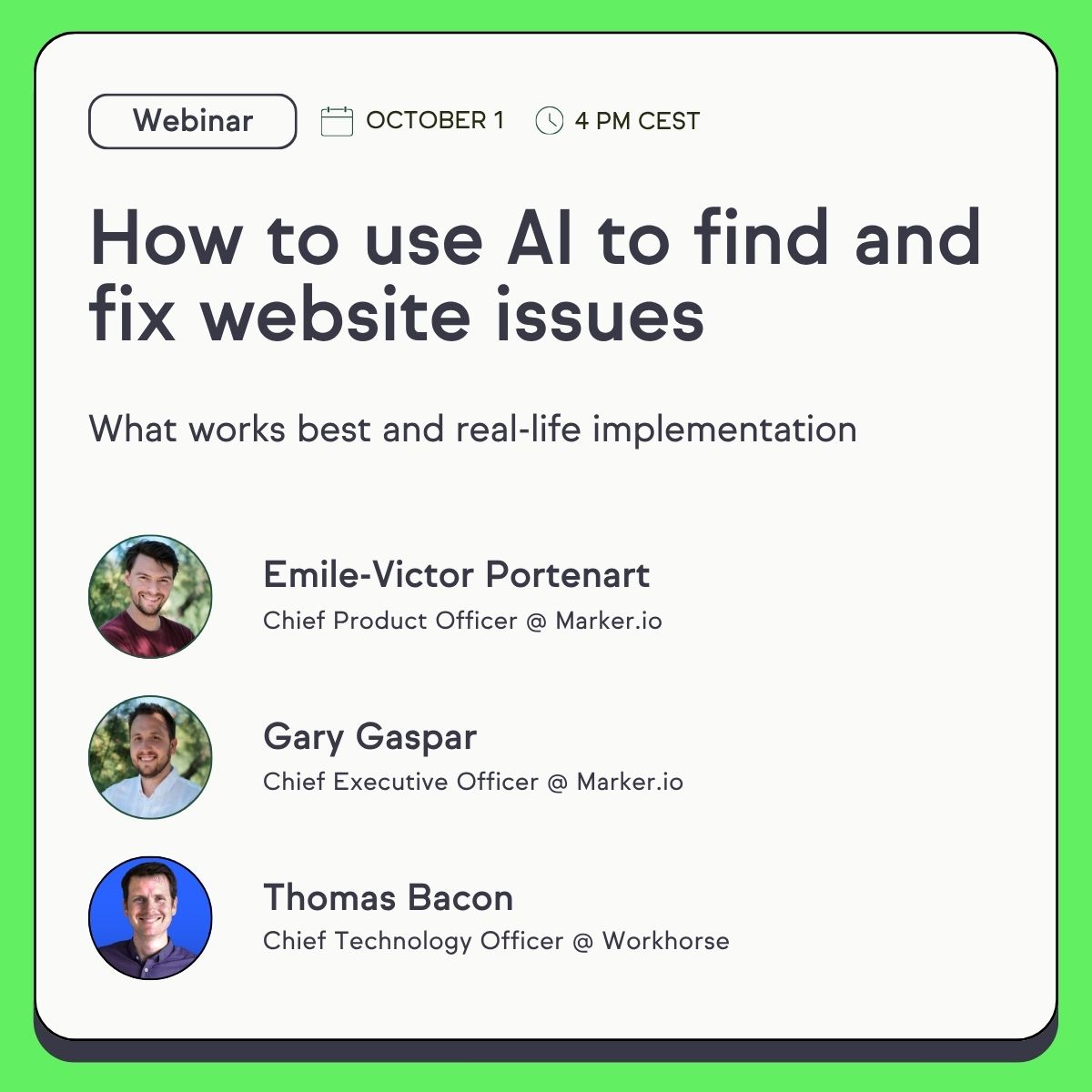
How to use AI to find and fix website issues
In this session, we show you the whole loop: Website Monitoring scans every page of your site on a schedule, and your AI agent does the rest.
Frequently Asked Questions
What does Marker.io check for accessibility?
Marker.io scans every page of your website against WCAG 2.2, at level A, AA or AAA. It flags issues like missing alt text, low colour contrast, wrong ARIA roles and missing skip links. Each issue comes with a screenshot of the element, the code and how to fix it.
Will this make my website WCAG or ADA compliant?
No tool can do that on its own. Automated scans catch many issues fast, but some WCAG criteria need a person to judge them, like whether alt text describes the image well. Marker.io helps you find and fix issues as your site changes, and keeps a dated record of every scan and fix. Pair it with manual testing.
How is this different from an accessibility audit?
An audit checks your site on one day. Your site keeps changing after that. Marker.io checks every page on a schedule between audits, so new issues get caught when they appear, not at the next audit.
How is this different from an accessibility overlay?
An overlay changes how a page looks in the visitor's browser. Your code stays the same. Marker.io finds the issue in your pages and sends it to the person who can fix it in your code or CMS.
How often are my pages scanned?
Weekly, monthly or on demand. You choose the whole sitemap or a list of pages, and you can rescan a single page to check a fix in minutes.
Who fixes the issues?
You assign checks by area, like content, design or development. Issues go straight to Jira, Linear, ClickUp, Asana or wherever your team works. You can also connect the Marker.io MCP so an AI agent fixes issues in your code or CMS, then review the changes and rescan.
Can I try it for free?
Yes. Scan your first 10 pages for free when you start a trial.