
Alt text
What is alt text?
Alt text, short for alternative text, is a written description added to an image's HTML alt attribute. Screen readers announce it in place of the image for blind and low-vision users, and most browsers display it if the image fails to load.
Search engines use alt text as a key signal to help them understand images, and while most search engines can now analyze image content directly, alt text remains the most reliable way for website owners to tell them what an image shows and why it's relevant.
WCAG Success Criterion 1.1.1 requires it for any image that conveys meaning.
At a glance
Why is alt text important when it comes to accessibility?
Screen reader users can't see a photo, an icon, or a graphic, so alt text is often their only way to know what's there and what it shows. Without it, a screen reader has nothing useful to announce – sometimes it reads the file name instead, which often tells the user nothing about the image's content (though it is also best practice to make your image file names descriptive).
Meaningful alt text also carries additional benefits beyond accessibility. Search engines still lean on alt text to understand an image's meaning and context, and to surface it in image search results.
A web page with decent alt text throughout tends to perform better in both regards: it's more usable for real people and easier for a search engine to understand.
Getting alt text right can also have an effect on a site's online presence. Most images on a commercial page, from hero banners to product photos, can either help or hurt the experience depending on whether their alt text is meaningful, missing, or just filler.
The stakes vary by image type. A logo or a navigation icon needs a short, functional description, while a photograph documenting an event or a product carries more of the page's actual meaning and deserves a fuller one.
Images that content creators treat as purely visual content, added for style rather than information, still need a deliberate decision either way: write real alt text, or intentionally mark the image as being decorative.
Web accessibility is also a legal requirement in many markets, not just a best practice, and missing alt text is one of the most common issues flagged in an accessibility audit.
If you treat it as a checkbox to fill in after publishing, you risk producing the empty alt attribute and filler text that audits catch – writing alt text as part of the page-building process, alongside the rest of the page content, produces better results than retrofitting it later.
How does alt text work?
Make sure that every meaningful <img> element on your website carries an alt attribute containing a brief text description of what the image shows.
A screen reader reads this description aloud in place of the image; a browser typically displays it if the image fails to load. Good alt text focuses on the image's content and how it relates to the page around it.
Not every image needs a description. Decorative images should carry an empty alt attribute, written as alt="". Think of a background flourish, a spacer graphic, a divider line, or a repeated icon that just echoes adjacent text.
This empty alt text tells a screen reader to skip the image entirely rather than announce something with no informational value.
However, don't leave the alt attribute off altogether: a missing attribute doesn't mark the image as decorative, and screen readers typically fall back to announcing the file name or 'unlabeled graphic' instead.
CSS background images work differently. A background image added through CSS has no alt attribute at all, so it's invisible to a screen reader by default.
If a background image conveys real information, you need another way to expose that information in the markup, such as visible text in the same container.
Bear in mind that a one-line description can't capture everything that complex images show. Think of a bar chart, a table, a word cloud, or a world map showing regional data.
For these, keep the alt text focused on the graphic's key meaning, then share the specific data points in a nearby data table or in the body text itself.
Screen readers read the alt attribute first, then continue into the surrounding text, so make sure the image's context still holds up if a reader only gets that adjacent page text and never sees the graphic at all.
Alt text also feeds into what's called the image's accessible name – the label assistive technology computes for an element and exposes through the accessibility tree. For a plain image, that's usually just the alt attribute.
Where an image sits inside a link or a button with no other text, the alt attribute becomes the only label a screen reader has for that entire control. A generic description on an image link tends to confuse users far more than the same generic description on a standalone photo.
Length matters too, though there's no single hard limit. As a general rule, keep the alt attribute to one clear sentence – long enough to cover the image's content, short enough that hearing it read aloud doesn't slow the reader down.
If a description genuinely needs more than that, move the extra detail into visible body text next to the image rather than stretching the attribute itself.
Alt text examples
Here's a simple example of a content image: A photo of a college choir performing in a church, with an ornate altar in the background.

Weak alt text describes almost nothing:
<img src="choir-photo.jpg" alt="image123">Effective alt text describes what a sighted reader would actually notice:
<img src="choir-photo.jpg" alt="A college choir performs in a church, with an ornate altar in the background.">Product image alt text follows the same principle but usually needs more specific detail, since it often stands in for the product description itself. For an e-commerce listing, skip generic labels like "product photo."
Name the item and its colour, then call out any feature visible in the shot:
<img src="sneakers-silver-blue.jpg" alt="Silver and blue running sneakers with white and orange sole, reflective strip and blue laces.">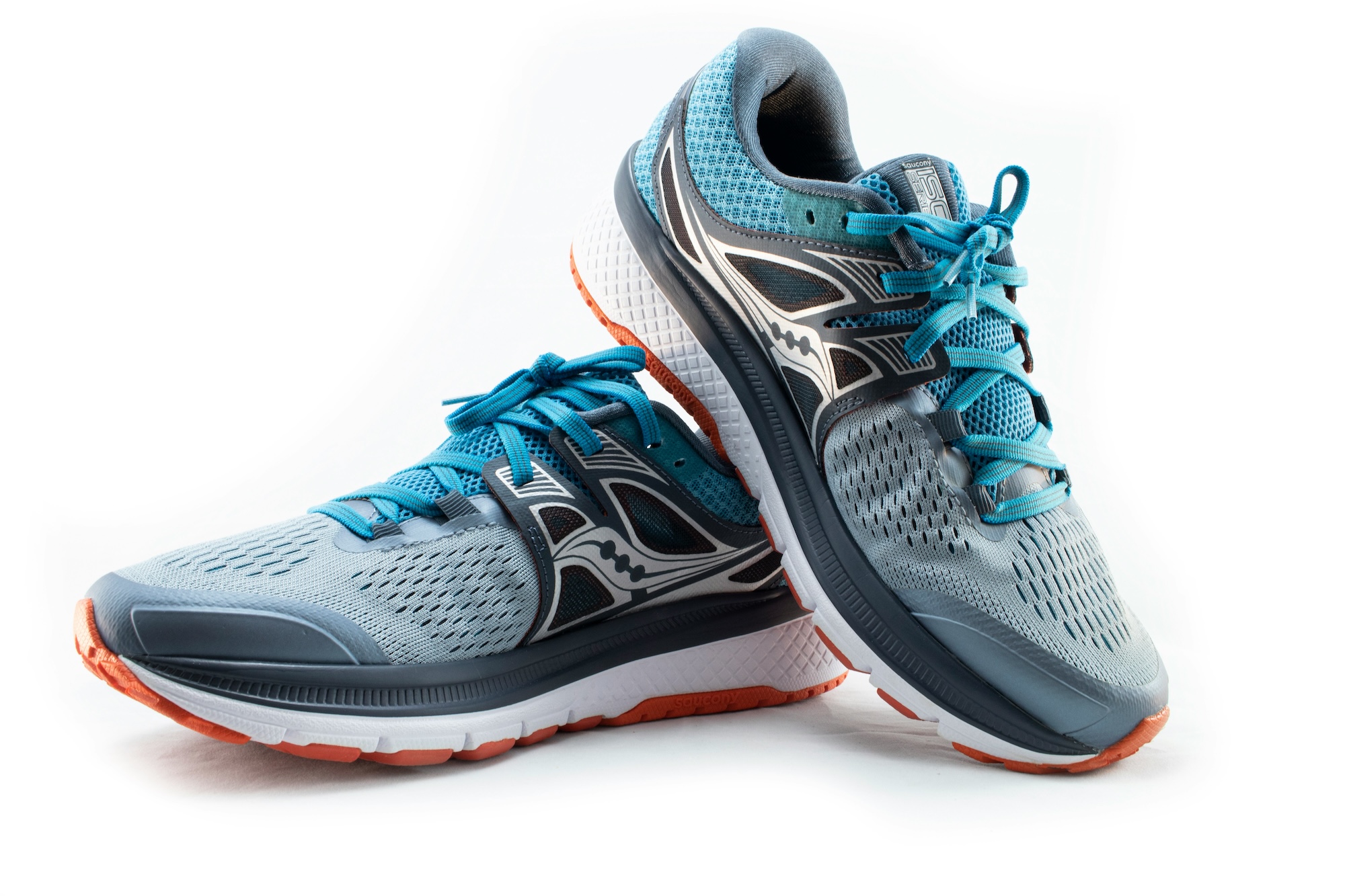
That level of detail helps a screen reader user picture the item and gives search engines more to work with when matching the page to a shopper's query.
Alt text vs. image captions
Alt text and captions solve different problems, so a strong caption is never a substitute for alt text.
A good caption example might name the photographer, the source, or add a bit of commentary. An alt attribute still needs to provide a clear description of the image so that a screen reader user gets equivalent page content information to a sighted reader.
Common mistakes or misconceptions
- Leaving meaningful images with empty alt text – Only leave decorative image alt text empty, as leaving it blank on a product photo or a chart obscures real page content from screen reader users.
- Writing redundant alt text – Starting a description with "image of" or "picture of" is unnecessary, as assistive technology already identifies it as an image before reading the description.
- Keyword stuffing for search engine optimization – Don’t stuff alt text with keywords, as this just reads as noise to a screen reader user and can flag the page as spammy to a search engine.
- Treating background images as accessible by default – A CSS background image has no alt attribute, so any information it carries needs another route into the markup, such as a data table or graphic elements described in body text.
- Writing generic alt text on image links – When an image is also a link, its alt text should include the destination, not just the picture, e.g., "Company logo" tells a user nothing if clicking it goes to the homepage.
- Duplicating the caption or surrounding text word for word – If a visible caption already states the same information, repeating it verbatim in the alt attribute means a screen reader user hears the same information announced twice for one image.
Frequently Asked Questions
What are the best practices for creating accessible image alt text?
Describe what the image actually shows and how it relates to the page context around it, keep the description specific rather than generic, skip "image of" phrasing, and use an empty alt attribute for anything purely decorative. Read the alt text sentence back and check it would make sense to someone who never sees the image.
What should I include in product image alt text?
Name the product and its color or material, then call out any feature the photo highlights, similar to how a customer would describe it out loud.
Skip filler words like "photo of" and avoid repeating the product title verbatim if the surrounding text already states it – the alt text should add information, not duplicate it.
How long should alt text be for ecommerce images?
Most guidance suggests roughly 125 characters or one short sentence, long enough to cover the product's key details without turning into a paragraph.
If an image needs more explanation than that, such as a size chart or a detailed diagram, put the extra detail in the surrounding text or a data table instead of stretching the alt attribute.
What's the difference between alt text and the title attribute?
The title attribute shows a tooltip when a sighted user hovers a mouse over an element, and most screen readers either skip it or only announce it inconsistently.
Alt text is the reliable text alternative for an image, read by assistive technology every time, so it should never be treated as optional just because a title attribute is also present.
Try our website monitor free
Automate website monitoring tasks
and keep your pages compliant