The best BugHerd alternative for website feedback
Turn website feedback into developer-ready bug reports – with annotated screenshots, environment details, console logs, network requests, and session replay – in the PM tools your team uses.

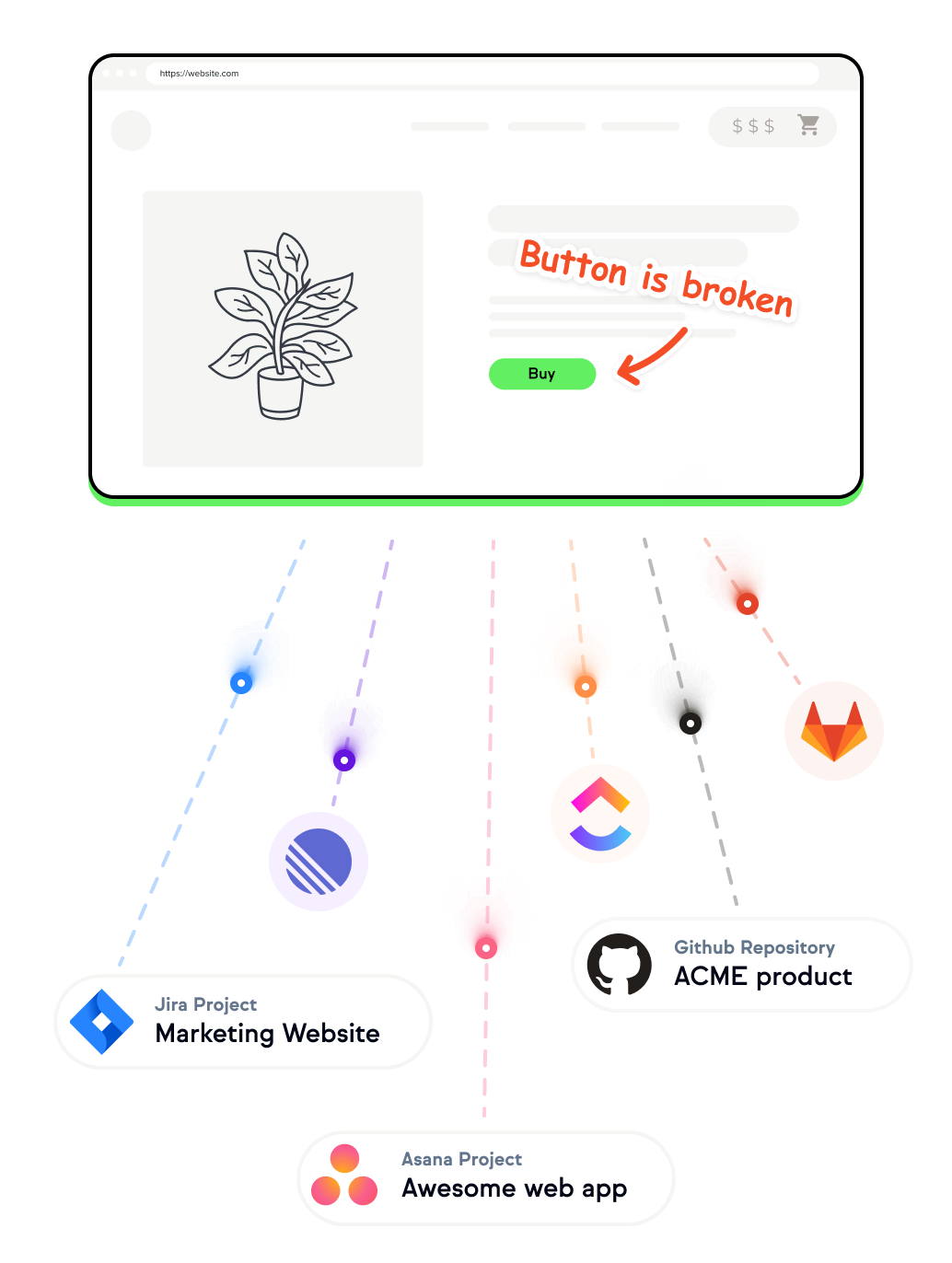
Why choose Marker.io as your BugHerd alternative?
The BugHerd website feedback tool is built for teams that want a simple way for clients to point, click, and leave comments. Choose Marker.io if your website feedback process needs developer-ready bug reports inside your project management tool.
Why David chose Marker.io over Bugherd

“Bugherd does not have 2-way sync like Marker.io does.”
Marker.io vs. BugHerd
Marker.io and BugHerd help you collect visual feedback on websites. BugHerd is fine for simple client feedback, but Marker.io is built for teams that want developer-ready bug reports in their existing project management tools.
Key differences


Collect client, user , and QA feedback directly on your websites with a widget that makes it easy to leave feedback in context.
Keep feedback, comments, issue fields, and statuses aligned with your project management tools like Jira, Trello, Linear, GitHub, ClickUp, and Asana.
Remove Marker.io branding and customize the widget with your own logo, wording, position, and colors.
Let reporters write in their native language, then translate titles and descriptions into your team’s preferred language.
Turn rough notes into clear, structured, actionable feedback before the issue is submitted.
Capture more accurate widget screenshots using the browser’s native screenshot API.
See video recordings of what reporters did before submitting feedback. Developers can understand the user journey behind each issue without needing an extra session replay tool.
Automatically capture details such as browser version, operating system, page URL, screen size, and device context.
Capture JavaScript errors, warnings, and browser console logs when reporters submit issues automatically.
Show a simple form to clients and a more detailed form to internal QA teams.
Great for enterprise feedback workflows
Enterprise teams need more than easy website feedback. Marker.io adds security and data-control features for regulated teams, European companies, and complex review processes.
Stay compliant with SOC 2 Type II
Marker.io is SOC 2 Type II certified, with independent auditor verification for security reviews and procurement.
Keep feedback data in the EU
Marker.io is hosted on AWS in Ireland/EU, supporting European data residency and GDPR requirements.
Mask sensitive data
Mask or exclude sensitive page content before screenshots and session replay videos are captured.

“BugHerd's integration with Trello is so bad! I love how Marker.io streamlines everything. It has been a game changer for us.”
Why this agency replaced BugHerd with Marker.io
The context
Jonas is the co-founder of Bombayworks, a digital agency with 60+ digital experts across Stockholm, Malmö, and Mumbai. Bombayworks became a Marker.io customer in 2015.
The challenge
Jonas is obsessed with his team’s success and spends a fair amount of time looking around for new tools to improve his team collaboration.
However, new clients and new team members got added all the time, and they worked in several different tools. It became a hassle for Jonas, who is responsible for employee and client onboarding, to create new users, new projects and new clients in all tools.
“Information was all over the place! Tasks, issues, projects and users were all living in different tools, creating a ton of overhead and confusion for everybody”
For example, designers and developers had to:
- Check BugHerd for new issues
- Compare those issues with tasks in Trello
- Monitor urgent client emails for extra requests
And they wouldn’t know what was more important.
After a developer missed an important client email, Jonas said enough!
He knew that they needed a single source of truth where they could manage all projects, users, time logs, and issues in one single place. They settled on Trello.
“Trello is now our source of truth.
I tell the team that if a task doesn’t exist in Trello, there is no need to do it! If you want to get something done, you must create a card in Trello.”

Switching from BugHerd
For Bombayworks, the difference came down to Trello workflow fit. Before centralizing everything around Trello, BugHerd was the tool Bombayworks' team used to report and track issues.
It was the first visual bug tracking tool they had adopted and it was a breakthrough for them. They were finally able to stop reporting bugs through forms!
At the time Bombayworks moved its workflow into Trello, keeping feedback in BugHerd and tasks in Trello created duplicate work.
“We tried to work with BugHerd and Trello together, but it was terrible. For example, when we closed a card in Trello, a duplicate issue remained open in BugHerd and vice versa. I wasn't happy with that.”
How does Bombayworks use Marker.io?
The team’s favorite thing about Marker.io is how new feedback appears in Trello with the context they need for task management, bug tracking, and client communication.
Here is how people use Marker.io:
🕵️ Testers: Once developers are done with a website, they hand the project over to the QA team who use Marker.io to report the first batch of visual bugs and issues.
👨💼Project managers: After the QA team has gone through the testing phase, PMs use Marker.io to request changes that they know are important for the success of the client.
👩🎨Designers: Then the design team jumps in to give their visual feedback before showing it to clients. They go over the website or web app with trained eyes and make sure all modules, forms, and visual effects behave like they want.
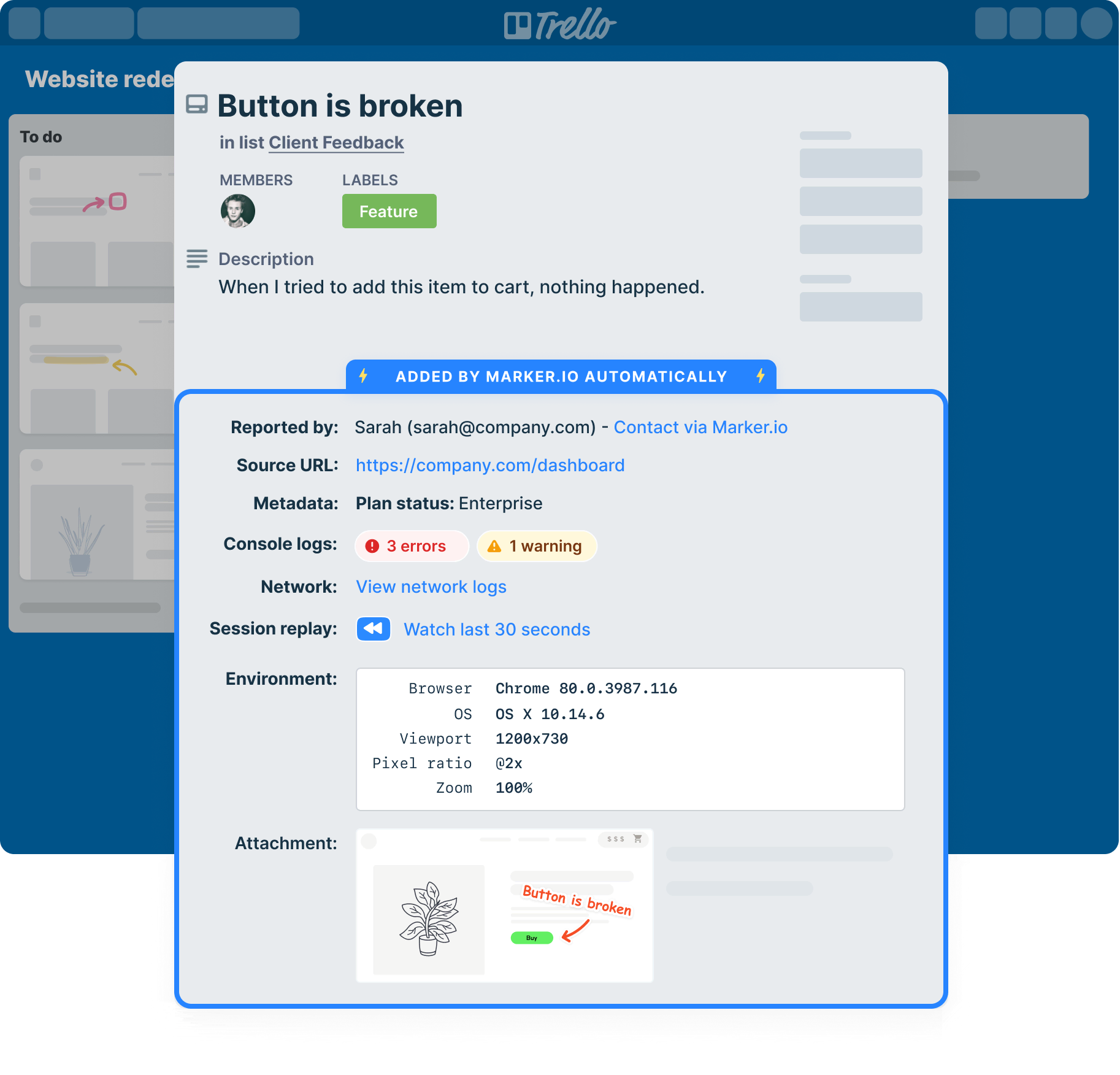
🤓Developers: Developers then open Trello to see all new feedback. Each card includes actionable feedback with a clear screenshot, source URL, browser details, operating system, screen resolution, and other technical details.
👩 Clients: Clients then complete a final round of feedback on the live website and use the Marker.io widget to send final requests.
Conclusion
Bombayworks originally wanted a BugHerd alternative that fit their Trello workflow. For their team, Marker.io became a practical way to capture website feedback, explain issues visually, and send context to the people doing the work.
Today, Marker.io is their default tool to report issues, but also to create user manuals, onboarding guides or simply to explain something to colleagues and clients.
Why Marker.io is the best BugHerd alternative
Marker.io is the best BugHerd alternative when your team needs more than a place to collect feedback. It’s built for web agencies, QA teams, digital teams, and enterprise organizations that need to turn website feedback into bug reports developers can actually use.

“Marker.io changed how we report website feedback. No more screenshots laying around my desktop.”
Integrate with all your favorite tools
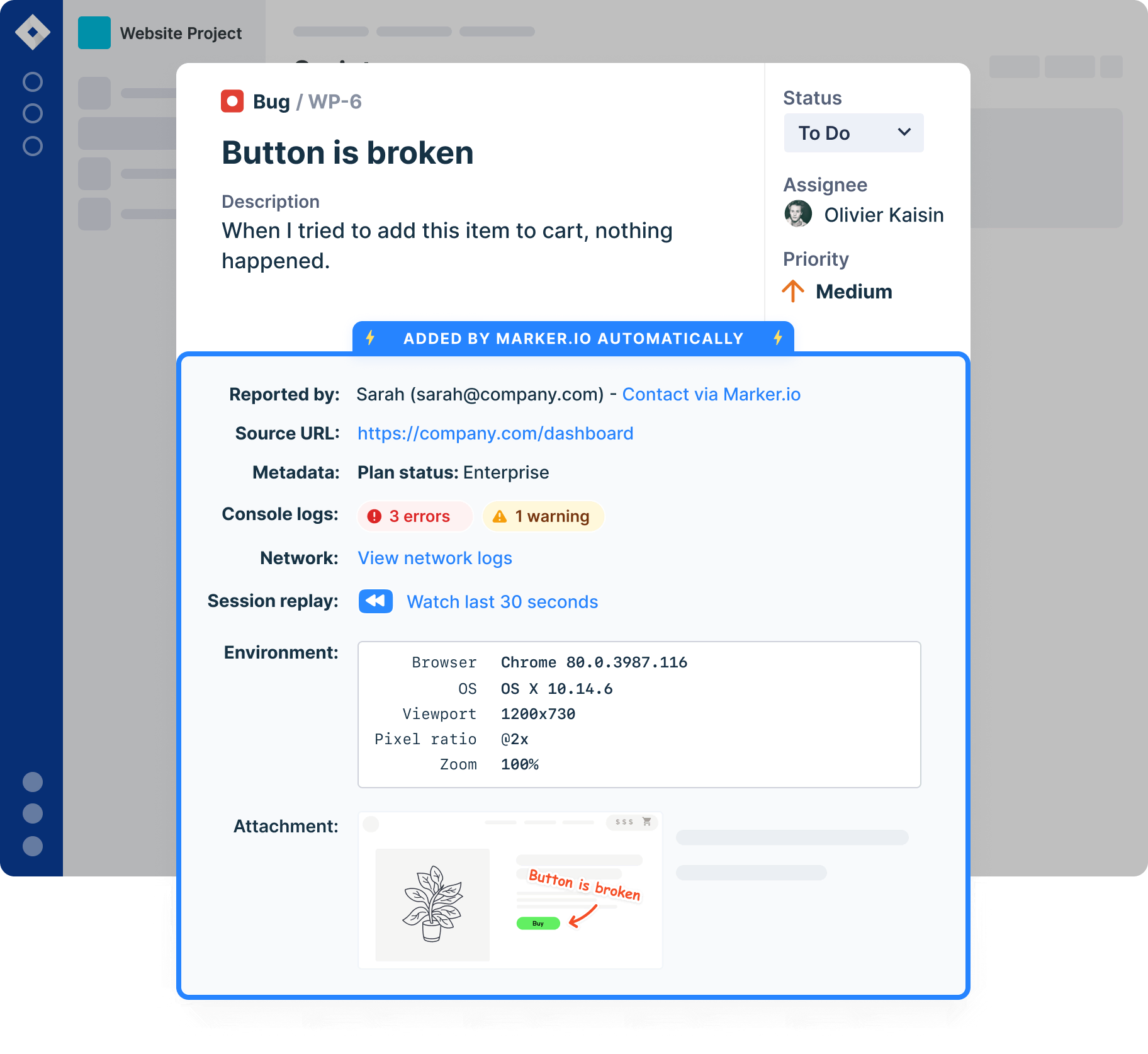
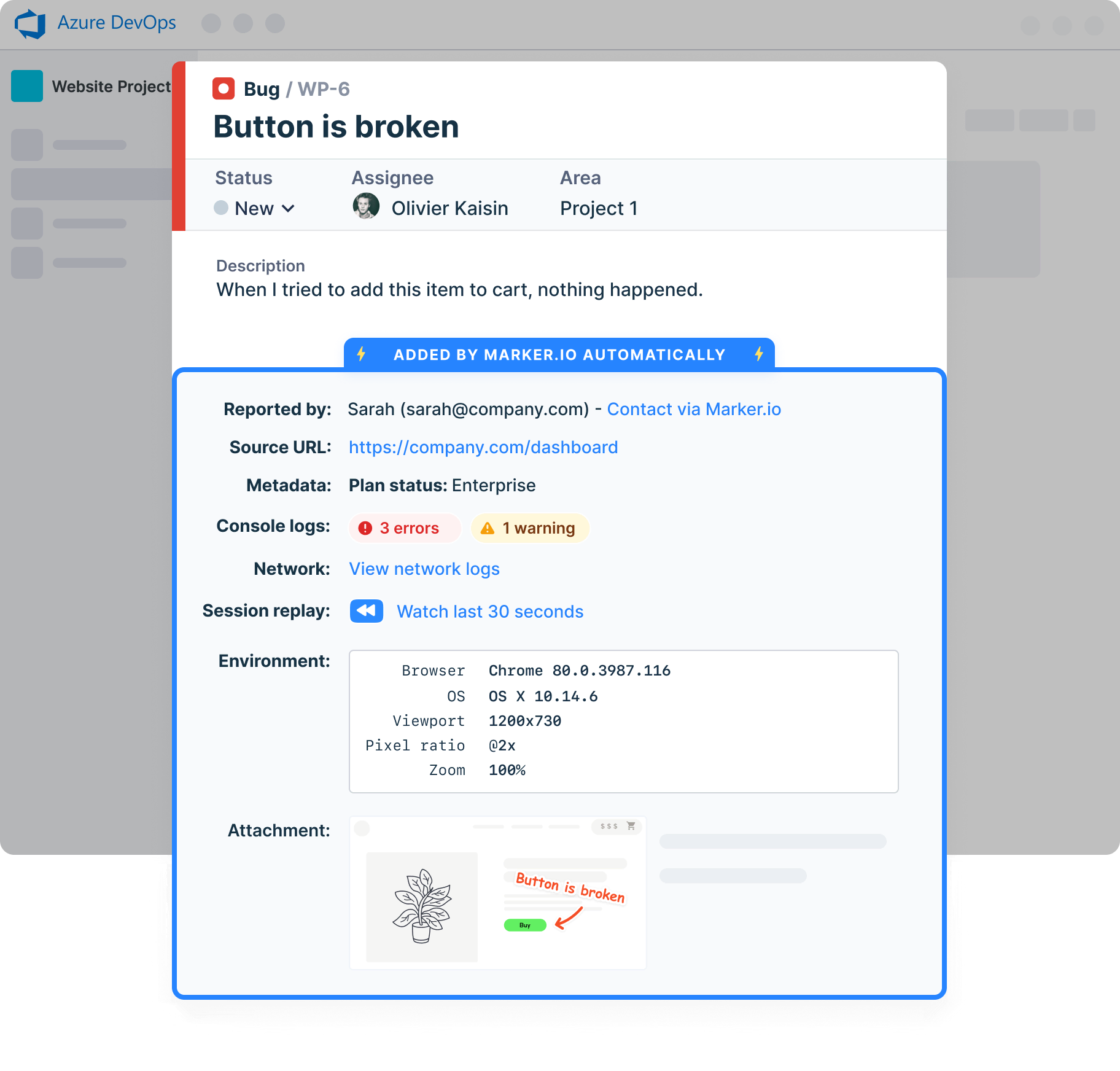
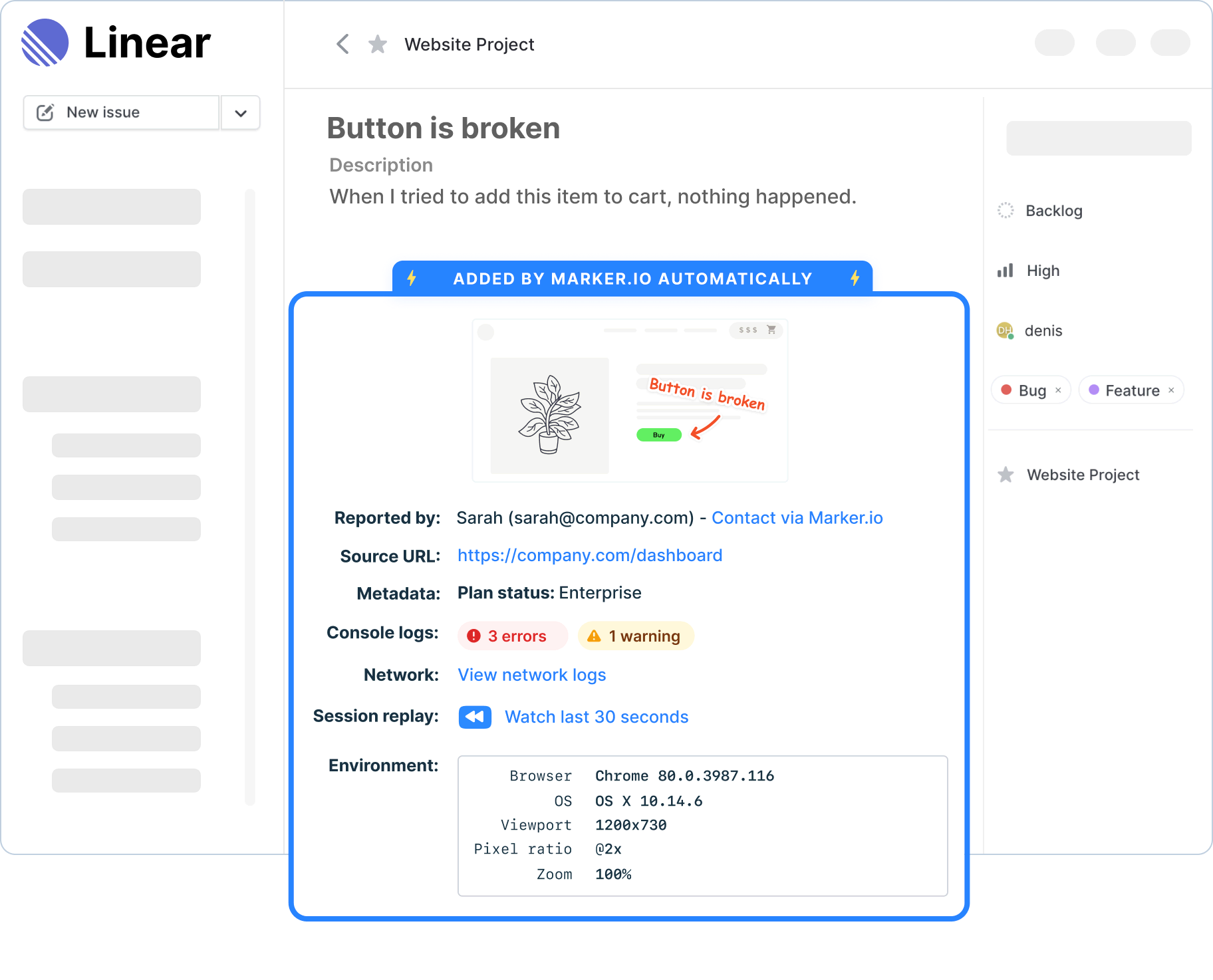
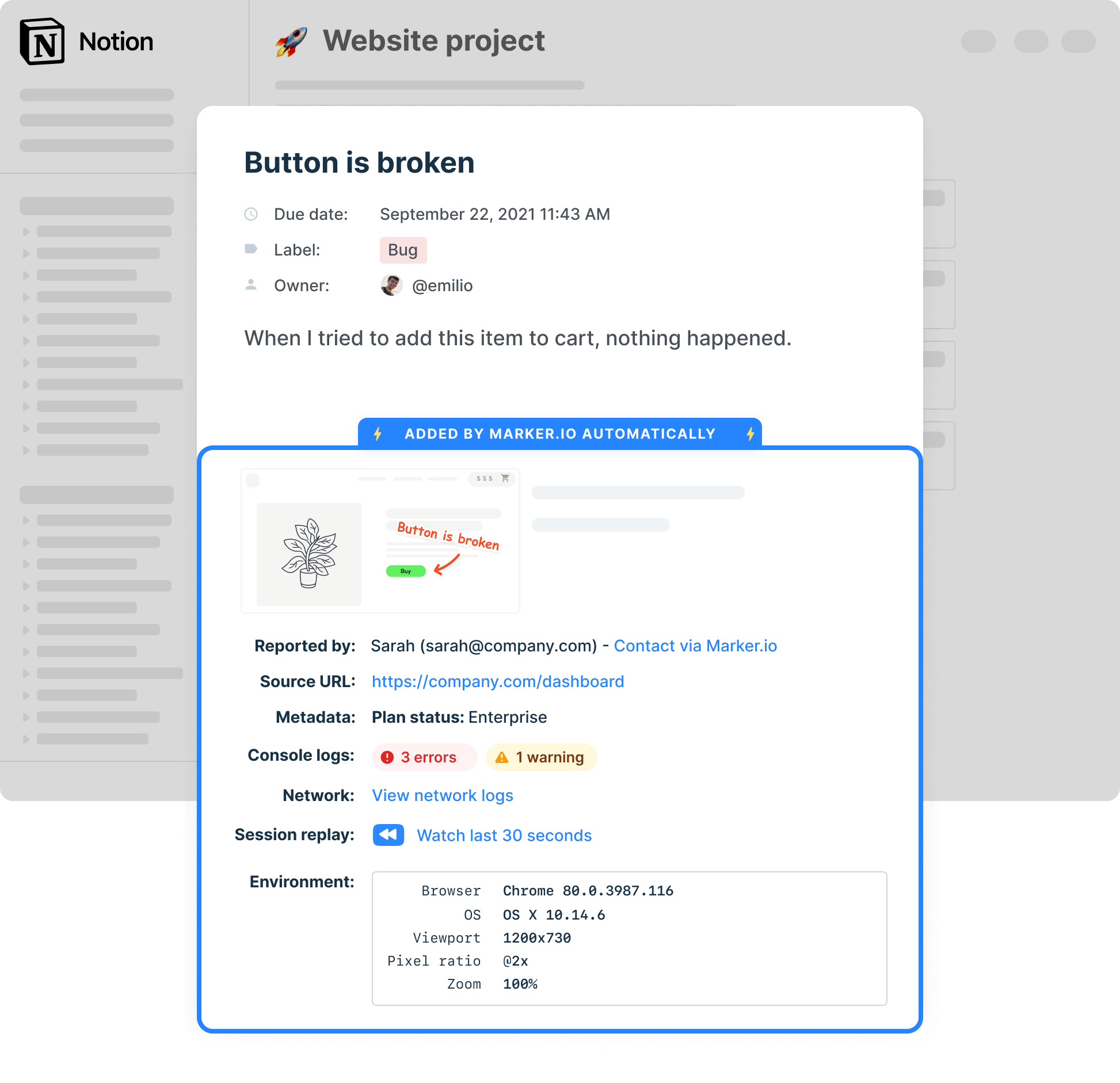
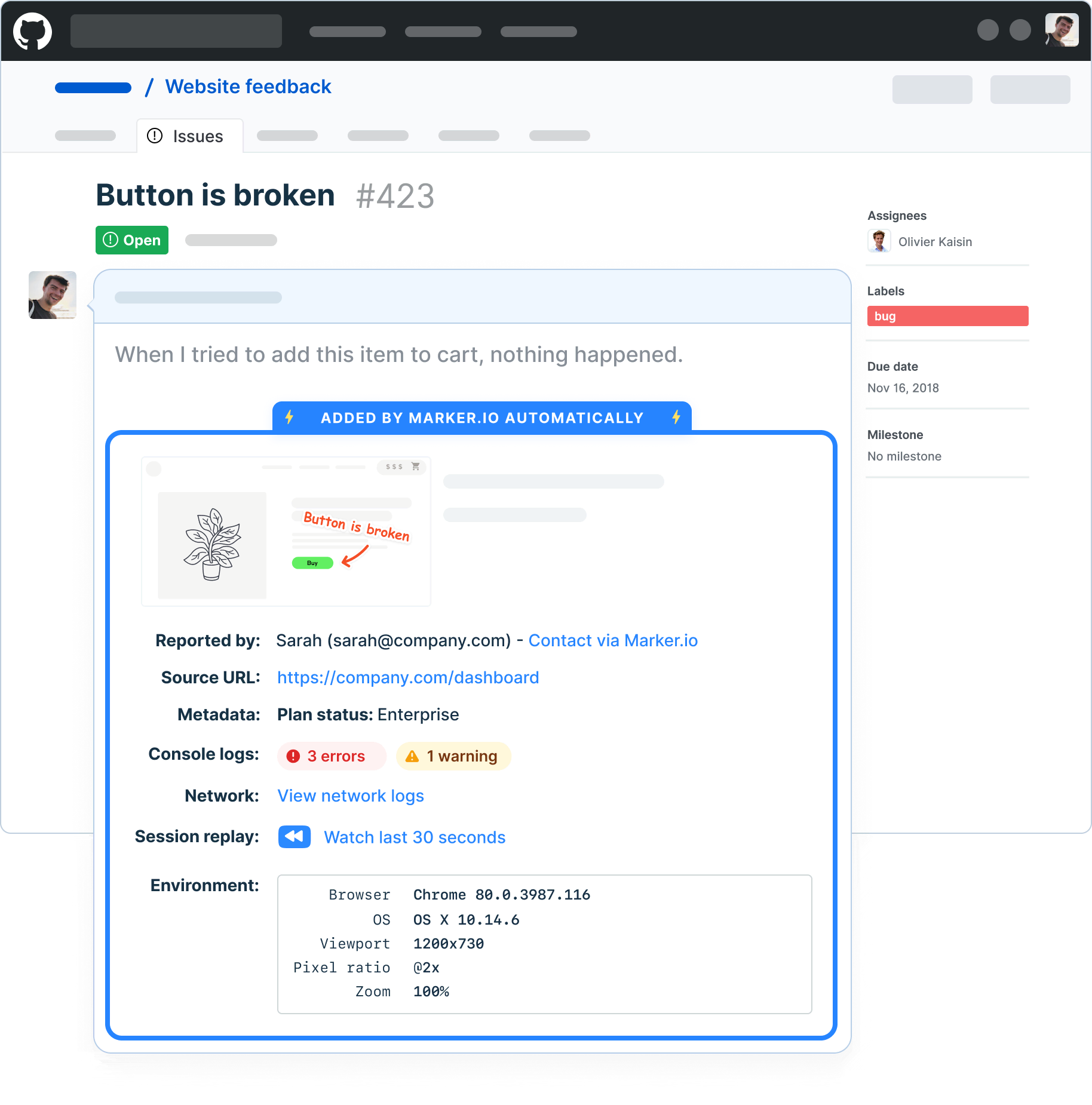
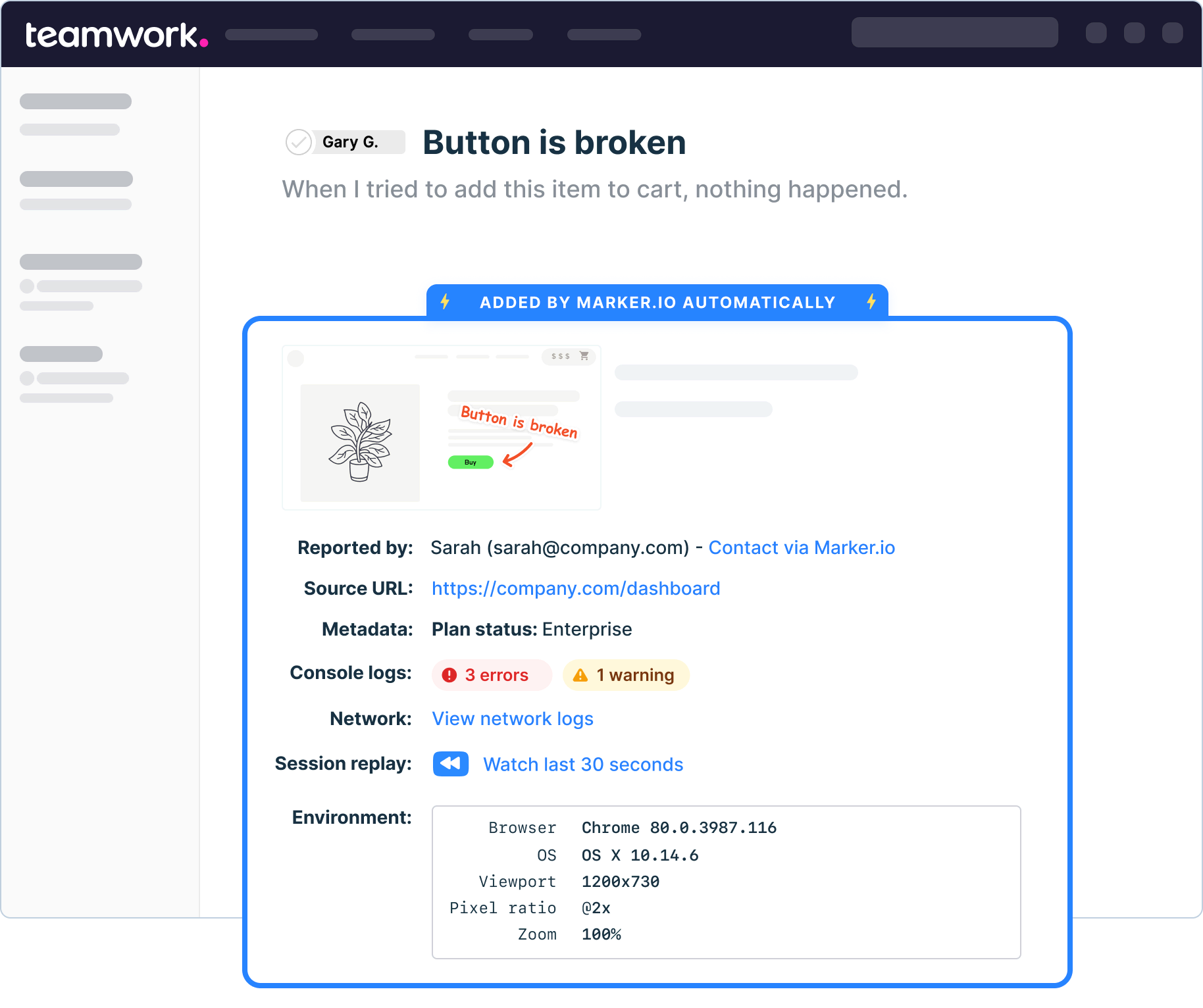
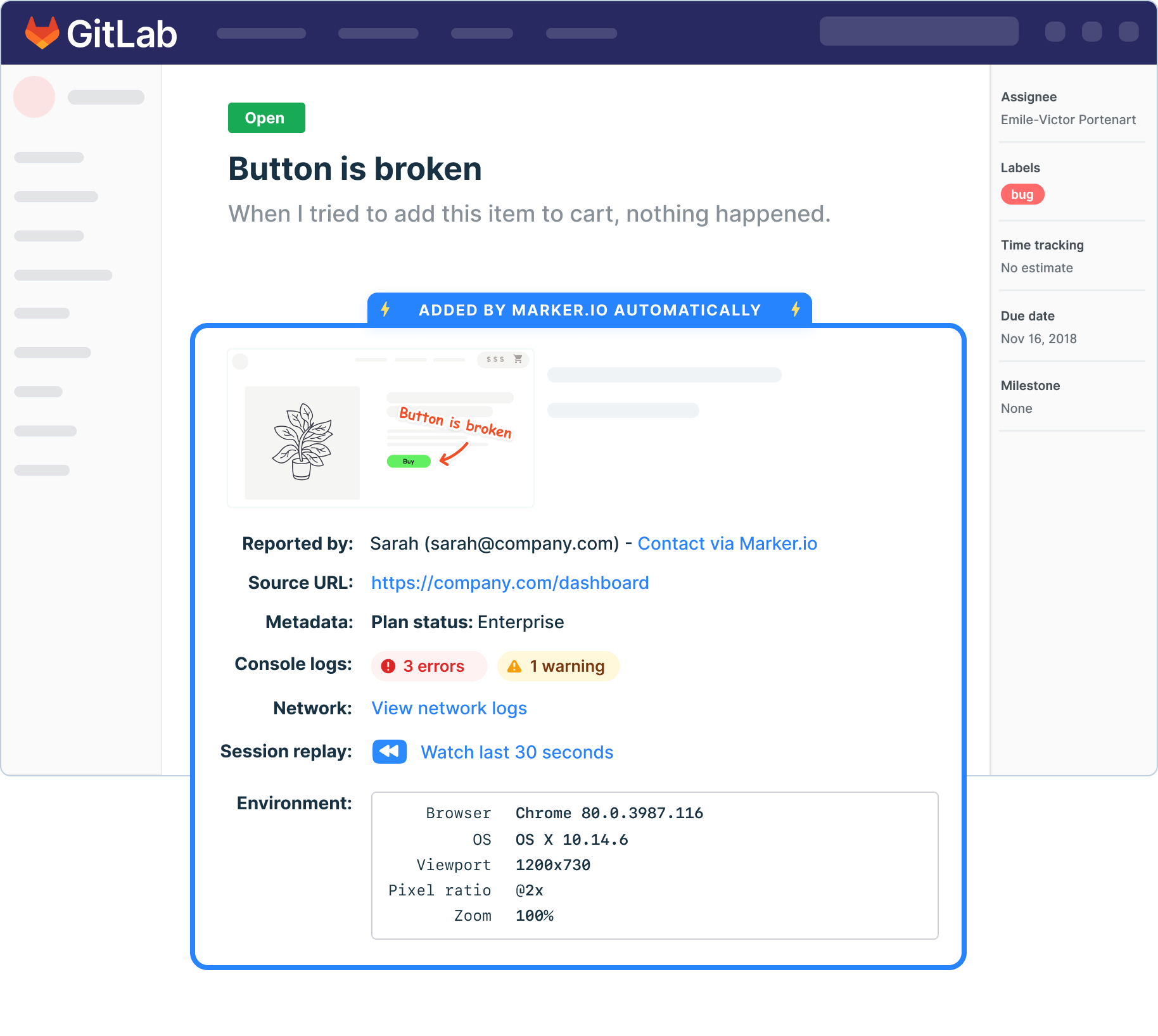
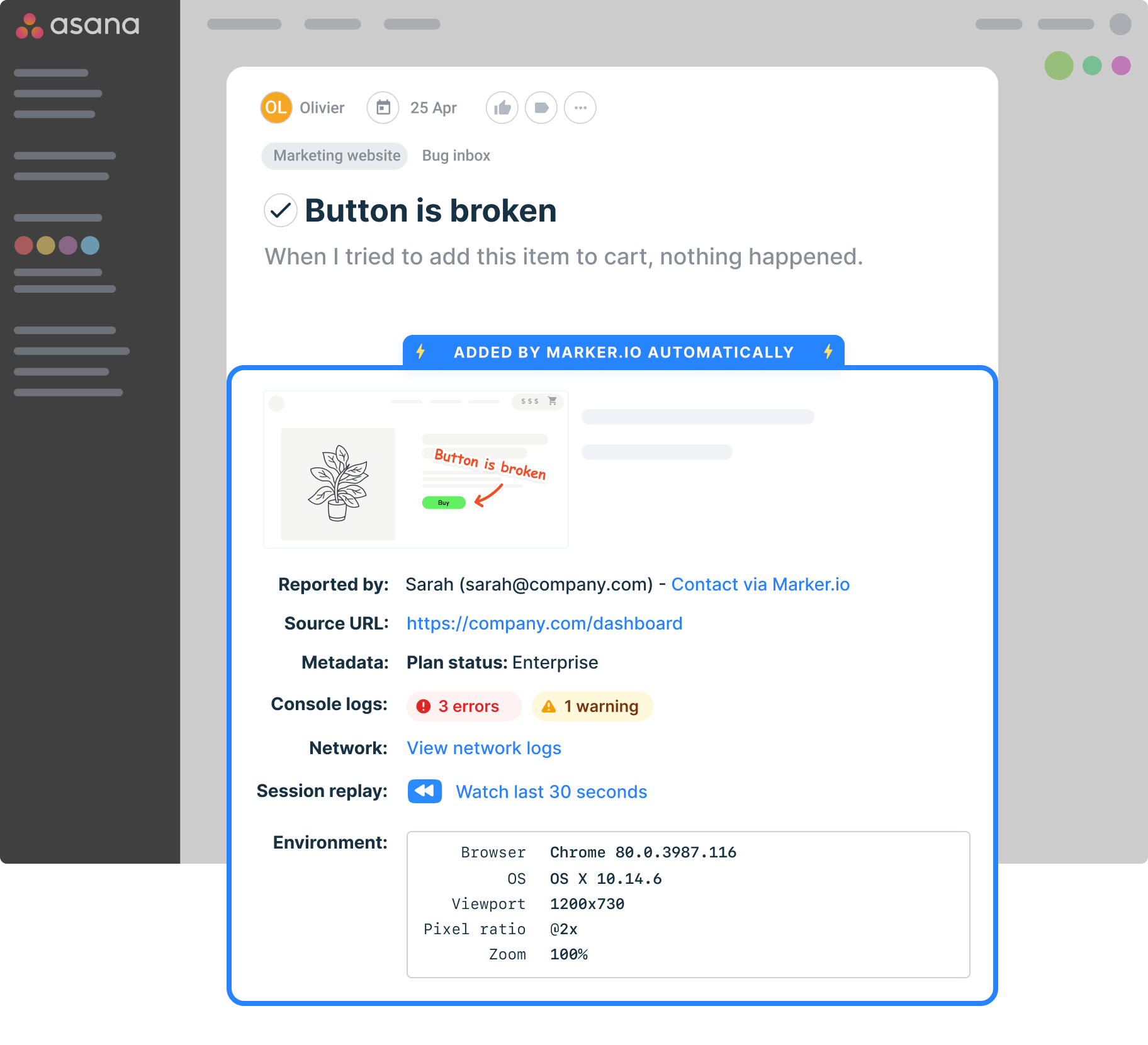
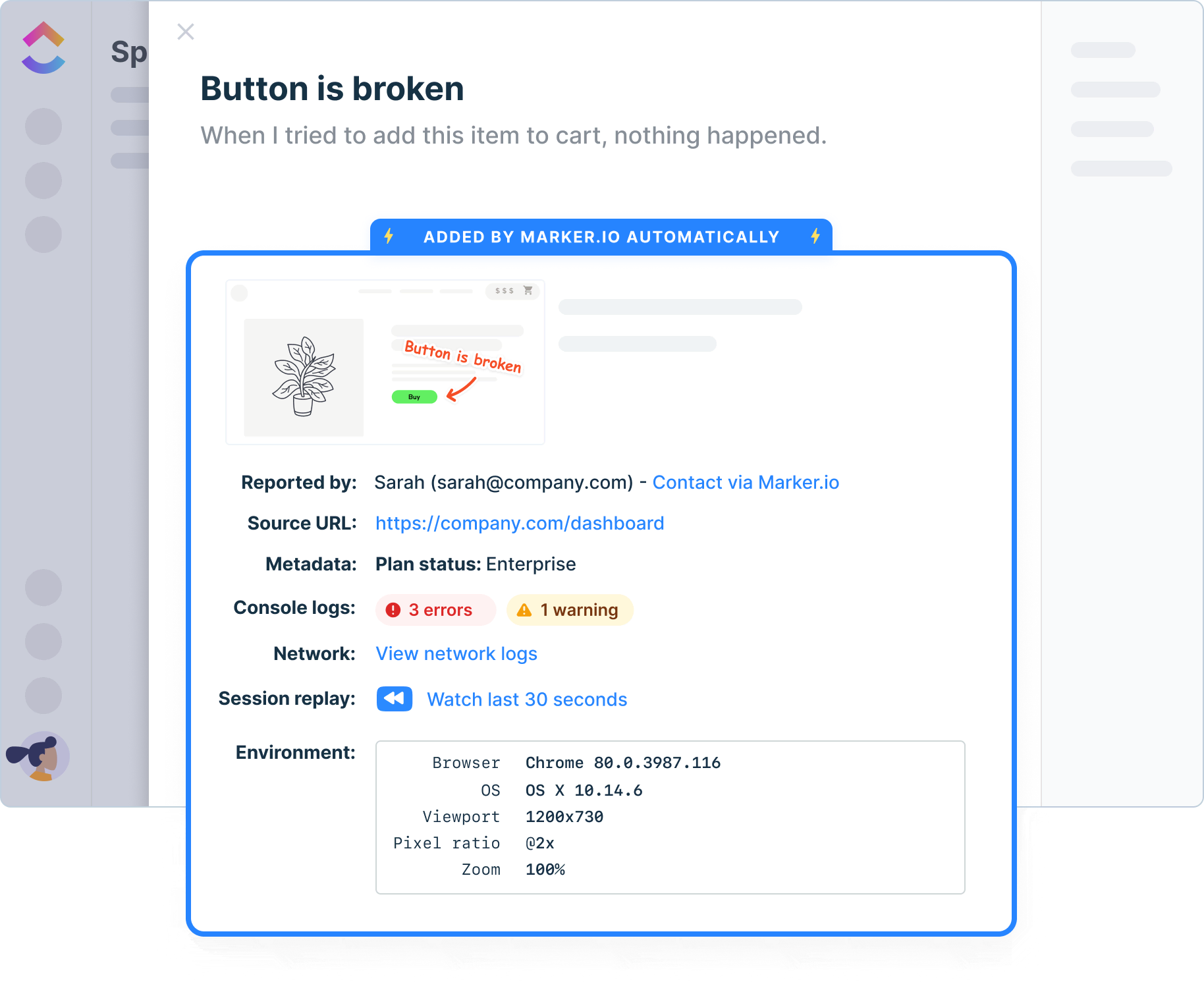
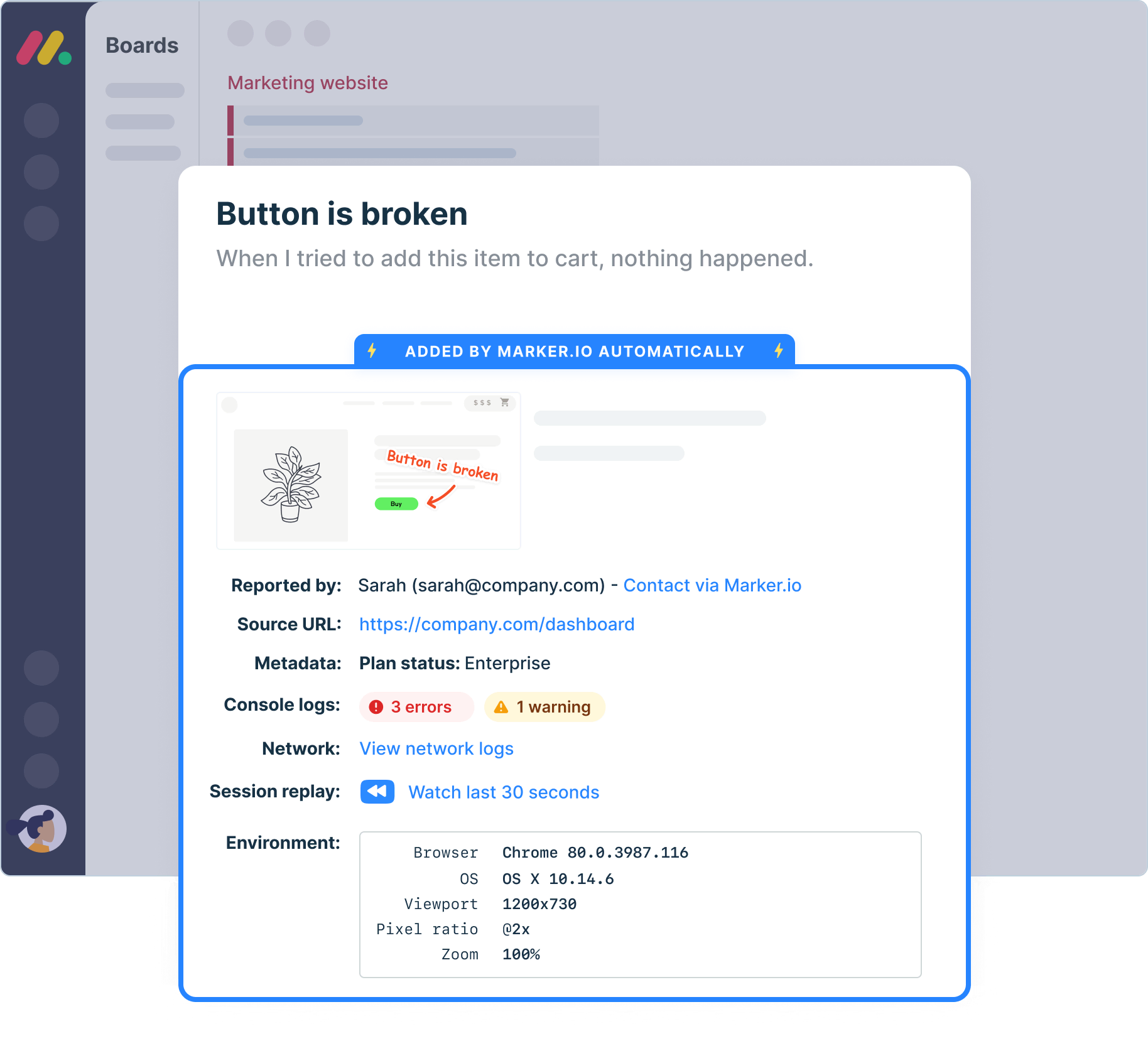
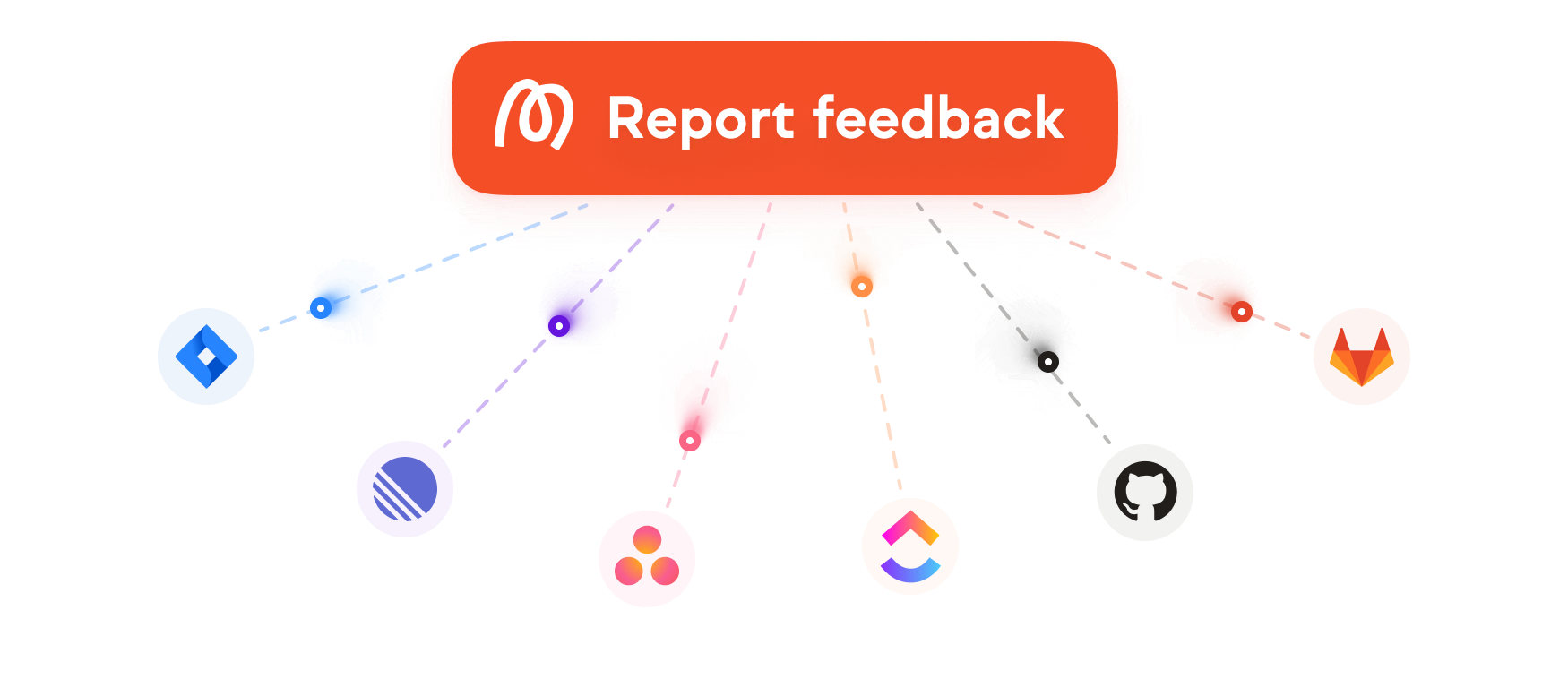
Connect website feedback and bug reports to the tools your team already uses. Marker.io supports integrations with popular project management tools like Jira, Linear, Trello, GitHub, ClickUp, Asana, and more, so feedback fits your existing workflows.
Testing environments
Report issues directly from your staging or UAT environments.
Technical details
Auto-capture annotated screenshots, metadata, console logs, network requests, and technical details.
Network requests & console logs
Capture and view network requests and console logs on bugs reported via the widget.
Environment data
Browser, operating system, page URL, screen resolution, and device context are automatically added to your issues, without reporters having to do anything.
Javascript SDK
Take control of the widget via JavaScript SDK and pass custom metadata about your users or technical environment.

“Our developers can now see bugs through the reporters' eyes, with no information getting lost.”
Travel back in time
Replay what reporters did before they submitted feedback, so developers can understand the steps that led to the issue.

“I love that we get a video of exactly what happened to our users”
Collaborate with Clients…
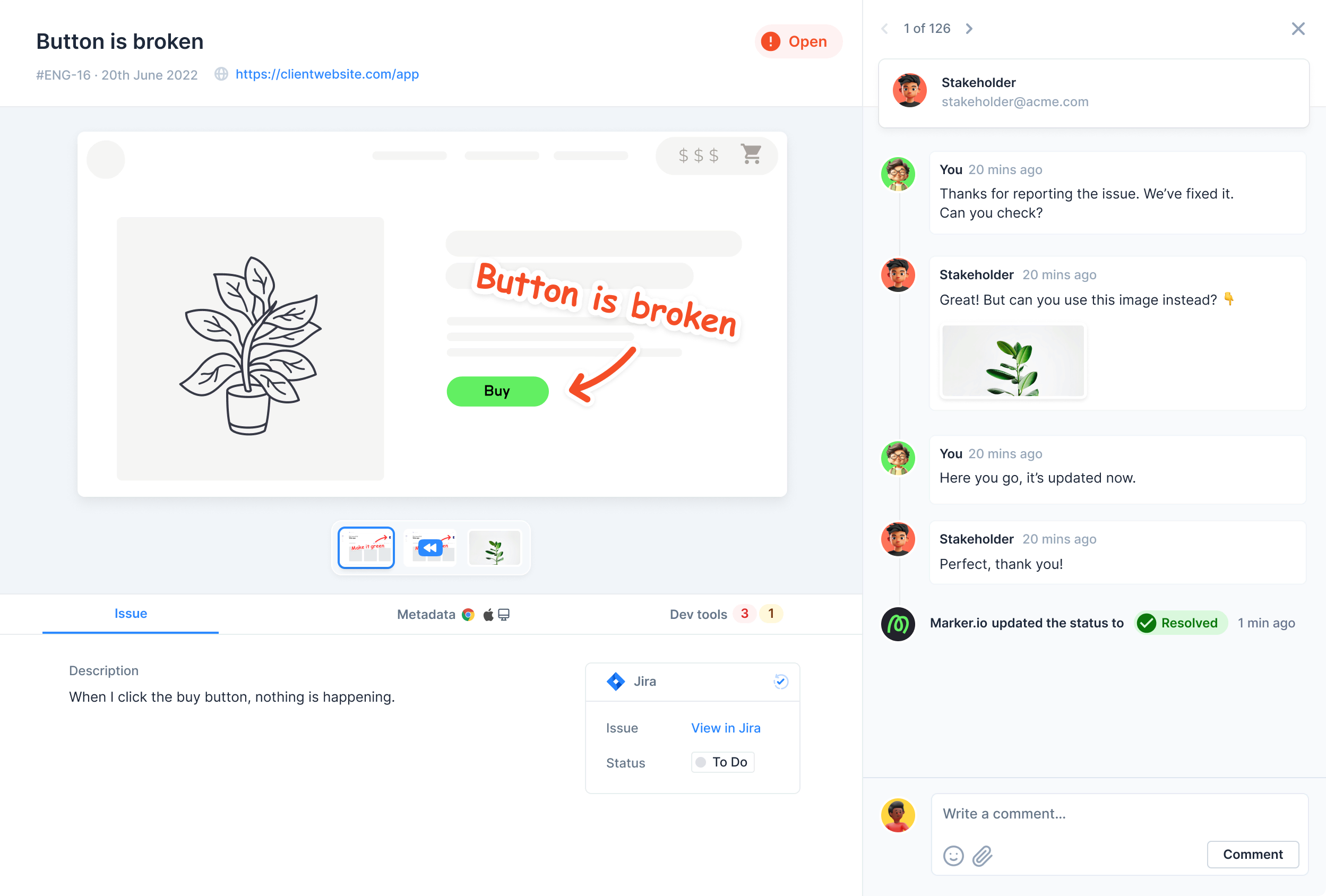

“Clients used to send us emails, documents, spreadsheets and even powerpoints for feedback. Now we just use Marker.io.”
Start collecting issues on your website
Install the Marker.io feedback widget on local, staging, or live websites, so clients, QA teams, and users can report issues from desktop and mobile browsers.

Snippet code

Browser extension
.svg)
Get started now
Free 15-day trial • No credit card required • Cancel anytime
Frequently Asked Questions
Is Marker.io a BugHerd alternative?
Yes. Marker.io and BugHerd are both website feedback tools, but Marker.io is a better BugHerd alternative when you want visual feedback, bug reporting, and technical context sent into your existing project management tools.
Why choose Marker.io over BugHerd?
Choose Marker.io when your priority is developer-ready website feedback inside your existing workflow, with options for environment details, console logs, network requests, session replay, and role-based visibility.
What should I look for in BugHerd alternatives?
Look at integration depth, reporter experience, setup method, client access, developer context, pricing, and whether feedback is managed in a separate board or inside the tools your team already uses.
Is Marker.io a good BugHerd alternative for web agencies?
Yes. Marker.io is a strong fit for web agencies and creative agencies that need to collect client feedback, QA feedback, and user feedback across web projects, then turn that feedback into actionable tasks for developers.
How does Marker.io compare with BugHerd’s integration options?
BugHerd’s integration options are fine for teams that want to keep feedback in BugHerd. Marker.io is the better alternative when your team wants to manage feedback directly inside existing tools like Jira, Trello, Linear, GitHub, ClickUp, or Asana.